Optimization, desktop app 1.6.5 for Windows and Linux. Creator / engineer: Ibnul Jaif Farabi · Company: AI999X · support@ai999x.com
Optimization covers linear and integer programming, convex and nonlinear optimisation, assignment, transportation and shortest-route problems, scheduling, inventory, queueing, game theory and multi-criteria decisions. Its desktop app holds all 73 calculations in 16 topics: pick one, change its inputs and the answer, a live scene and charts follow at once. It runs on your own computer with no network connection and nothing else to install. The pictures in this guide were taken in this app.
| system | download |
|---|---|
| Windows x86-64 | https://github.com/AI999X/ai999x-desktop/releases/download/v1.6.5/ai999x-optimization-1.6.5-windows-x86_64.zip |
| Linux x86-64 | https://github.com/AI999X/ai999x-desktop/releases/download/v1.6.5/ai999x-optimization-1.6.5-linux-x86_64.tar.gz |
Windows: Download ai999x-optimization-1.6.5-windows-x86_64.zip, right-click it → Extract All, then open the folder and start ai999x-optimization.exe. If Windows SmartScreen asks, choose More info → Run anyway.
Linux:
curl -LO https://github.com/AI999X/ai999x-desktop/releases/download/v1.6.5/ai999x-optimization-1.6.5-linux-x86_64.tar.gz
curl -LO https://github.com/AI999X/ai999x-desktop/releases/download/v1.6.5/SHA256SUMS
sha256sum -c --ignore-missing SHA256SUMS
tar xzf ai999x-optimization-1.6.5-linux-x86_64.tar.gz
./ai999x-optimization-1.6.5-linux-x86_64/ai999x-optimization
Checksums of every download: https://github.com/AI999X/ai999x-desktop/releases/download/v1.6.5/SHA256SUMS. Install steps for every app: https://www.ai999x.com/desktop-cli/
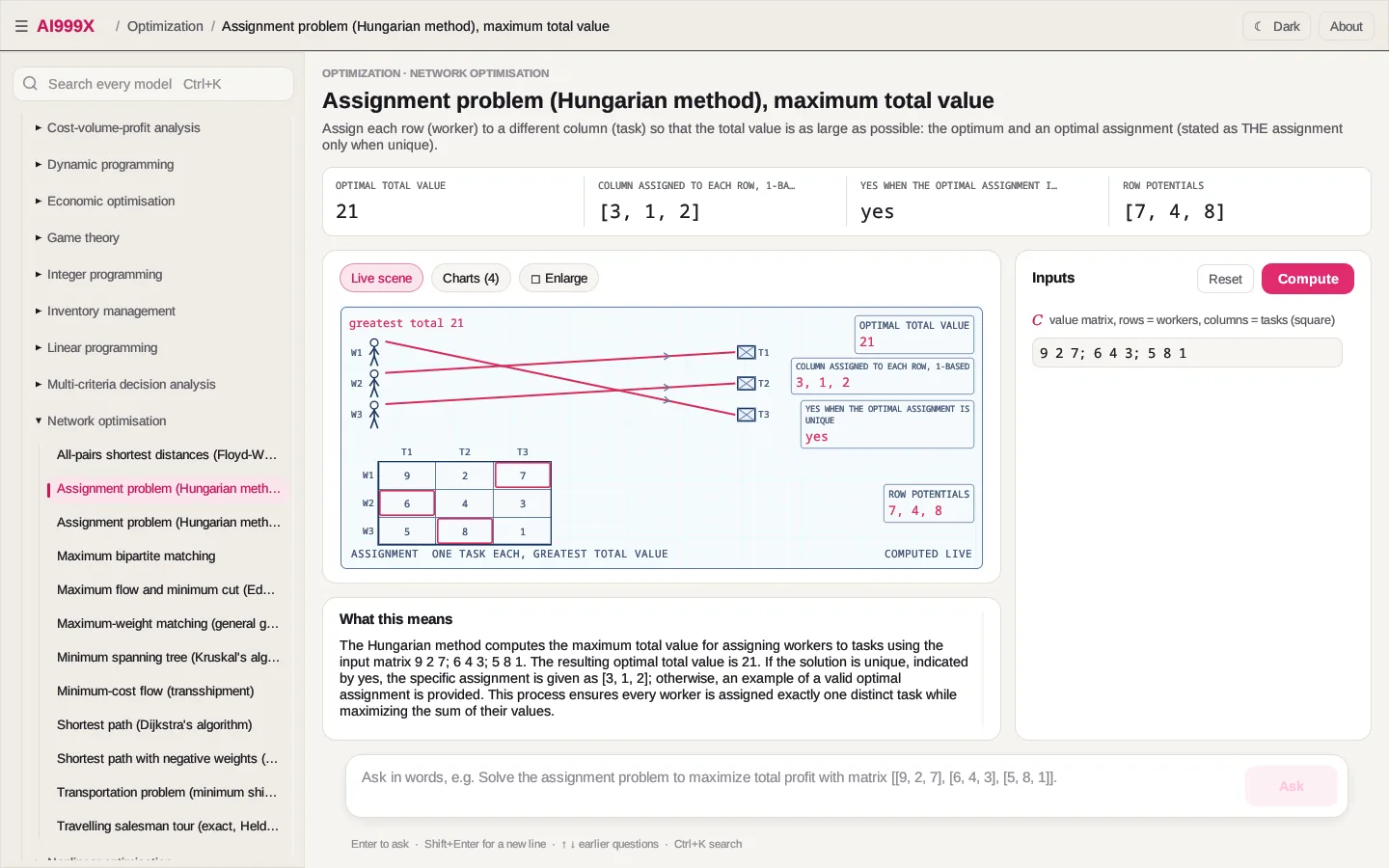
On the left, a search box and the topics with their calculations. In the middle, the chosen calculation: its answer at the top, then the live scene (or its charts), what the answer means and the formula. On the right, its inputs, each with a slider where that makes sense, and the Compute and Reset buttons. At the bottom, a box for a question in words.
Open Network optimisation › Transportation problem (minimum shipping cost) (or type part of its name in the search box). It opens with a worked example filled in: “Solve the transportation problem with supply [20, 30], demand [10, 25, 15] and cost matrix [[2, 3, 1], [5, 4, 8]].” The answer: min_cost = 150, shipments = [[5, 0, 15], [5, 25, 0]], plan_unique = yes, dual = [-3, 0, 5, 4, 4].
Change any input (type a number with its unit, or drag its slider) and the answer, the scene and the charts follow; Compute recomputes after typing, Reset brings back the worked example. An input outside the range the formula holds for is refused with the reason, never answered with a guessed number.
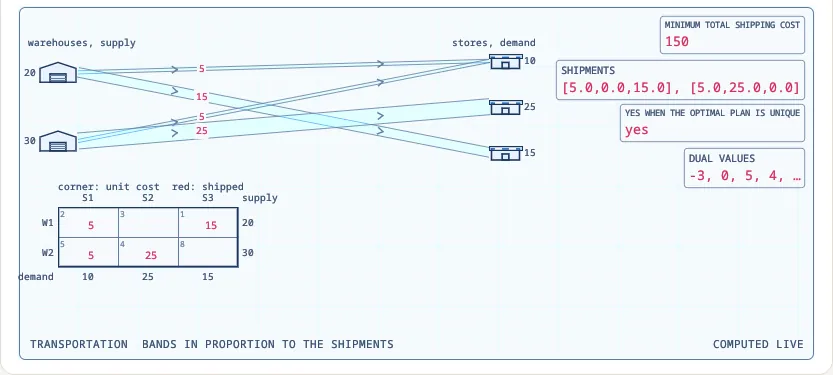
Type a question as you would say it, for example “Solve the transportation problem with supply [20, 30], demand [10, 25, 15] and cost matrix [[2, 3, 1], [5, 4, 8]].” The app reads the quantities and their units, picks the calculation and answers; the command-line program reads it the same way and printed:
Read as: Transportation problem (minimum shipping cost)
min_cost = 150
shipments = [[5.0,0.0,15.0],[5.0,25.0,0.0]]
When a question names a quantity the app cannot place, it says what is missing instead of guessing.
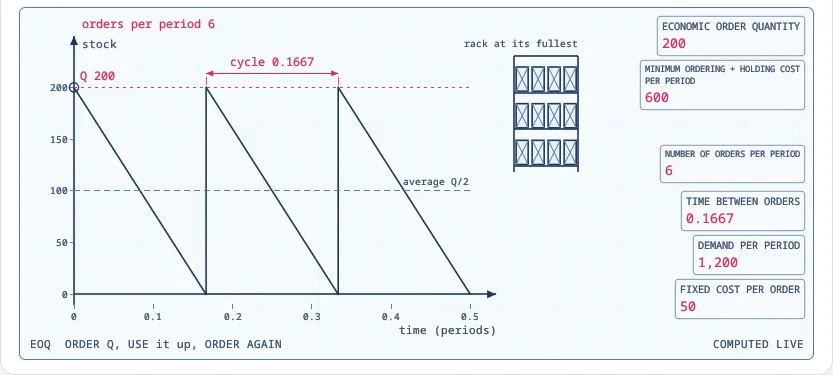
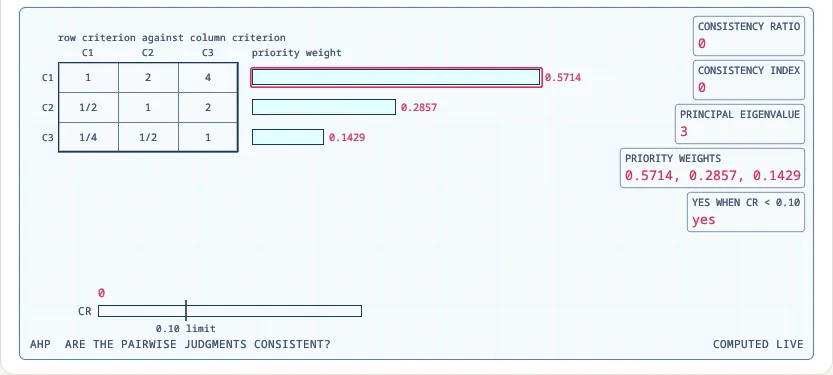
Every calculation draws a scene from its answer: it moves as an input changes. The Charts button shows charts that vary one input around your values; Enlarge opens one in a large view. Scenes from other topics:
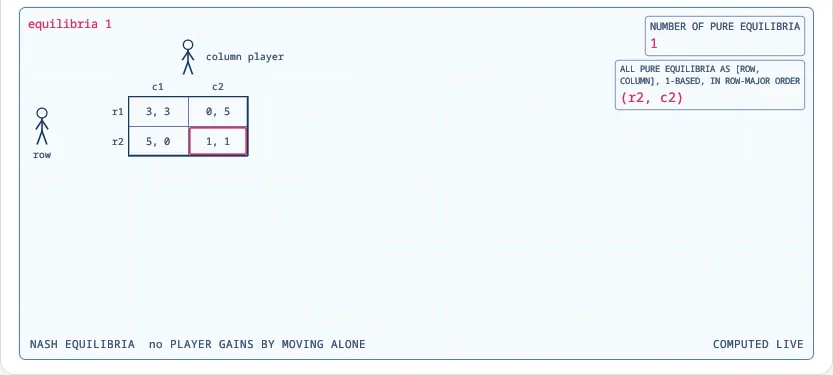
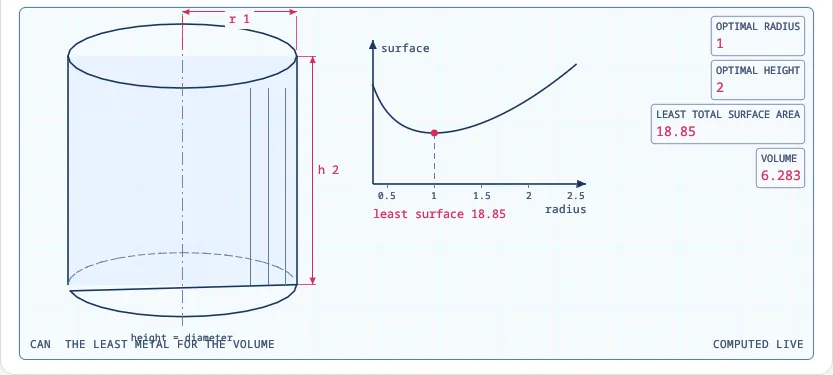
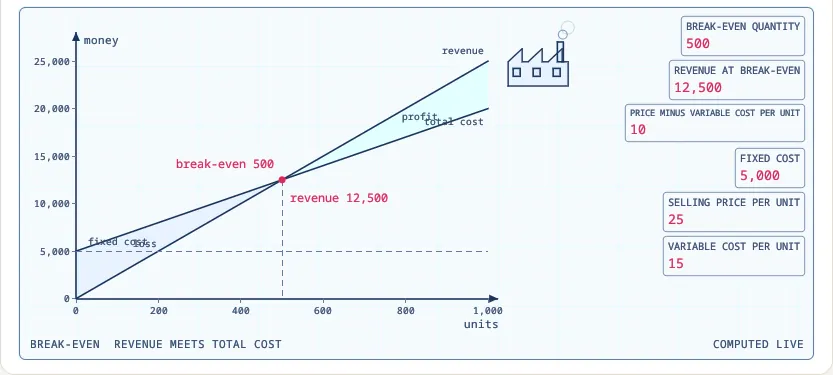
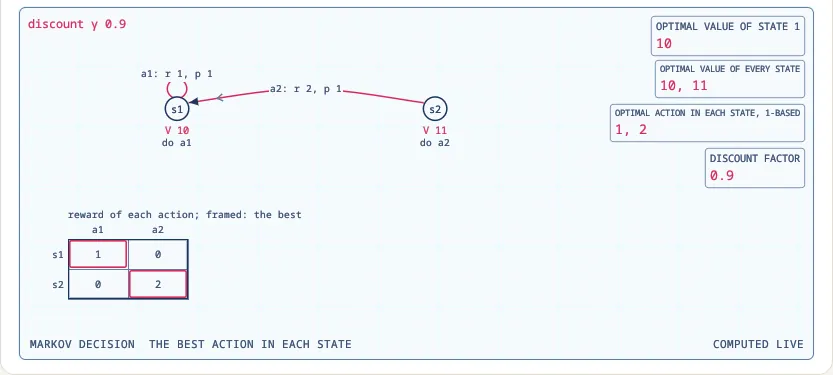
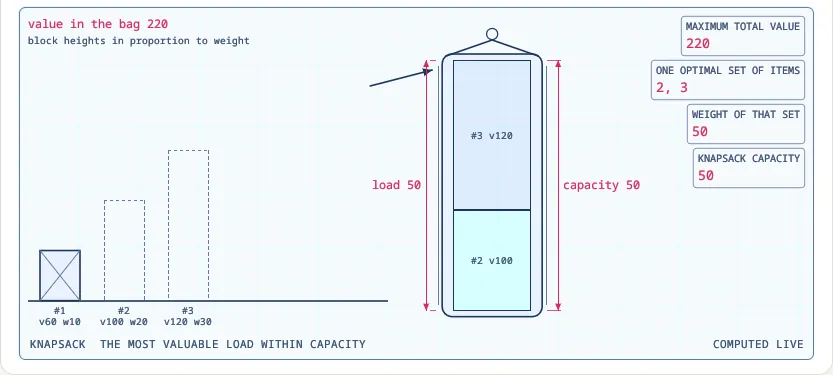
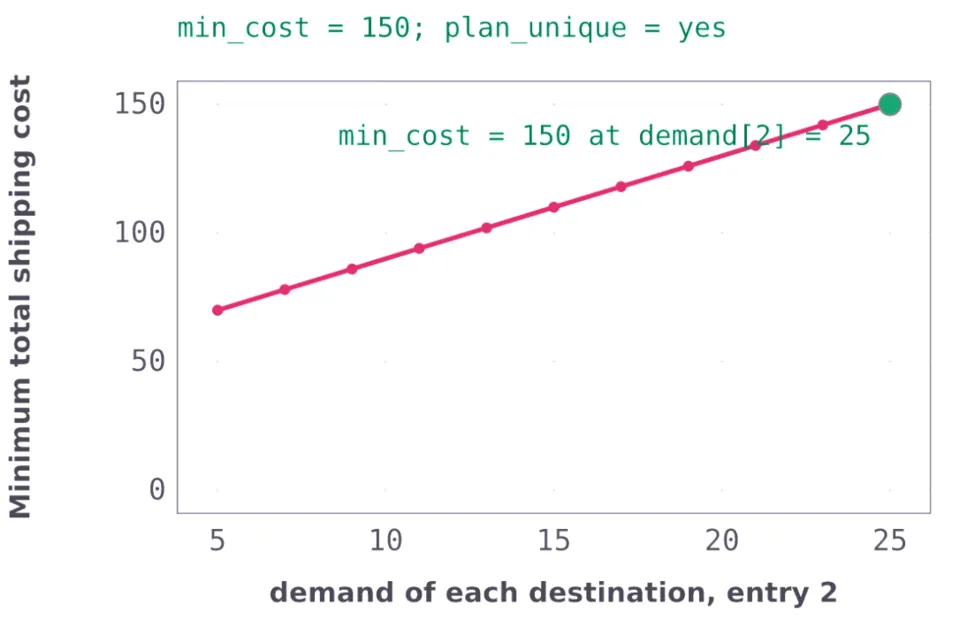
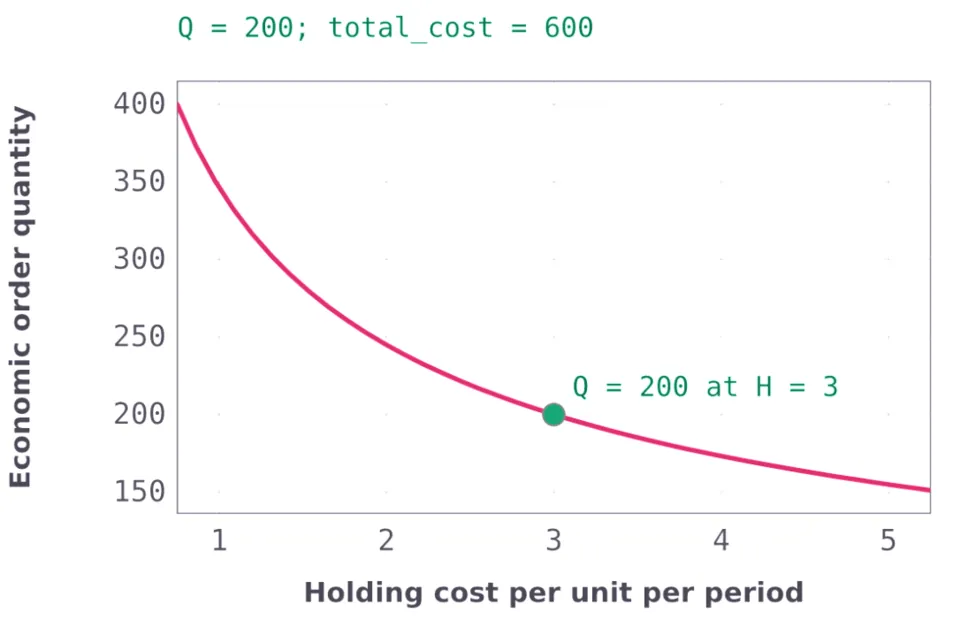
The app follows a light or a dark theme (the switch is in its top bar).
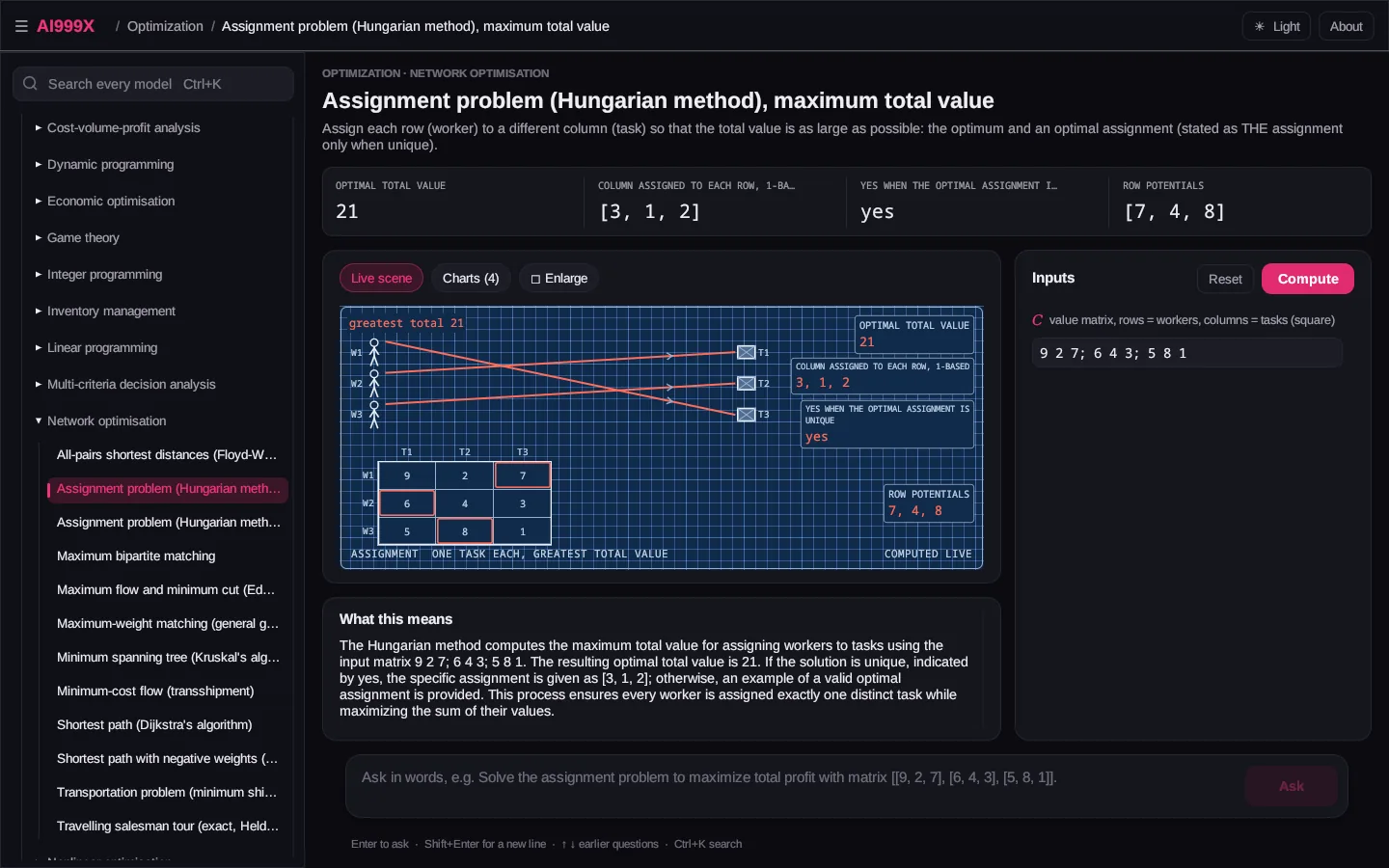
73 calculations in 16 topics; each has its own entry on the model's page (https://www.ai999x.com/models/optimization-ai999x/) with its formula, worked example and charts.
| topic | calculations |
|---|---|
| Calculus optimisation | Absolute extrema of a polynomial on a closed interval, Closed cylinder of least surface area for a given volume, Critical point of a two-variable quadratic and its classification, Largest rectangle for a given length of fencing, Open box of maximum volume from a rectangular sheet |
| Cost-volume-profit analysis | Break-even quantity |
| Dynamic programming | Discounted Markov decision process (optimal values and policy), Dynamic lot sizing (Wagner-Whitin) |
| Economic optimisation | Profit-maximising output with linear demand, Revenue-maximising price with linear demand |
| Game theory | 2 x 2 zero-sum game (saddle point or mixed-strategy formula), Mixed-strategy Nash equilibrium of a 2 x 2 game, Pure-strategy Nash equilibria of a bimatrix game, Two-person zero-sum game (value and optimal mixed strategies) |
| Integer programming | 0/1 knapsack problem, Bin packing (minimum number of bins), Chromatic number (minimum graph colouring), Integer linear program (branch and bound), Minimum vertex cover (and maximum independent set), Minimum-cost set cover, Unbounded knapsack problem, Uncapacitated facility location |
| Inventory management | Economic order quantity (EOQ), Economic production quantity (EPQ), EOQ with planned backorders, Newsvendor order quantity (discrete demand), Newsvendor order quantity (normal demand), Newsvendor order quantity (uniform demand), Order quantity with quantity discounts (all-units), Periodic-review order-up-to level, Reorder point with safety stock |
| Linear programming | Linear program (simplex method), LP duality and sensitivity ranges, Shadow prices of a linear program, Two-variable linear program (graphical corner-point method) |
| Multi-criteria decision analysis | AHP consistency ratio, AHP priority vector (principal eigenvector), AHP weights by the geometric mean method, TOPSIS ranking (closeness to the ideal solution), Weighted product model, Weighted sum model (simple additive weighting) |
| Network optimisation | All-pairs shortest distances (Floyd-Warshall), Assignment problem (Hungarian method), maximum total value, Assignment problem (Hungarian method), minimum total cost, Maximum bipartite matching, Maximum flow and minimum cut (Edmonds-Karp), Maximum-weight matching (general graph), Minimum spanning tree (Kruskal's algorithm), Minimum-cost flow (transshipment), Shortest path (Dijkstra's algorithm), Shortest path with negative weights (Bellman-Ford), Transportation problem (minimum shipping cost), Travelling salesman tour (exact, Held-Karp) |
| Nonlinear optimisation | Equality-constrained quadratic program (Lagrange multipliers / KKT), Steepest descent step with exact line search (quadratic), Unconstrained quadratic minimisation |
| Project scheduling | Critical path method (project duration and slack), PERT project duration and completion probability |
| Queueing theory | Erlang B blocking probability (M/M/c/c loss system), M/G/1 queue (Pollaczek-Khinchine formula), M/M/1 queue, M/M/c queue (Erlang C), M/M/c/K queue (finite capacity), Machine-repair (finite-source) queue, Minimum number of servers for a service target (Erlang C) |
| Revenue management | Littlewood's rule (two-fare protection level) |
| Scheduling | Earliest due date rule (minimum maximum lateness), Johnson's rule (two-machine flow shop), Minimum makespan on identical parallel machines, Moore-Hodgson algorithm (minimum number of tardy jobs), Shortest processing time rule (minimum mean flow time), Weighted shortest processing time (Smith's rule) |
| Unconstrained optimisation | Optimum of a quadratic function |
The same engine runs on the command line (optimization, its own guide), in Python (pip install optimization-ai999x, import optimization_ai999x, its own guide) and in the browser on https://www.ai999x.com/models/optimization-ai999x/.
Licence: Apache-2.0 · AI999X · https://www.ai999x.com/models/optimization-ai999x/