

File size: 1,675 Bytes
7131218 ed83438 7131218 99f46ae 7131218 99f46ae 7131218 | 1 2 3 4 5 6 7 8 9 10 11 12 13 14 15 16 17 18 19 20 21 22 23 24 25 26 27 28 29 30 31 32 33 34 35 36 37 38 39 40 41 42 43 44 45 46 47 | ---
license: other
tags:
- comfyui
- workflow
- minimax-h3
- refmod
---
# ComfyUI workflows
Public workflows from [COMFYUI 4 NOOBS on SKOOL](https://www.skool.com/ai-creators-8862/about).
Each JSON in this repo is free to download.
## Workflows
| Workflow | File | Tutorial |
| --- | --- | --- |
| Create a MiniMax H3 RefMod | [CREATE-REFMOD-WF.json](CREATE-REFMOD-WF.json) | [YouTube Short](https://www.youtube.com/shorts/iL-8mupLCd0) |
## Create a MiniMax H3 RefMod
Builds a MiniMax H3 RefMod in ComfyUI from a reference image. The saved graph is set up as an identity RefMod (`Full Reference`, preset `identity_encode`) and writes the result as a bundle.
[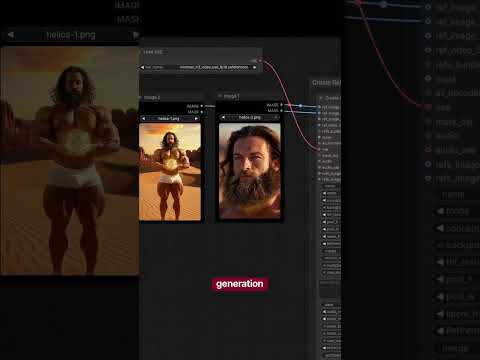](https://www.youtube.com/shorts/iL-8mupLCd0)
**Tutorial:** [How to use this workflow](https://www.youtube.com/shorts/iL-8mupLCd0)
**File:** [CREATE-REFMOD-WF.json](CREATE-REFMOD-WF.json)
**You need:**
- ComfyUI with MiniMax H3 support
- [ComfyUI-MiniMaxH3Mod](https://github.com/Luisacaotica/ComfyUI-MiniMaxH3Mod) (`MiniMaxH3RefModMasterExtract`)
- [rgthree-comfy](https://github.com/rgthree/rgthree-comfy) (group bypasser and labels)
- `minimax_h3_video_vae_fp16.safetensors`
- `minimax_h3_audio_vae_fp32.safetensors` when you turn the audio path on
**In this file:**
- **Image 1** is the active reference. It feeds `refs_image.ref_image_0`.
- **Image 2**, **Image 3**, **Image 4**, and the audio loader are in the graph and bypassed. Turn one on when you want another image, a video reference, or a voice.
- The video VAE loader is active. The audio VAE loader is bypassed with the audio input.
```
|