| # LLM Finetuning |
|
|
| With AutoTrain, you can easily finetune large language models (LLMs) on your own data |
|
|
| AutoTrain supports the following types of LLM finetuning: |
|
|
| - Causal Language Modeling (CLM) |
| - Masked Language Modeling (MLM) [Coming Soon] |
|
|
| For LLM finetuning, only Hugging Face Hub model choice is available. |
| User needs to select a model from Hugging Face Hub, that they want to finetune and select the parameters on their own (Manual Parameter Selection), |
| or use AutoTrain's Auto Parameter Selection to automatically select the best parameters for the task. |
|
|
| ## Data Preparation |
|
|
| LLM finetuning accepts data in CSV format. |
| There are two modes for LLM finetuning: `generic` and `chat`. |
| An example dataset with both formats in the same dataset can be found here: https://huggingface.co/datasets/tatsu-lab/alpaca |
|
|
| ### Generic |
|
|
| In generic mode, only one column is required: `text`. |
| The user can take care of how the data is formatted for the task. |
| A sample instance for this format is presented below: |
|
|
| ``` |
| Below is an instruction that describes a task, paired with an input that provides further context. Write a response that appropriately completes the request. |
|
|
| ### Instruction: Evaluate this sentence for spelling and grammar mistakes |
|
|
| ### Input: He finnished his meal and left the resturant |
|
|
| ### Response: He finished his meal and left the restaurant. |
| ``` |
|
|
| 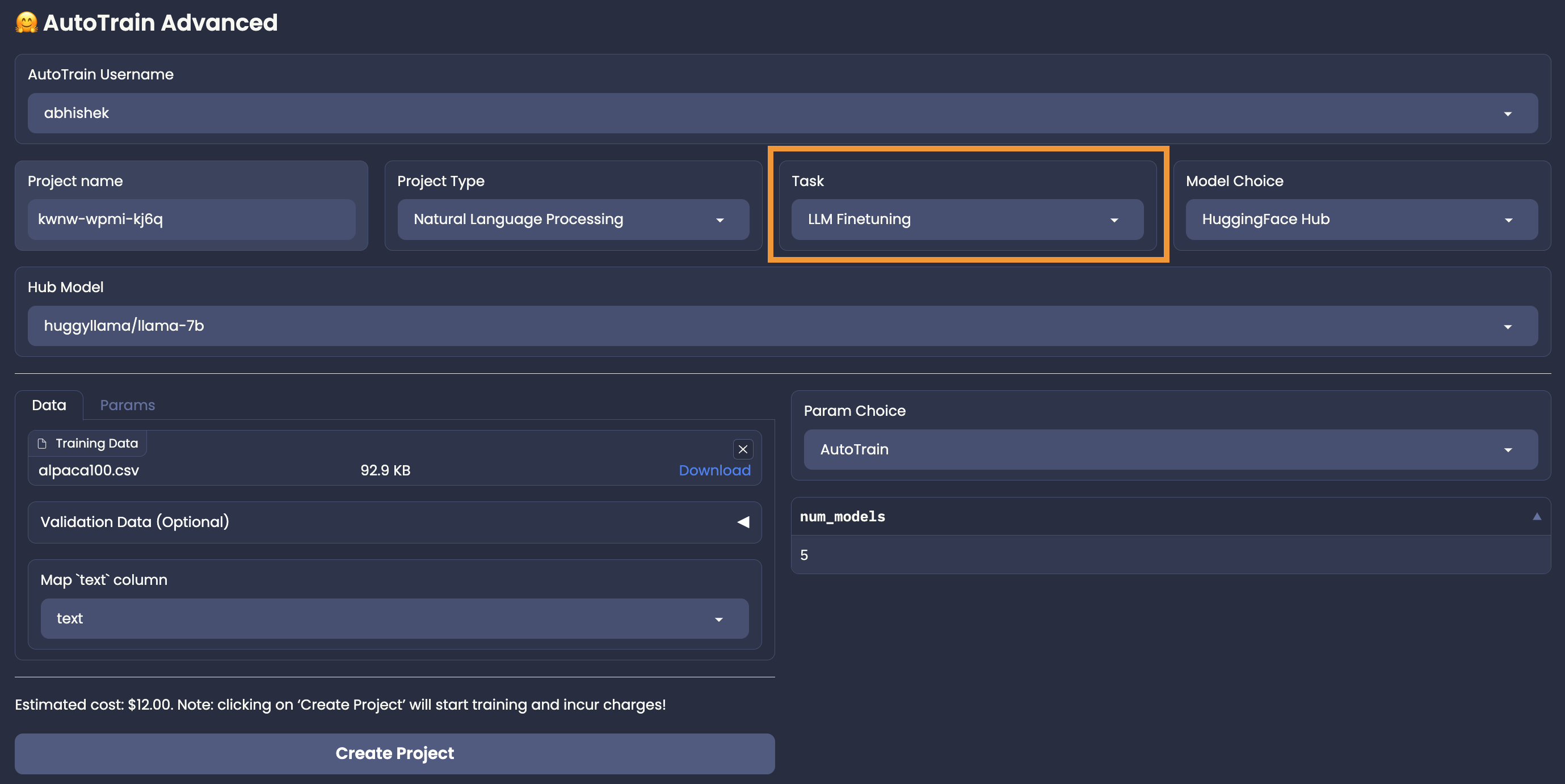 |
|
|
| Please note that above is the format for instruction finetuning. But in the `generic` mode, you can also finetune on any other format as you want. The data can be changed according to the requirements. |
|
|
|
|
| ## Training |
|
|
| Once you have your data ready and estimate verified, you can start training your model by clicking the "Create Project" button. |