| | |
| |
|
| | AutoTrain can automagically select the best models for your task! However, you are also |
| | allowed to choose the models you want to use. You can choose the most appropriate models |
| | from the Hugging Face Hub. |
| |
|
| |  |
| |
|
| | |
| |
|
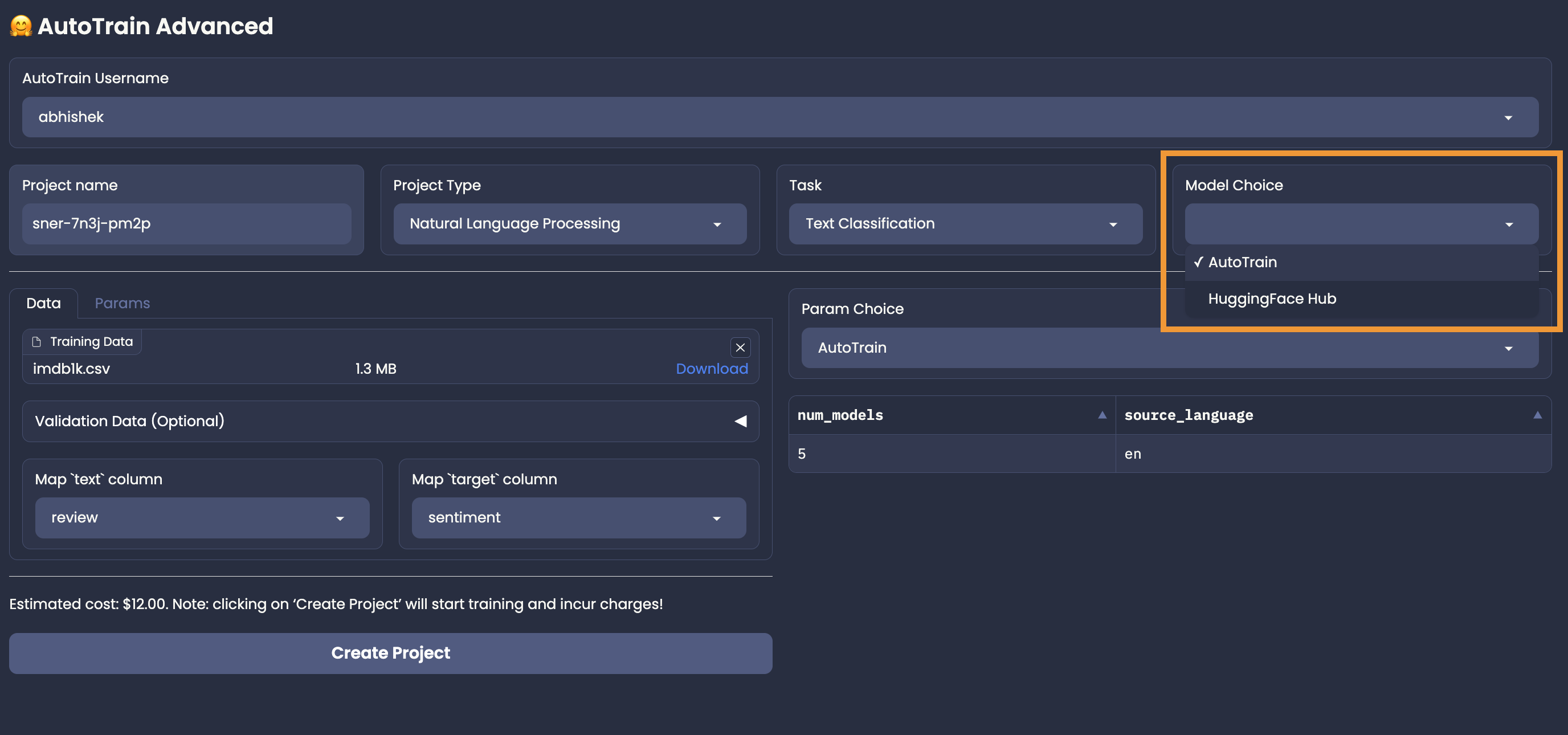
| | To let AutoTrain choose the best models for your task, you can use the "AutoTrain" |
| | in the "Model Choice" section. Once you choose AutoTrain mode, you no longer need to worry about model and parameter selection. |
| | AutoTrain will automatically select the best models (and parameters) for your task. |
| |
|
| | |
| |
|
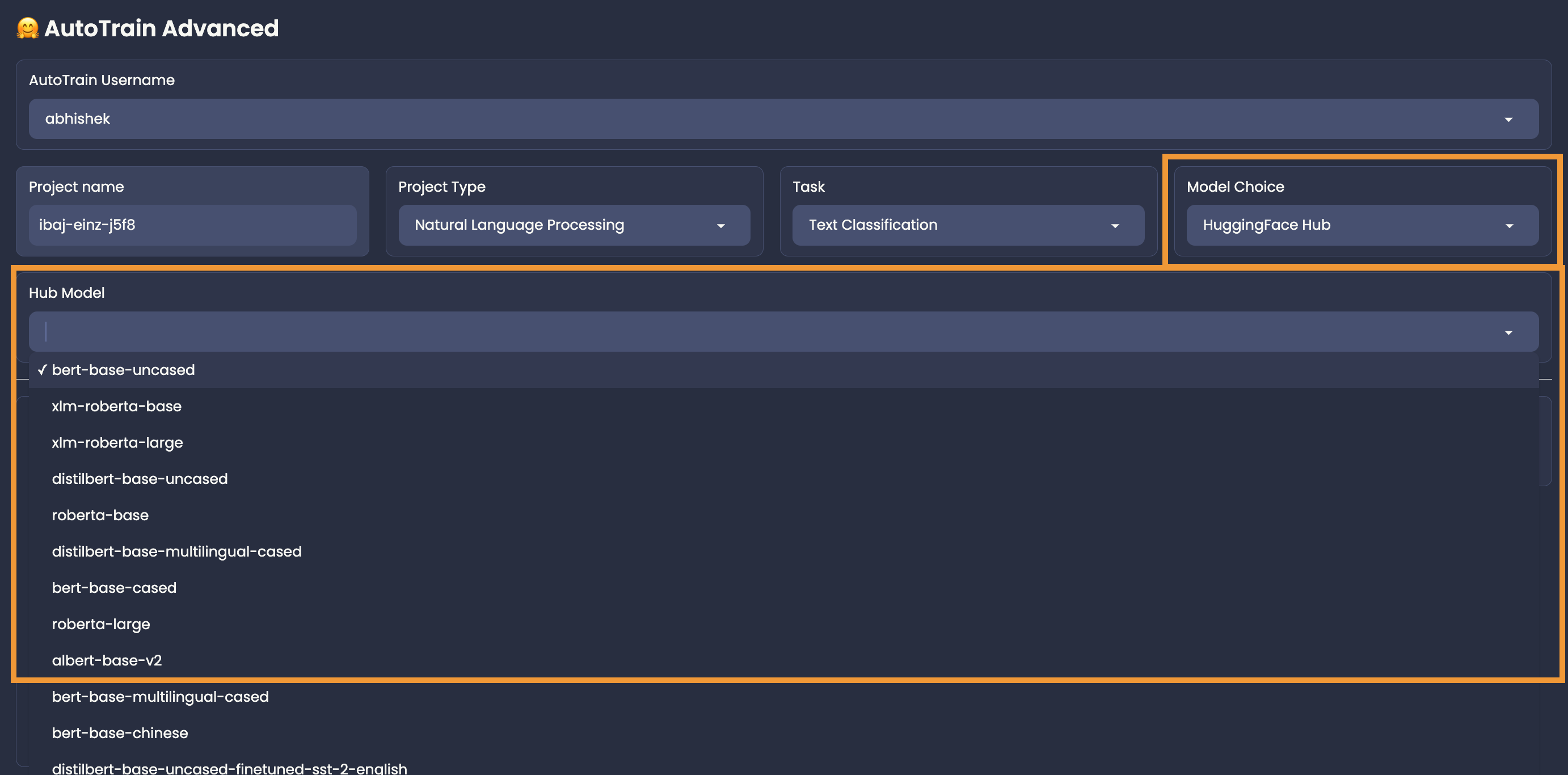
| | To choose the models manually, you can use the "HuggingFace Hub" in the "Model Choice" section. |
| | For example, if you want to use if you are training a text classification task and want to choose Deberta V3 Base for your task |
| | from https://huggingface.co/microsoft/deberta-v3-base, |
| | You can choose "HuggingFace Hub" and then write the model name: `microsoft/deberta-v3-base` in the model name field. |
| |
|
| |  |
| |
|
| | Please note that if you are selecting a hub model, you should make sure that it is compatible with your task, otherwise the training will fail. |