

File size: 7,487 Bytes
764504d | 1 2 3 4 5 6 7 8 9 10 11 12 13 14 15 16 17 18 19 20 21 22 23 24 25 26 27 28 29 30 31 32 33 34 35 36 37 38 39 40 41 42 43 44 45 46 47 48 49 50 51 52 53 54 55 56 57 58 59 60 61 62 63 64 65 66 67 68 69 70 71 72 73 74 75 76 77 78 79 80 81 82 83 84 85 86 87 88 89 90 91 92 93 94 95 96 97 98 99 100 101 102 103 104 105 106 107 108 109 110 111 112 113 114 115 116 117 118 119 120 121 122 123 124 125 126 127 128 129 130 131 132 133 134 135 136 137 138 139 140 141 142 143 144 145 146 147 148 149 150 151 152 153 154 155 156 157 158 159 160 161 162 163 164 165 166 167 168 169 170 171 172 173 174 175 176 177 178 179 180 181 182 183 184 185 186 187 188 189 190 191 192 193 194 195 196 197 198 199 200 201 | ---
license: other
base_model: krea/Krea-2-Turbo
pipeline_tag: text-to-image
tags:
- krea
- krea2
- diffusion
- svdquant
- low-vram
- int4
- transformer
- diffusers
---
# Krea Turbo SVDQuant
Transformer-only SVDQuant checkpoint for [`krea/Krea-2-Turbo`](https://huggingface.co/krea/Krea-2-Turbo), created for low-VRAM Krea2 inference.
This repo contains only the quantized transformer weights/config. You still load the base Krea2 pipeline from Hugging Face, then replace `pipe.transformer` with this SVDQuant transformer.
## Files
```text
svdquant_config.json
transformer_svdquant.safetensors
README.md
```
Checkpoint summary:
```text
quantized transformer layers: 224
calibrated: true
SVD ranks: attention=64, MLP=128
residual: groupwise INT4, group_size=128
checkpoint size: ~6.5GB
```
## Aesthetic samples
Generated with this checkpoint using the recommended low-VRAM 768px command.

| Glasshouse cafe | Coastal bedroom | Lavender portrait | Neon bookstore |
|---|---|---|---|
|  |  |  |  |
Prompts:
- `a serene glasshouse cafe at golden hour, rain on windows, soft cinematic lighting, lush plants, pastel colors, aesthetic editorial photography, ultra detailed`
- `a dreamy coastal bedroom with linen curtains flowing in ocean breeze, warm sunset, minimalist interior, film grain, aesthetic lifestyle photography`
- `a cinematic portrait of a woman in a lavender field at dusk, soft backlight, shallow depth of field, ethereal fashion editorial, beautiful color grading`
- `a cozy neon bookstore at night, reflections on wet street, cinematic bokeh, warm interior glow, aesthetic urban photography, ultra detailed`
## Install
```bash
git clone https://github.com/Tanmaypatil123/krea2-svdquant.git
cd krea2-svdquant
python -m venv .venv
source .venv/bin/activate
pip install -U pip
pip install -U torch torchvision --index-url https://download.pytorch.org/whl/cu128
pip install -U "diffusers @ git+https://github.com/huggingface/diffusers.git" transformers accelerate safetensors huggingface_hub hf_xet sentencepiece protobuf triton
pip install -e .
```
On RunPod / CUDA images that already include PyTorch, prefer:
```bash
python -m venv --system-site-packages .venv
source .venv/bin/activate
pip install -U "diffusers @ git+https://github.com/huggingface/diffusers.git" transformers accelerate safetensors huggingface_hub hf_xet sentencepiece protobuf triton
pip install -e .
```
## Recommended 1024px low-VRAM run
```bash
python scripts/infer_svdquant_transformer.py \
--svdquant-transformer Tanmaypatil123/krea-turbo-svdquant \
--backend pytorch_sim \
--low-vram \
--cpu-offload model \
--block-offload \
--num-blocks-on-gpu 1 \
--out-chunk 1024 \
--vae-tiling \
--vae-slicing \
--height 1024 \
--width 1024 \
--steps 8 \
--prompt "a cinematic photo of a small friendly white robot doctor, soft studio lighting" \
--out outputs/krea_svdquant.png
```
Measured on RunPod RTX PRO 6000 Blackwell, 1024x1024, 8 steps:
```text
[vram] load: allocated=1.24GiB reserved=1.27GiB peak=1.24GiB
[vram] encode: allocated≈10.6GiB reserved≈10.7GiB peak≈10.6GiB
[vram] offload: allocated≈8.9GiB reserved≈9.1GiB peak≈10.6GiB
[vram] generate: allocated=7.63GiB reserved=8.11GiB peak≈16.96GiB
```
## 12GB-class 768px run
```bash
python scripts/infer_svdquant_transformer.py \
--svdquant-transformer Tanmaypatil123/krea-turbo-svdquant \
--backend pytorch_sim \
--low-vram \
--cpu-offload model \
--block-offload \
--num-blocks-on-gpu 1 \
--out-chunk 1024 \
--vae-tiling \
--vae-slicing \
--height 768 \
--width 768 \
--steps 8 \
--prompt "a cinematic photo of a small friendly white robot doctor, soft studio lighting" \
--out outputs/krea_svdquant_768.png
```
Measured on RunPod RTX PRO 6000 Blackwell:
```text
seconds≈9.2
[vram] generate: allocated=7.63GiB reserved=8.11GiB peak≈11.88GiB
```
## Python API
```python
import torch
from diffusers import Krea2Pipeline
from krea2_svdquant.runtime.load import load_svdquant_transformer
pipe = Krea2Pipeline.from_pretrained("krea/Krea-2-Turbo", torch_dtype=torch.bfloat16)
load_svdquant_transformer(
pipe.transformer,
"Tanmaypatil123/krea-turbo-svdquant",
backend="pytorch_sim",
)
pipe.to("cuda")
image = pipe(
"a cinematic photo of a small friendly white robot doctor",
num_inference_steps=8,
guidance_scale=0.0,
height=1024,
width=1024,
).images[0]
image.save("krea_svdquant.png")
```
For consumer GPUs, use the script path above because it enables prompt embedding cache, text encoder offload/removal, transformer block offload, VAE tiling/slicing, and chunked SVDQuant runtime.
## Backend notes
- `pytorch_sim`: recommended practical backend today. Uses packed qweights + chunked low-VRAM runtime.
- `triton_blackwell` / `triton_generic`: experimental fused W4A16 residual and low-rank add kernels. Correctness verified, but currently slower than PyTorch chunked runtime for full Krea2.
## Limitations
- This is a transformer-only checkpoint; it does not include tokenizer, scheduler, VAE, or text encoder.
- 1024px currently measures ~17GB peak with the recommended low-VRAM path. 768px reaches ~12GB-class peak.
- For 1024px 12-14GB, the next optimization target is attention/activation memory or a calibrated Blackwell FP4 / `tl.dot_scaled` checkpoint path.
- Quality is intended to stay close to Krea2 Turbo, but this is an experimental SVDQuant checkpoint and may differ from BF16 output.
## Citation / credits
Base model: `krea/Krea-2-Turbo`.
SVDQuant runtime/checkpoint tooling: https://github.com/Tanmaypatil123/krea2-svdquant
## LoRA compatibility
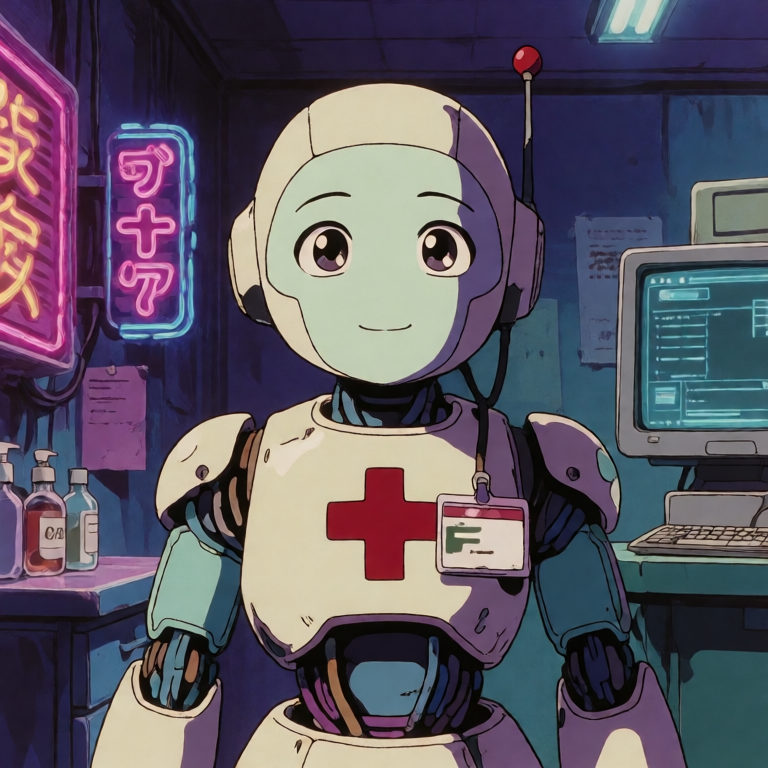
This checkpoint can now run transformer LoRAs through the GitHub runtime's SVDQuant LoRA loader. The LoRA is attached as an inference-only side branch directly to each replaced `SVDQuantLinear`, so users can keep the transformer SVDQuant checkpoint active while applying Krea2 LoRAs.
Example tested LoRA: [`krea/Krea-2-LoRA-retroanime`](https://huggingface.co/krea/Krea-2-LoRA-retroanime).
```bash
python scripts/infer_svdquant_transformer.py \n --svdquant-transformer Patil/krea-turbo-svdquant \n --lora krea/Krea-2-LoRA-retroanime \n --lora-weight-name retroanime.safetensors \n --lora-scale 0.85 \n --backend pytorch_sim \n --low-vram \n --cpu-offload model \n --block-offload \n --num-blocks-on-gpu 1 \n --out-chunk 1024 \n --vae-tiling \n --vae-slicing \n --height 768 \n --width 768 \n --steps 8
```
RTX 4090 verification with the retroanime LoRA:
```text
loaded_svdquant_layers=224
loaded_lora=retroanime.safetensors matched_layers=224 scale=0.85
seconds=14.804
[vram] generate: allocated=7.63GiB reserved=8.11GiB peak=11.90GiB
```
|