
Buckets:

215 MB
4,079 files
Updated 2 days ago
Ctrl+K
| Name | Size | Uploaded | Xet hash |
|---|---|---|---|
| bin | 1 items | ||
| example | 4 items | ||
| lib | 1 items | ||
| test | 1 items | ||
| vendor | 10 items | ||
| .travis.yml | 38 Bytes xet | 5f85c9c7 | |
| LICENSE | 12 kB xet | 19bca629 | |
| README.md | 1.87 kB xet | abf54f37 | |
| package.json | 971 Bytes xet | bab338d6 |
QRCode Terminal Edition 
Going where no QRCode has gone before.
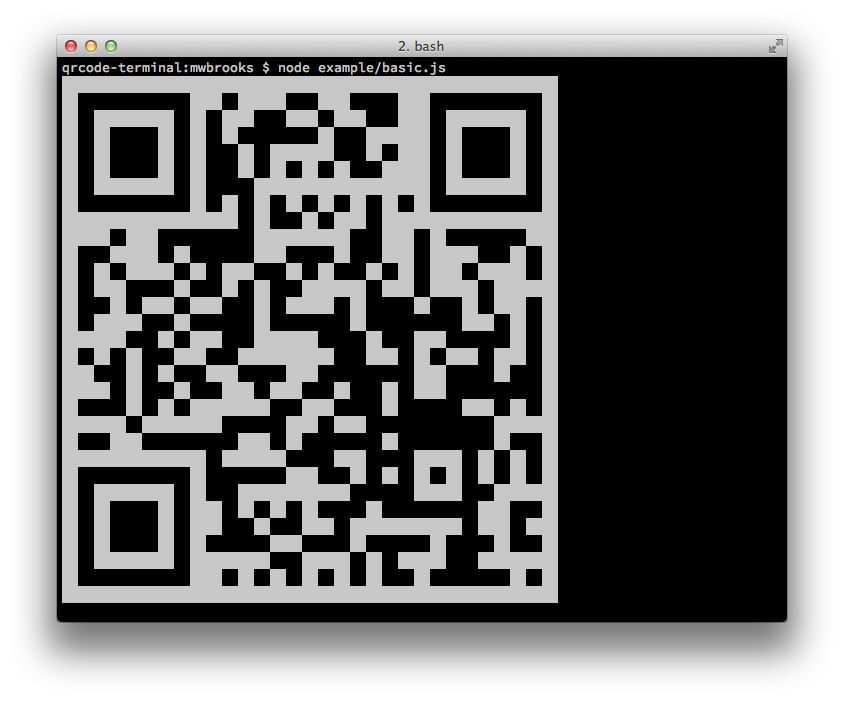
Node Library
Install
Can be installed with:
$ npm install qrcode-terminal
and used:
var qrcode = require('qrcode-terminal');
Usage
To display some data to the terminal just call:
qrcode.generate('This will be a QRCode, eh!');
You can even specify the error level (default is 'L'):
qrcode.setErrorLevel('Q');
qrcode.generate('This will be a QRCode with error level Q!');
If you don't want to display to the terminal but just want to string you can provide a callback:
qrcode.generate('http://github.com', function (qrcode) {
    console.log(qrcode);
});
If you want to display small output, provide opts with small:
qrcode.generate('This will be a small QRCode, eh!', {small: true});

qrcode.generate('This will be a small QRCode, eh!', {small: true}, function (qrcode) {
    console.log(qrcode)
});
Command-Line
Install
$ npm install -g qrcode-terminal
Usage
$ qrcode-terminal --help
$ qrcode-terminal 'http://github.com'
$ echo 'http://github.com' | qrcode-terminal
Support
- OS X
- Linux
- Windows
Server-side
node-qrcode is a popular server-side QRCode generator that
renders to a canvas object.
Developing
To setup the development envrionment run npm install
To run tests run npm test
Contributers
Gord Tanner <gtanner@gmail.com>
Micheal Brooks <michael@michaelbrooks.ca>
- Total size
- 215 MB
- Files
- 4,079
- Last updated
- Aug 7
- Pre-warmed CDN
- US EU US EU