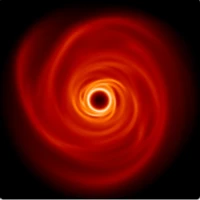
Instructions to use chlab/efficientnet_61_planet_detection with libraries, inference providers, notebooks, and local apps. Follow these links to get started.
- Libraries
- Transformers
How to use chlab/efficientnet_61_planet_detection with Transformers:
# Use a pipeline as a high-level helper from transformers import pipeline pipe = pipeline("image-classification", model="chlab/efficientnet_61_planet_detection") pipe("https://huggingface.co/datasets/huggingface/documentation-images/resolve/main/hub/parrots.png")# pip install -U transformers accelerate # Load model directly from transformers import AutoModel model = AutoModel.from_pretrained("chlab/efficientnet_61_planet_detection", device_map="auto") - Notebooks
- Google Colab
- Kaggle
Commit History
-
Delete efficientnet_61_planet_detection.pyt
a29a99a -
Update README.md
ca6d087 -
Upload pytorch_model.bin
47707f6 -
Delete pytorch_model.bin
2e83e85
-
Update README.md
fa20550 -
Update config.json
607c494 -
Update README.md
70a81c6 -
Update README.md
62651ac -
Update README.md
d90abb2 -
Update README.md
4eaa3dc -
Update README.md
fc15769 -
Update config.json
53382ee -
Upload pytorch_model.bin
497ecd5 -
Delete pytorch_model.bin
c295c27 -
Update config.json
14a4288 -
Upload pytorch_model.bin
9ab7c29 -
Update config.json
13d9da3 -
Update README.md
aef503e -
Update config.json
acee0a9 -
Update config.json
637fd61 -
Create config.json
95b5416 -
Update README.md
f0fd643 -
Update README.md
bfb8a33 -
Upload efficientnet_61_planet_detection.pyt
ecd7d61 -
Update README.md
4a83085 -
Update README.md
e1e2c6b -
Update README.md
1c64431 -
Create README.md
23599dd -
initial commit
9e1f77d