

File size: 15,876 Bytes
ef16689 | 1 2 3 4 5 6 7 8 9 10 11 12 13 14 15 16 17 18 19 20 21 22 23 24 25 26 27 28 29 30 31 32 33 34 35 36 37 38 39 40 41 42 43 44 45 46 47 48 49 50 51 52 53 54 55 56 57 58 59 60 61 62 63 64 65 66 67 68 69 70 71 72 73 74 75 76 77 78 79 80 81 82 83 84 85 86 87 88 89 90 91 92 93 94 95 96 97 98 99 100 101 102 103 104 105 106 107 108 109 110 111 112 113 114 115 116 117 118 119 120 121 122 123 124 125 126 127 128 129 130 131 132 133 134 135 136 137 138 139 140 141 142 143 144 145 146 147 148 149 150 151 152 153 154 155 156 157 158 159 160 161 162 163 164 165 166 167 168 169 170 171 172 173 174 175 176 177 178 179 180 181 182 183 184 185 186 187 188 189 190 191 192 193 194 195 196 197 198 199 200 201 202 203 204 205 206 207 208 209 210 211 212 213 214 215 216 217 218 219 220 221 222 223 224 225 226 227 228 229 230 231 232 233 234 235 236 237 238 239 240 241 242 243 244 245 246 247 248 249 250 251 252 253 254 255 256 257 258 259 260 261 262 263 264 265 266 267 268 269 270 271 272 273 274 275 276 277 278 279 280 281 282 283 284 285 286 287 288 289 290 291 292 293 294 295 296 297 298 299 300 301 302 303 304 305 306 307 308 309 310 311 312 313 314 315 316 317 318 319 320 321 322 323 324 325 326 327 328 329 330 331 332 333 334 335 336 337 338 339 340 341 342 343 344 345 346 347 348 349 350 351 352 353 354 355 356 357 358 359 360 361 362 363 364 365 366 367 368 369 370 371 372 373 374 375 376 377 378 379 380 381 382 383 384 385 386 387 388 389 390 391 392 393 394 395 396 397 398 399 400 401 402 403 404 405 406 407 408 409 410 411 412 413 414 415 416 417 418 419 420 421 | <p align="center">
<img src="./figs/biomni_logo.png" alt="Biomni Logo" width="600px" />
</p>
<p align="center">
<a href="https://join.slack.com/t/biomnigroup/shared_invite/zt-3avks4913-dotMBt8D_apQnJ3mG~ak6Q">
<img src="https://img.shields.io/badge/Join-Slack-4A154B?style=for-the-badge&logo=slack" alt="Join Slack" />
</a>
<a href="https://biomni.stanford.edu">
<img src="https://img.shields.io/badge/Try-Web%20UI-blue?style=for-the-badge" alt="Web UI" />
</a>
<a href="https://x.com/ProjectBiomni">
<img src="https://img.shields.io/badge/Follow-on%20X-black?style=for-the-badge&logo=x" alt="Follow on X" />
</a>
<a href="https://www.linkedin.com/company/project-biomni">
<img src="https://img.shields.io/badge/Follow-LinkedIn-0077B5?style=for-the-badge&logo=linkedin" alt="Follow on LinkedIn" />
</a>
<a href="https://www.biorxiv.org/content/10.1101/2025.05.30.656746v1">
<img src="https://img.shields.io/badge/Read-Paper-green?style=for-the-badge" alt="Paper" />
</a>
</p>
# Biomni: A General-Purpose Biomedical AI Agent
## Overview
Biomni is a general-purpose biomedical AI agent designed to autonomously execute a wide range of research tasks across diverse biomedical subfields. By integrating cutting-edge large language model (LLM) reasoning with retrieval-augmented planning and code-based execution, Biomni helps scientists dramatically enhance research productivity and generate testable hypotheses.
## Quick Start
### Installation
Our software environment is massive and we provide a single setup.sh script to setup.
Follow this [file](biomni_env/README.md) to setup the env first.
Then activate the environment E1:
```bash
conda activate biomni_e1
```
then install the biomni official pip package:
```bash
pip install biomni --upgrade
```
For the latest update, install from the github source version, or do:
```bash
pip install git+https://github.com/snap-stanford/Biomni.git@main
```
Lastly, configure your API keys using one of the following methods:
<details>
<summary>Click to expand</summary>
#### Option 1: Using .env file (Recommended)
Create a `.env` file in your project directory:
```bash
# Copy the example file
cp .env.example .env
# Edit the .env file with your actual API keys
```
Your `.env` file should look like:
```env
# Required: Anthropic API Key for Claude models
ANTHROPIC_API_KEY=your_anthropic_api_key_here
# Optional: OpenAI API Key (if using OpenAI models)
OPENAI_API_KEY=your_openai_api_key_here
# Optional: Azure OpenAI API Key (if using Azure OpenAI models)
OPENAI_API_KEY=your_azure_openai_api_key
OPENAI_ENDPOINT=https://your-resource-name.openai.azure.com/
# Optional: AI Studio Gemini API Key (if using Gemini models)
GEMINI_API_KEY=your_gemini_api_key_here
# Optional: groq API Key (if using groq as model provider)
GROQ_API_KEY=your_groq_api_key_here
# Optional: Set the source of your LLM for example:
#"OpenAI", "AzureOpenAI", "Anthropic", "Ollama", "Gemini", "Bedrock", "Groq", "Custom"
LLM_SOURCE=your_LLM_source_here
# Optional: AWS Bedrock Configuration (if using AWS Bedrock models)
AWS_BEARER_TOKEN_BEDROCK=your_bedrock_api_key_here
AWS_REGION=us-east-1
# Optional: Custom model serving configuration
# CUSTOM_MODEL_BASE_URL=http://localhost:8000/v1
# CUSTOM_MODEL_API_KEY=your_custom_api_key_here
# Optional: Biomni data path (defaults to ./data)
# BIOMNI_DATA_PATH=/path/to/your/data
# Optional: Timeout settings (defaults to 600 seconds)
# BIOMNI_TIMEOUT_SECONDS=600
```
#### Option 2: Using shell environment variables
Alternatively, configure your API keys in bash profile `~/.bashrc`:
```bash
export ANTHROPIC_API_KEY="YOUR_API_KEY"
export OPENAI_API_KEY="YOUR_API_KEY" # optional if you just use Claude
export OPENAI_ENDPOINT="https://your-resource-name.openai.azure.com/" # optional unless you are using Azure
export AWS_BEARER_TOKEN_BEDROCK="YOUR_BEDROCK_API_KEY" # optional for AWS Bedrock models
export AWS_REGION="us-east-1" # optional, defaults to us-east-1 for Bedrock
export GEMINI_API_KEY="YOUR_GEMINI_API_KEY" #optional if you want to use a gemini model
export GROQ_API_KEY="YOUR_GROQ_API_KEY" # Optional: set this to use models served by Groq
export LLM_SOURCE="Groq" # Optional: set this to use models served by Groq
```
</details>
#### ⚠️ Known Package Conflicts
Some Python packages are not installed by default in the Biomni environment due to dependency conflicts. If you need these features, you must install the packages manually and may need to uncomment relevant code in the codebase. See the up-to-date list and details in [docs/known_conflicts.md](./docs/known_conflicts.md).
### Basic Usage
Once inside the environment, you can start using Biomni:
```python
from biomni.agent import A1
# Initialize the agent with data path, Data lake will be automatically downloaded on first run (~11GB)
agent = A1(path='./data', llm='claude-sonnet-4-20250514')
# Execute biomedical tasks using natural language
agent.go("Plan a CRISPR screen to identify genes that regulate T cell exhaustion, generate 32 genes that maximize the perturbation effect.")
agent.go("Perform scRNA-seq annotation at [PATH] and generate meaningful hypothesis")
agent.go("Predict ADMET properties for this compound: CC(C)CC1=CC=C(C=C1)C(C)C(=O)O")
```
#### Controlling Datalake Loading
By default, Biomni automatically downloads the datalake files (~11GB) when you create an agent. You can control this behavior:
```python
# Skip automatic datalake download (faster initialization)
agent = A1(path='./data', llm='claude-sonnet-4-20250514', expected_data_lake_files = [])
```
This is useful for:
- Faster testing and development
- Environments with limited storage or bandwidth
- Cases where you only need specific tools that don't require datalake files
If you plan on using Azure for your model, always prefix the model name with azure- (e.g. llm='azure-gpt-4o').
### Gradio Interface
Launch an interactive web UI for Biomni:
```python
from biomni.agent import A1
agent = A1(path='./data', llm='claude-sonnet-4-20250514')
agent.launch_gradio_demo()
```
**Installation:**
```bash
pip install "gradio>=5.0,<6.0"
```
**Note:** Biomni's Gradio interface currently requires Gradio 5.x due to API changes in Gradio 6.0. If you have Gradio 6.x installed, you may need to downgrade.
**Options:**
- `share=True` - Create a public shareable link
- `server_name="127.0.0.1"` - Localhost only (default: "0.0.0.0")
- `require_verification=True` - Require access code (default code: "Biomni2025")
The interface will be available at `http://localhost:7860`
### Configuration Management
Biomni includes a centralized configuration system that provides flexible ways to manage settings. You can configure Biomni through environment variables, runtime modifications, or direct parameters.
```python
from biomni.config import default_config
from biomni.agent import A1
# RECOMMENDED: Modify global defaults for consistency
default_config.llm = "gpt-4"
default_config.timeout_seconds = 1200
# All agents AND database queries use these defaults
agent = A1() # Everything uses gpt-4, 1200s timeout
```
**Note**: Direct parameters to `A1()` only affect that agent's reasoning, not database queries. For consistent configuration across all operations, use `default_config` or environment variables.
For detailed configuration options, see the **[Configuration Guide](docs/configuration.md)**.
### PDF Generation
Generate PDF reports of execution traces:
```python
from biomni.agent import A1
# Initialize agent
agent = A1(path='./data', llm='claude-sonnet-4-20250514')
# Run your task
agent.go("Your biomedical task here")
# Save conversation history as PDF
agent.save_conversation_history("my_analysis_results.pdf")
```
**PDF Generation Dependencies:**
<details>
<summary>Click to expand</summary>
For optimal PDF generation, install one of these packages:
```bash
# Option 1: WeasyPrint (recommended for best layout control)
# Conda environment (recommended)
conda install weasyprint
# System installation
brew install weasyprint # macOS
apt install weasyprint # Linux
# See [WeasyPrint Installation Guide](https://doc.courtbouillon.org/weasyprint/stable/first_steps.html) for detailed instructions.
# Option 2: markdown2pdf (Rust-based, fast and reliable)
# macOS:
brew install theiskaa/tap/markdown2pdf
# Windows/Linux (using Cargo):
cargo install markdown2pdf
# Or download prebuilt binaries from:
# https://github.com/theiskaa/markdown2pdf/releases/latest
# Option 3: Pandoc (pip installation)
pip install pandoc
```
</details>
## MCP (Model Context Protocol) Support
Biomni supports MCP servers for external tool integration:
```python
from biomni.agent import A1
agent = A1()
agent.add_mcp(config_path="./mcp_config.yaml")
agent.go("Find FDA active ingredient information for ibuprofen")
```
**Built-in MCP Servers:**
For usage and implementation details, see the [MCP Integration Documentation](docs/mcp_integration.md) and examples in [`tutorials/examples/add_mcp_server/`](tutorials/examples/add_mcp_server/) and [`tutorials/examples/expose_biomni_server/`](tutorials/examples/expose_biomni_server/).
## Biomni-R0
**Biomni-R0** is our first reasoning model for biology, built on Qwen-32B with reinforcement learning from agent interaction data. It's designed to excel at tool use, multi-step reasoning, and complex biological problem-solving through iterative self-correction.
- 🤗 Model: [biomni/Biomni-R0-32B-Preview](https://huggingface.co/biomni/Biomni-R0-32B-Preview)
- 📝 Technical Report: [biomni.stanford.edu/blog/biomni-r0-technical-report](https://biomni.stanford.edu/blog/biomni-r0-technical-report)
To use Biomni-R0 for agent reasoning while keeping database queries on your usual provider (recommended), run a local SGLang server and pass the model to `A1()` directly.
1) Launch SGLang with Biomni-R0:
```bash
python -m sglang.launch_server --model-path RyanLi0802/Biomni-R0-Preview --port 30000 --host 0.0.0.0 --mem-fraction-static 0.8 --tp 2 --trust-remote-code --json-model-override-args '{"rope_scaling":{"rope_type":"yarn","factor":1.0,"original_max_position_embeddings":32768}, "max_position_embeddings": 131072}'
```
2) Point the agent to your SGLang endpoint for reasoning:
```python
from biomni.config import default_config
from biomni.agent import A1
# Database queries (indexes, retrieval, etc.) use default_config
default_config.llm = "claude-3-5-sonnet-20241022"
default_config.source = "Anthropic"
# Agent reasoning uses Biomni-R0 served via SGLang (OpenAI-compatible API)
agent = A1(
llm="biomni/Biomni-R0-32B-Preview",
source="Custom",
base_url="http://localhost:30000/v1",
api_key="EMPTY",
)
agent.go("Plan a CRISPR screen to identify genes regulating T cell exhaustion")
```
## Biomni-Eval1
**Biomni-Eval1** is a comprehensive evaluation benchmark for assessing biological reasoning capabilities across diverse tasks. It contains **433 instances** spanning **10 biological reasoning tasks**, from gene identification to disease diagnosis.
**Tasks Included:**
- GWAS causal gene identification (3 variants)
- Lab bench Q&A (2 variants)
- Patient gene detection
- Screen gene retrieval
- GWAS variant prioritization
- Rare disease diagnosis
- CRISPR delivery method selection
**Resources:**
- 🤗 Dataset: [biomni/Eval1](https://huggingface.co/datasets/biomni/Eval1)
- 💻 Quick Start:
```python
from biomni.eval import BiomniEval1
evaluator = BiomniEval1()
score = evaluator.evaluate('gwas_causal_gene_opentargets', 0, 'BRCA1')
```
## 📚 Know-How Library
Biomni includes a **Know-How Library** — a curated collection of best practices, protocols, and troubleshooting guides for biomedical techniques. These documents are automatically retrieved by the A1 agent when relevant to provide domain expertise and practical knowledge.
**Features:**
- Automatic retrieval based on query relevance
- Metadata tracking (authors, affiliations, licensing, commercial use)
- Compatible with commercial mode (filters non-commercial content)
### 📝 Contributing Know-How Documents
We're actively seeking community contributions to expand our Know-How Library! Share your expertise by contributing:
- **Lab protocols** (cell culture, flow cytometry, western blotting, etc.)
- **Analysis best practices** (NGS workflows, microscopy techniques, etc.)
- **Troubleshooting guides** (common issues and solutions)
- **Experimental design guidelines** (sample size, controls, validation)
- **Domain-specific knowledge** (drug formulation, animal models, clinical trials, etc.)
Know-how documents should be practical, succinct, and include proper attribution. Use [this know-how](know_how/single_cell_annotation.md) as an example.
**To contribute:** Create a markdown file following our template and submit a pull request.
## 🤝 Contributing to Biomni
Biomni is an open-science initiative that thrives on community contributions. We welcome:
- **🔧 New Tools**: Specialized analysis functions and algorithms
- **📊 Datasets**: Curated biomedical data and knowledge bases
- **💻 Software**: Integration of existing biomedical software packages
- **📋 Benchmarks**: Evaluation datasets and performance metrics
- **📚 Know-How**: Best practices, protocols, and domain expertise
- **📚 Misc**: Tutorials, examples, and use cases
- **🔧 Update existing tools**: many current tools are not optimized - fix and replacements are welcome!
Check out this **[Contributing Guide](CONTRIBUTION.md)** on how to contribute to the Biomni ecosystem.
If you have particular tool/database/software in mind that you want to add, you can also submit to [this form](https://forms.gle/nu2n1unzAYodTLVj6) and the biomni team will implement them.
## 🔬 Call for Contributors: Help Build Biomni-E2
Biomni-E1 only scratches the surface of what’s possible in the biomedical action space.
Now, we’re building **Biomni-E2** — a next-generation environment developed **with and for the community**.
We believe that by collaboratively defining and curating a shared library of standard biomedical actions, we can accelerate science for everyone.
**Join us in shaping the future of biomedical AI agent.**
- **Contributors with significant impact** (e.g., 10+ significant & integrated tool contributions or equivalent) will be **invited as co-authors** on our upcoming paper in a top-tier journal or conference.
- **All contributors** will be acknowledged in our publications.
- More contributor perks...
Let’s build it together.
## Tutorials and Examples
**[Biomni 101](./tutorials/biomni_101.ipynb)** - Basic concepts and first steps
More to come!
## 🌐 Web Interface
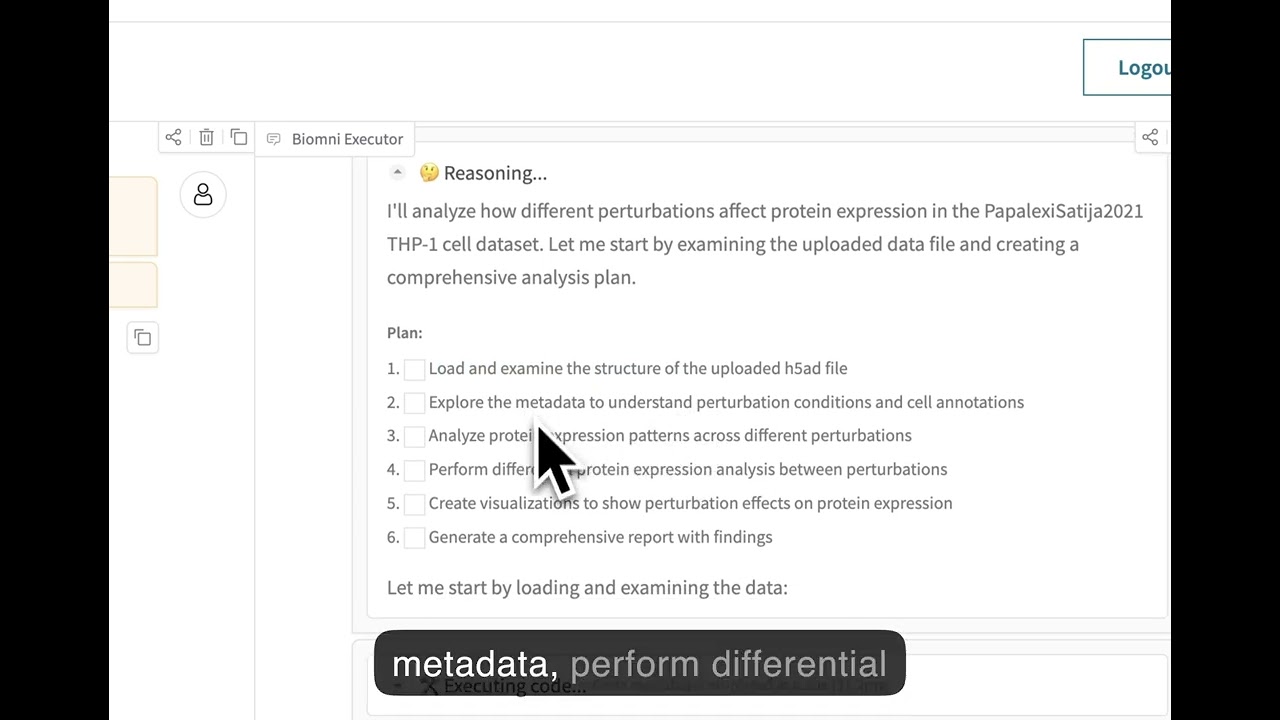
Experience Biomni through our no-code web interface at **[biomni.stanford.edu](https://biomni.stanford.edu)**.
[](https://youtu.be/E0BRvl23hLs)
## Important Note
- Security warning: Currently, Biomni executes LLM-generated code with full system privileges. If you want to use it in production, please use in isolated/sandboxed environments. The agent can access files, network, and system commands. Be careful with sensitive data or credentials.
- This release was frozen as of April 15 2025, so it differs from the current web platform.
- Biomni itself is Apache 2.0-licensed, but certain integrated tools, databases, or software may carry more restrictive commercial licenses. Review each component carefully before any commercial use.
## Cite Us
```
@article{huang2025biomni,
title={Biomni: A General-Purpose Biomedical AI Agent},
author={Huang, Kexin and Zhang, Serena and Wang, Hanchen and Qu, Yuanhao and Lu, Yingzhou and Roohani, Yusuf and Li, Ryan and Qiu, Lin and Zhang, Junze and Di, Yin and others},
journal={bioRxiv},
pages={2025--05},
year={2025},
publisher={Cold Spring Harbor Laboratory}
}
```
|