---
title: Error Handling
description: Handle errors in your Next.js app.
---
This documentation explains how you can handle development, server-side, and client-side errors.
## Handling Errors in Development
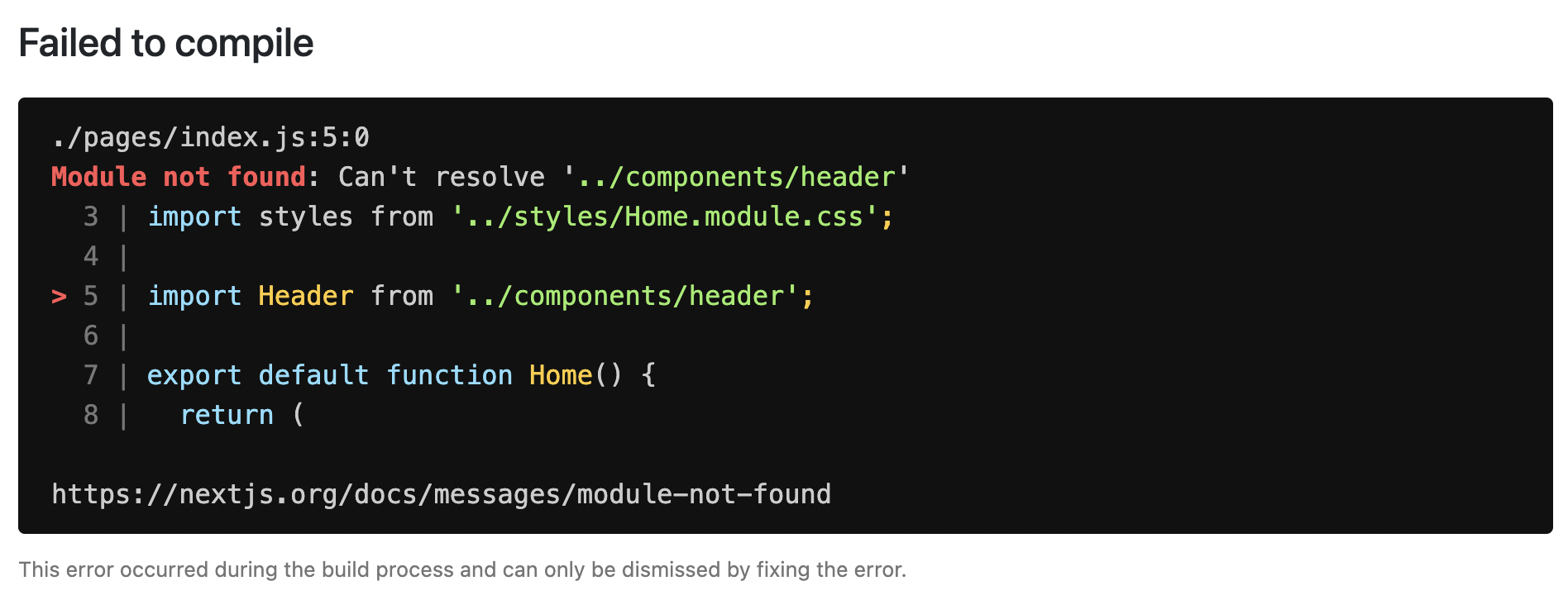
When there is a runtime error during the development phase of your Next.js application, you will encounter an **overlay**. It is a modal that covers the webpage. It is **only** visible when the development server runs using `next dev` via `pnpm dev`, `npm run dev`, `yarn dev`, or `bun dev` and will not be shown in production. Fixing the error will automatically dismiss the overlay.
Here is an example of an overlay:
{/* TODO UPDATE SCREENSHOT */}
## Handling Server Errors
Next.js provides a static 500 page by default to handle server-side errors that occur in your application. You can also [customize this page](/docs/pages/building-your-application/routing/custom-error#customizing-the-500-page) by creating a `pages/500.js` file.
Having a 500 page in your application does not show specific errors to the app user.
You can also use [404 page](/docs/pages/building-your-application/routing/custom-error#404-page) to handle specific runtime error like `file not found`.
## Handling Client Errors
React [Error Boundaries](https://react.dev/reference/react/Component#catching-rendering-errors-with-an-error-boundary) is a graceful way to handle a JavaScript error on the client so that the other parts of the application continue working. In addition to preventing the page from crashing, it allows you to provide a custom fallback component and even log error information.
To use Error Boundaries for your Next.js application, you must create a class component `ErrorBoundary` and wrap the `Component` prop in the `pages/_app.js` file. This component will be responsible to:
- Render a fallback UI after an error is thrown
- Provide a way to reset the Application's state
- Log error information
You can create an `ErrorBoundary` class component by extending `React.Component`. For example:
```jsx
class ErrorBoundary extends React.Component {
constructor(props) {
super(props)
// Define a state variable to track whether is an error or not
this.state = { hasError: false }
}
static getDerivedStateFromError(error) {
// Update state so the next render will show the fallback UI
return { hasError: true }
}
componentDidCatch(error, errorInfo) {
// You can use your own error logging service here
console.log({ error, errorInfo })
}
render() {
// Check if the error is thrown
if (this.state.hasError) {
// You can render any custom fallback UI
return (
Oops, there is an error!
)
}
// Return children components in case of no error
return this.props.children
}
}
export default ErrorBoundary
```
The `ErrorBoundary` component keeps track of an `hasError` state. The value of this state variable is a boolean. When the value of `hasError` is `true`, then the `ErrorBoundary` component will render a fallback UI. Otherwise, it will render the children components.
After creating an `ErrorBoundary` component, import it in the `pages/_app.js` file to wrap the `Component` prop in your Next.js application.
```jsx
// Import the ErrorBoundary component
import ErrorBoundary from '../components/ErrorBoundary'
function MyApp({ Component, pageProps }) {
return (
// Wrap the Component prop with ErrorBoundary component
)
}
export default MyApp
```
You can learn more about [Error Boundaries](https://react.dev/reference/react/Component#catching-rendering-errors-with-an-error-boundary) in React's documentation.
### Reporting Errors
To monitor client errors, use a service like [Sentry](https://github.com/vercel/next.js/tree/canary/examples/with-sentry), Bugsnag or Datadog.