

File size: 19,065 Bytes
f61b9bc |
1 2 3 4 5 6 7 8 9 10 11 12 13 14 15 16 17 18 19 20 21 22 23 24 25 26 27 28 29 30 31 32 33 34 35 36 37 38 39 40 41 42 43 44 45 46 47 48 49 50 51 52 53 54 55 56 57 58 59 60 61 62 63 64 65 66 67 68 69 70 71 72 73 74 75 76 77 78 79 80 81 82 83 84 85 86 87 88 89 90 91 92 93 94 95 96 97 98 99 100 101 102 103 104 105 106 107 108 109 110 111 112 113 114 115 116 117 118 119 120 121 122 123 124 125 126 127 128 129 130 131 132 133 134 135 136 137 138 139 140 141 142 143 144 145 146 147 148 149 150 151 152 153 154 155 156 157 158 159 160 161 162 163 164 165 166 167 168 169 170 171 172 173 174 175 176 177 178 179 180 181 182 183 184 185 186 187 188 189 190 191 192 193 194 195 196 197 198 199 200 201 202 203 204 205 206 207 208 209 210 211 212 213 214 215 216 217 218 219 220 221 222 223 224 225 226 227 228 229 230 231 232 233 234 235 236 237 238 239 240 241 242 243 244 245 246 247 248 249 250 251 252 253 254 255 256 257 258 259 260 261 262 263 264 265 266 267 268 269 270 271 272 273 274 275 276 277 278 279 280 281 282 283 284 285 286 287 288 289 290 291 292 293 294 295 296 297 298 299 300 301 302 303 304 305 306 307 308 309 310 311 312 313 314 315 316 317 318 319 320 321 322 323 324 325 326 327 328 329 330 331 332 333 334 335 336 337 338 339 340 341 342 343 344 345 |
<p align="center">
<img alt="LeRobot, Hugging Face Robotics Library" src="https://raw.githubusercontent.com/huggingface/lerobot/main/media/lerobot-logo-thumbnail.png" width="100%">
<br/>
<br/>
</p>
<div align="center">
[](https://github.com/huggingface/lerobot/actions/workflows/nightly.yml?query=branch%3Amain)
[](https://www.python.org/downloads/)
[](https://github.com/huggingface/lerobot/blob/main/LICENSE)
[](https://pypi.org/project/lerobot/)
[](https://pypi.org/project/lerobot/)
[](https://github.com/huggingface/lerobot/blob/main/CODE_OF_CONDUCT.md)
[](https://discord.gg/s3KuuzsPFb)
<!-- [](https://codecov.io/gh/huggingface/lerobot) -->
</div>
<h2 align="center">
<p><a href="https://huggingface.co/docs/lerobot/hope_jr">
Build Your Own HopeJR Robot!</a></p>
</h2>
<div align="center">
<img
src="https://raw.githubusercontent.com/huggingface/lerobot/main/media/hope_jr/hopejr.png"
alt="HopeJR robot"
title="HopeJR robot"
width="60%"
/>
<p><strong>Meet HopeJR – A humanoid robot arm and hand for dexterous manipulation!</strong></p>
<p>Control it with exoskeletons and gloves for precise hand movements.</p>
<p>Perfect for advanced manipulation tasks! 🤖</p>
<p><a href="https://huggingface.co/docs/lerobot/hope_jr">
See the full HopeJR tutorial here.</a></p>
</div>
<br/>
<h2 align="center">
<p><a href="https://huggingface.co/docs/lerobot/so101">
Build Your Own SO-101 Robot!</a></p>
</h2>
<div align="center">
<table>
<tr>
<td align="center"><img src="https://raw.githubusercontent.com/huggingface/lerobot/main/media/so101/so101.webp" alt="SO-101 follower arm" title="SO-101 follower arm" width="90%"/></td>
<td align="center"><img src="https://raw.githubusercontent.com/huggingface/lerobot/main/media/so101/so101-leader.webp" alt="SO-101 leader arm" title="SO-101 leader arm" width="90%"/></td>
</tr>
</table>
<p><strong>Meet the updated SO100, the SO-101 – Just €114 per arm!</strong></p>
<p>Train it in minutes with a few simple moves on your laptop.</p>
<p>Then sit back and watch your creation act autonomously! 🤯</p>
<p><a href="https://huggingface.co/docs/lerobot/so101">
See the full SO-101 tutorial here.</a></p>
<p>Want to take it to the next level? Make your SO-101 mobile by building LeKiwi!</p>
<p>Check out the <a href="https://huggingface.co/docs/lerobot/lekiwi">LeKiwi tutorial</a> and bring your robot to life on wheels.</p>
<img src="https://raw.githubusercontent.com/huggingface/lerobot/main/media/lekiwi/kiwi.webp" alt="LeKiwi mobile robot" title="LeKiwi mobile robot" width="50%">
</div>
<br/>
<h3 align="center">
<p>LeRobot: State-of-the-art AI for real-world robotics</p>
</h3>
---
🤗 LeRobot aims to provide models, datasets, and tools for real-world robotics in PyTorch. The goal is to lower the barrier to entry to robotics so that everyone can contribute and benefit from sharing datasets and pretrained models.
🤗 LeRobot contains state-of-the-art approaches that have been shown to transfer to the real-world with a focus on imitation learning and reinforcement learning.
🤗 LeRobot already provides a set of pretrained models, datasets with human collected demonstrations, and simulation environments to get started without assembling a robot. In the coming weeks, the plan is to add more and more support for real-world robotics on the most affordable and capable robots out there.
🤗 LeRobot hosts pretrained models and datasets on this Hugging Face community page: [huggingface.co/lerobot](https://huggingface.co/lerobot)
#### Examples of pretrained models on simulation environments
<table>
<tr>
<td><img src="https://raw.githubusercontent.com/huggingface/lerobot/main/media/gym/aloha_act.gif" width="100%" alt="ACT policy on ALOHA env"/></td>
<td><img src="https://raw.githubusercontent.com/huggingface/lerobot/main/media/gym/simxarm_tdmpc.gif" width="100%" alt="TDMPC policy on SimXArm env"/></td>
<td><img src="https://raw.githubusercontent.com/huggingface/lerobot/main/media/gym/pusht_diffusion.gif" width="100%" alt="Diffusion policy on PushT env"/></td>
</tr>
<tr>
<td align="center">ACT policy on ALOHA env</td>
<td align="center">TDMPC policy on SimXArm env</td>
<td align="center">Diffusion policy on PushT env</td>
</tr>
</table>
## Installation
LeRobot works with Python 3.10+ and PyTorch 2.2+.
### Environment Setup
Create a virtual environment with Python 3.10 and activate it, e.g. with [`miniforge`](https://conda-forge.org/download/):
```bash
conda create -y -n lerobot python=3.10
conda activate lerobot
```
When using `conda`, install `ffmpeg` in your environment:
```bash
conda install ffmpeg -c conda-forge
```
> **NOTE:** This usually installs `ffmpeg 7.X` for your platform compiled with the `libsvtav1` encoder. If `libsvtav1` is not supported (check supported encoders with `ffmpeg -encoders`), you can:
>
> - _[On any platform]_ Explicitly install `ffmpeg 7.X` using:
>
> ```bash
> conda install ffmpeg=7.1.1 -c conda-forge
> ```
>
> - _[On Linux only]_ Install [ffmpeg build dependencies](https://trac.ffmpeg.org/wiki/CompilationGuide/Ubuntu#GettheDependencies) and [compile ffmpeg from source with libsvtav1](https://trac.ffmpeg.org/wiki/CompilationGuide/Ubuntu#libsvtav1), and make sure you use the corresponding ffmpeg binary to your install with `which ffmpeg`.
### Install LeRobot 🤗
#### From Source
First, clone the repository and navigate into the directory:
```bash
git clone https://github.com/huggingface/lerobot.git
cd lerobot
```
Then, install the library in editable mode. This is useful if you plan to contribute to the code.
```bash
pip install -e .
```
> **NOTE:** If you encounter build errors, you may need to install additional dependencies (`cmake`, `build-essential`, and `ffmpeg libs`). On Linux, run:
> `sudo apt-get install cmake build-essential python3-dev pkg-config libavformat-dev libavcodec-dev libavdevice-dev libavutil-dev libswscale-dev libswresample-dev libavfilter-dev`. For other systems, see: [Compiling PyAV](https://pyav.org/docs/develop/overview/installation.html#bring-your-own-ffmpeg)
For simulations, 🤗 LeRobot comes with gymnasium environments that can be installed as extras:
- [aloha](https://github.com/huggingface/gym-aloha)
- [xarm](https://github.com/huggingface/gym-xarm)
- [pusht](https://github.com/huggingface/gym-pusht)
For instance, to install 🤗 LeRobot with aloha and pusht, use:
```bash
pip install -e ".[aloha, pusht]"
```
### Installation from PyPI
**Core Library:**
Install the base package with:
```bash
pip install lerobot
```
_This installs only the default dependencies._
**Extra Features:**
To install additional functionality, use one of the following:
```bash
pip install 'lerobot[all]' # All available features
pip install 'lerobot[aloha,pusht]' # Specific features (Aloha & Pusht)
pip install 'lerobot[feetech]' # Feetech motor support
```
_Replace `[...]` with your desired features._
**Available Tags:**
For a full list of optional dependencies, see:
https://pypi.org/project/lerobot/
> [!NOTE]
> For lerobot 0.4.0, if you want to install pi tags, you will have to do: `pip install "lerobot[pi]@git+https://github.com/huggingface/lerobot.git"`.
>
> This will be solved in the next patch release
### Weights & Biases
To use [Weights and Biases](https://docs.wandb.ai/quickstart) for experiment tracking, log in with
```bash
wandb login
```
(note: you will also need to enable WandB in the configuration. See below.)
### Visualize datasets
Check out [example 1](https://github.com/huggingface/lerobot/blob/main/examples/dataset/load_lerobot_dataset.py) that illustrates how to use our dataset class which automatically downloads data from the Hugging Face hub.
You can also locally visualize episodes from a dataset on the hub by executing our script from the command line:
```bash
lerobot-dataset-viz \
--repo-id lerobot/pusht \
--episode-index 0
```
or from a dataset in a local folder with the `root` option and the `--mode local` (in the following case the dataset will be searched for in `./my_local_data_dir/lerobot/pusht`)
```bash
lerobot-dataset-viz \
--repo-id lerobot/pusht \
--root ./my_local_data_dir \
--mode local \
--episode-index 0
```
It will open `rerun.io` and display the camera streams, robot states and actions, like this:
https://github-production-user-asset-6210df.s3.amazonaws.com/4681518/328035972-fd46b787-b532-47e2-bb6f-fd536a55a7ed.mov?X-Amz-Algorithm=AWS4-HMAC-SHA256&X-Amz-Credential=AKIAVCODYLSA53PQK4ZA%2F20240505%2Fus-east-1%2Fs3%2Faws4_request&X-Amz-Date=20240505T172924Z&X-Amz-Expires=300&X-Amz-Signature=d680b26c532eeaf80740f08af3320d22ad0b8a4e4da1bcc4f33142c15b509eda&X-Amz-SignedHeaders=host&actor_id=24889239&key_id=0&repo_id=748713144
Our script can also visualize datasets stored on a distant server. See `lerobot-dataset-viz --help` for more instructions.
### The `LeRobotDataset` format
A dataset in `LeRobotDataset` format is very simple to use. It can be loaded from a repository on the Hugging Face hub or a local folder simply with e.g. `dataset = LeRobotDataset("lerobot/aloha_static_coffee")` and can be indexed into like any Hugging Face and PyTorch dataset. For instance `dataset[0]` will retrieve a single temporal frame from the dataset containing observation(s) and an action as PyTorch tensors ready to be fed to a model.
A specificity of `LeRobotDataset` is that, rather than retrieving a single frame by its index, we can retrieve several frames based on their temporal relationship with the indexed frame, by setting `delta_timestamps` to a list of relative times with respect to the indexed frame. For example, with `delta_timestamps = {"observation.image": [-1, -0.5, -0.2, 0]}` one can retrieve, for a given index, 4 frames: 3 "previous" frames 1 second, 0.5 seconds, and 0.2 seconds before the indexed frame, and the indexed frame itself (corresponding to the 0 entry). See example [1_load_lerobot_dataset.py](https://github.com/huggingface/lerobot/blob/main/examples/dataset/load_lerobot_dataset.py) for more details on `delta_timestamps`.
Under the hood, the `LeRobotDataset` format makes use of several ways to serialize data which can be useful to understand if you plan to work more closely with this format. We tried to make a flexible yet simple dataset format that would cover most type of features and specificities present in reinforcement learning and robotics, in simulation and in real-world, with a focus on cameras and robot states but easily extended to other types of sensory inputs as long as they can be represented by a tensor.
Here are the important details and internal structure organization of a typical `LeRobotDataset` instantiated with `dataset = LeRobotDataset("lerobot/aloha_static_coffee")`. The exact features will change from dataset to dataset but not the main aspects:
```
dataset attributes:
├ hf_dataset: a Hugging Face dataset (backed by Arrow/parquet). Typical features example:
│ ├ observation.images.cam_high (VideoFrame):
│ │ VideoFrame = {'path': path to a mp4 video, 'timestamp' (float32): timestamp in the video}
│ ├ observation.state (list of float32): position of an arm joints (for instance)
│ ... (more observations)
│ ├ action (list of float32): goal position of an arm joints (for instance)
│ ├ episode_index (int64): index of the episode for this sample
│ ├ frame_index (int64): index of the frame for this sample in the episode ; starts at 0 for each episode
│ ├ timestamp (float32): timestamp in the episode
│ ├ next.done (bool): indicates the end of an episode ; True for the last frame in each episode
│ └ index (int64): general index in the whole dataset
├ meta: a LeRobotDatasetMetadata object containing:
│ ├ info: a dictionary of metadata on the dataset
│ │ ├ codebase_version (str): this is to keep track of the codebase version the dataset was created with
│ │ ├ fps (int): frame per second the dataset is recorded/synchronized to
│ │ ├ features (dict): all features contained in the dataset with their shapes and types
│ │ ├ total_episodes (int): total number of episodes in the dataset
│ │ ├ total_frames (int): total number of frames in the dataset
│ │ ├ robot_type (str): robot type used for recording
│ │ ├ data_path (str): formattable string for the parquet files
│ │ └ video_path (str): formattable string for the video files (if using videos)
│ ├ episodes: a DataFrame containing episode metadata with columns:
│ │ ├ episode_index (int): index of the episode
│ │ ├ tasks (list): list of tasks for this episode
│ │ ├ length (int): number of frames in this episode
│ │ ├ dataset_from_index (int): start index of this episode in the dataset
│ │ └ dataset_to_index (int): end index of this episode in the dataset
│ ├ stats: a dictionary of statistics (max, mean, min, std) for each feature in the dataset, for instance
│ │ ├ observation.images.front_cam: {'max': tensor with same number of dimensions (e.g. `(c, 1, 1)` for images, `(c,)` for states), etc.}
│ │ └ ...
│ └ tasks: a DataFrame containing task information with task names as index and task_index as values
├ root (Path): local directory where the dataset is stored
├ image_transforms (Callable): optional image transformations to apply to visual modalities
└ delta_timestamps (dict): optional delta timestamps for temporal queries
```
A `LeRobotDataset` is serialised using several widespread file formats for each of its parts, namely:
- hf_dataset stored using Hugging Face datasets library serialization to parquet
- videos are stored in mp4 format to save space
- metadata are stored in plain json/jsonl files
Dataset can be uploaded/downloaded from the HuggingFace hub seamlessly. To work on a local dataset, you can specify its location with the `root` argument if it's not in the default `~/.cache/huggingface/lerobot` location.
#### Reproduce state-of-the-art (SOTA)
We provide some pretrained policies on our [hub page](https://huggingface.co/lerobot) that can achieve state-of-the-art performances.
You can reproduce their training by loading the config from their run. Simply running:
```bash
lerobot-train --config_path=lerobot/diffusion_pusht
```
reproduces SOTA results for Diffusion Policy on the PushT task.
## Contribute
If you would like to contribute to 🤗 LeRobot, please check out our [contribution guide](https://github.com/huggingface/lerobot/blob/main/CONTRIBUTING.md).
### Add a pretrained policy
Once you have trained a policy you may upload it to the Hugging Face hub using a hub id that looks like `${hf_user}/${repo_name}` (e.g. [lerobot/diffusion_pusht](https://huggingface.co/lerobot/diffusion_pusht)).
You first need to find the checkpoint folder located inside your experiment directory (e.g. `outputs/train/2024-05-05/20-21-12_aloha_act_default/checkpoints/002500`). Within that there is a `pretrained_model` directory which should contain:
- `config.json`: A serialized version of the policy configuration (following the policy's dataclass config).
- `model.safetensors`: A set of `torch.nn.Module` parameters, saved in [Hugging Face Safetensors](https://huggingface.co/docs/safetensors/index) format.
- `train_config.json`: A consolidated configuration containing all parameters used for training. The policy configuration should match `config.json` exactly. This is useful for anyone who wants to evaluate your policy or for reproducibility.
To upload these to the hub, run the following:
```bash
huggingface-cli upload ${hf_user}/${repo_name} path/to/pretrained_model
```
See [lerobot_eval.py](https://github.com/huggingface/lerobot/blob/main/src/lerobot/scripts/lerobot_eval.py) for an example of how other people may use your policy.
### Acknowledgment
- The LeRobot team 🤗 for building SmolVLA [Paper](https://arxiv.org/abs/2506.01844), [Blog](https://huggingface.co/blog/smolvla).
- Thanks to Tony Zhao, Zipeng Fu and colleagues for open sourcing ACT policy, ALOHA environments and datasets. Ours are adapted from [ALOHA](https://tonyzhaozh.github.io/aloha) and [Mobile ALOHA](https://mobile-aloha.github.io).
- Thanks to Cheng Chi, Zhenjia Xu and colleagues for open sourcing Diffusion policy, Pusht environment and datasets, as well as UMI datasets. Ours are adapted from [Diffusion Policy](https://diffusion-policy.cs.columbia.edu) and [UMI Gripper](https://umi-gripper.github.io).
- Thanks to Nicklas Hansen, Yunhai Feng and colleagues for open sourcing TDMPC policy, Simxarm environments and datasets. Ours are adapted from [TDMPC](https://github.com/nicklashansen/tdmpc) and [FOWM](https://www.yunhaifeng.com/FOWM).
- Thanks to Antonio Loquercio and Ashish Kumar for their early support.
- Thanks to [Seungjae (Jay) Lee](https://sjlee.cc/), [Mahi Shafiullah](https://mahis.life/) and colleagues for open sourcing [VQ-BeT](https://sjlee.cc/vq-bet/) policy and helping us adapt the codebase to our repository. The policy is adapted from [VQ-BeT repo](https://github.com/jayLEE0301/vq_bet_official).
## Citation
If you want, you can cite this work with:
```bibtex
@misc{cadene2024lerobot,
author = {Cadene, Remi and Alibert, Simon and Soare, Alexander and Gallouedec, Quentin and Zouitine, Adil and Palma, Steven and Kooijmans, Pepijn and Aractingi, Michel and Shukor, Mustafa and Aubakirova, Dana and Russi, Martino and Capuano, Francesco and Pascal, Caroline and Choghari, Jade and Moss, Jess and Wolf, Thomas},
title = {LeRobot: State-of-the-art Machine Learning for Real-World Robotics in Pytorch},
howpublished = "\url{https://github.com/huggingface/lerobot}",
year = {2024}
}
```
## Star History
[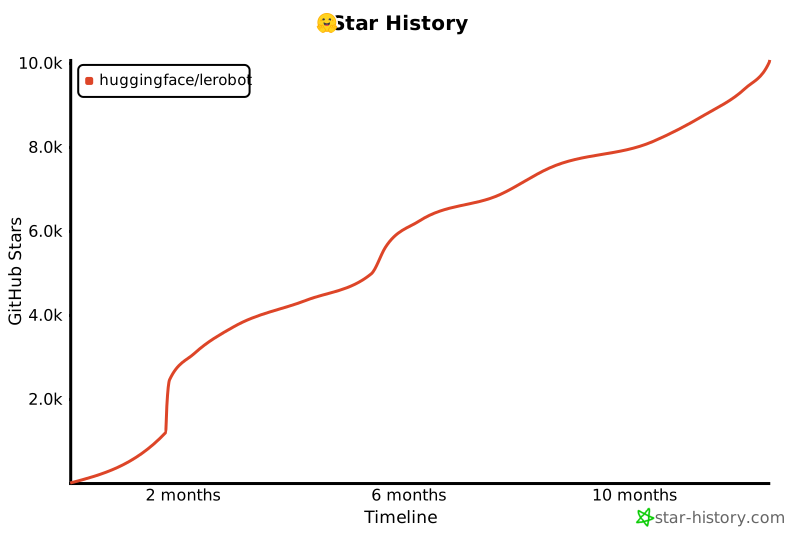](https://star-history.com/#huggingface/lerobot&Timeline)
|