

File size: 3,681 Bytes
a2ec7b6 | 1 2 3 4 5 6 7 8 9 10 11 12 13 14 15 16 17 18 19 20 21 22 23 24 25 26 27 28 29 30 31 32 33 34 35 36 37 38 39 40 41 42 43 44 45 46 47 48 49 50 51 52 53 54 55 56 57 58 59 60 61 62 63 64 65 66 67 68 69 70 71 72 73 74 | # Task
The tasks in MCPMark follows two major principles
- The tasks are based on realistic digital environments that are also used by human programmers.
- The task outcome can be robustly verified in python scripts.
Therefore, each MCPMark task consists of three files
- `meta.json`
- `description.md`
- `verify.py`
Here, `metadata.json` includes the meta information of the task, `description.md` describes the purpose and setting of the task, as well as the instruction to complete the task. `verify.py` checks whether the task is completed successfully.
For example, you can ask the model agent to create a file with specific name and write specific content to the file, which belongs to the category of operating the file context. The structure looks like
```
tasks
│
└───filesystem
│
└───standard # task_suite (also supports `easy`)
│
└───file_context # category_id
│
└───create_file_write
│ meta.json
│ description.md
│ verify.py
```
All tasks live under `tasks/<mcp>/<task_suite>/<category>/<task_id>/`. `filesystem` refers to the MCP service and `task_suite` captures the difficulty slice (`standard` benchmark vs `easy` smoke tests).
`meta.json` includes the meta information about the task, including the following key
- task_id: the id of the task.
- task_name: full name of the task.
- description: task description.
- category_id: the id of task category.
- category_name: the full name of task categeory.
- author: the author of the task.
- difficulty: the task difficulty level.
- created_at: the timestamp of task creation.
- tags: a list of tags that describe the task.
- mcp: a list of MCP services it belongs to.
- metadata: other meta information.
Here `category_name` describes the shared feature or the environment across different tasks (e.g. the github repository or notion page the task is built on). In this running example, `category_name` refers to `file_context`.
`description.md` could include the following information
- Task name
- Create and Write File.
- Task description
- Use the filesystem MCP tools to create a new file and write content to it.
- Task Objectives
- Create a new file named `hello_world.txt` in the test directory.
- Write the following content to the file: ``` Hello, World```
- Verify the file was created successfully
- Verification Criteria
- File `hello_world.txt` exists in the test directory
- File contains the expected content structure
- File includes "Hello, World!" on the first line
- Tips
- Use the `write_file` tool to create and write content to the file
- The test directory path will be provided in the task context
The entire content of `description.md` will be read by the model agent for completing the task.
Accordingly, the `verify.py` contains the following functionalities
- Check whether the target directory exists. [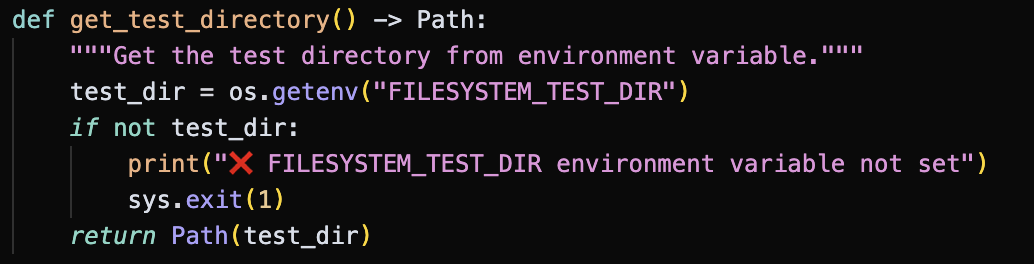](https://postimg.cc/4nnLrw3M)
- Check whether the target directory contains the file with target file name. [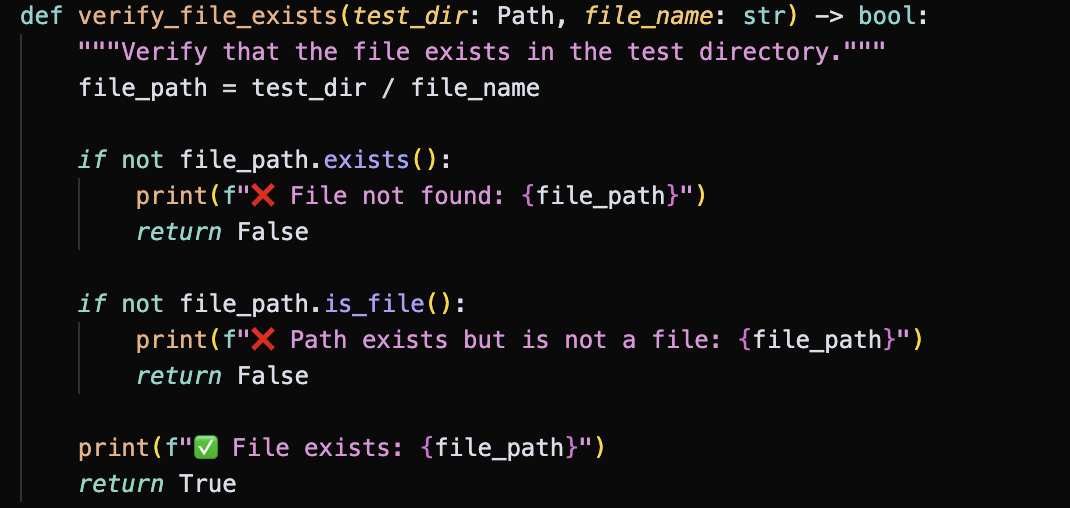](https://postimg.cc/7fGRTX87)
- Check whether the target file contains the desired content `EXPECTED_PATTERNS = ["Hello Wolrd"]`. [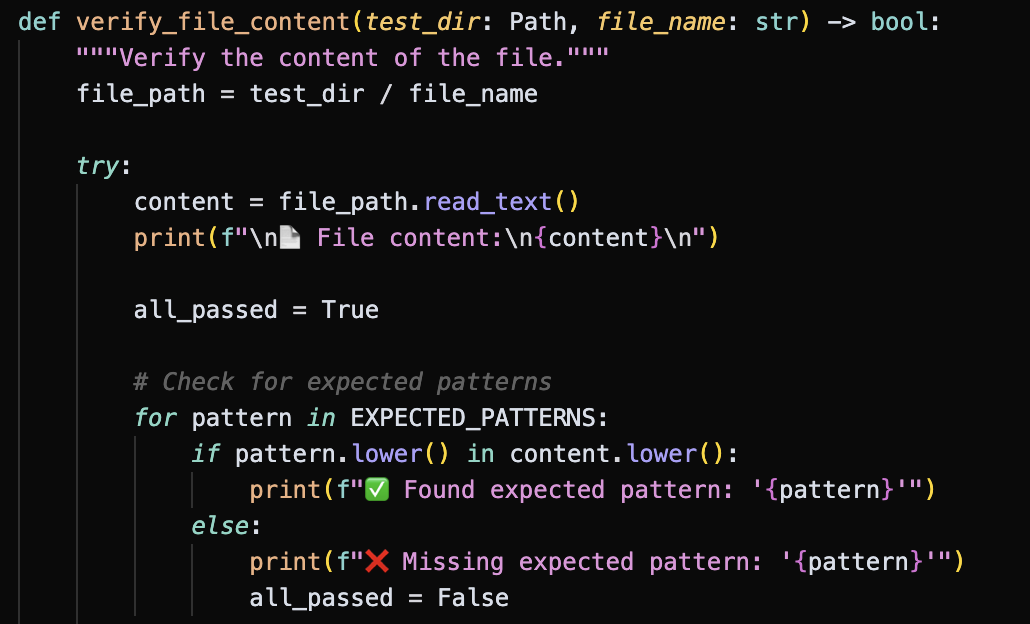](https://postimg.cc/w7ZSWZc0)
- If the outcome passes **all the above verification functionalities**, the task would be marked as successfully completed.
|