
File size: 1,682 Bytes
9e48ccb 11426df 9e48ccb 11426df 9e48ccb 11426df |
1 2 3 4 5 6 7 8 9 10 11 12 13 14 15 16 17 18 19 20 21 22 23 24 25 26 27 28 29 30 31 32 33 34 35 36 37 38 39 40 41 42 43 44 45 46 47 48 49 50 51 52 53 54 55 56 57 58 59 60 61 62 63 64 65 66 67 68 69 70 71 |
---
tags:
- text-to-image
- lora
- diffusers
- template:diffusion-lora
widget:
- text: '-'
  output:
    url: images/ComfyUI_00126_ (1).png
- text: '-'
  output:
    url: images/ComfyUI_00142_.png
- text: '-'
  output:
    url: images/ComfyUI_00147_.png
- text: '-'
  output:
    url: images/ComfyUI_00149_.png
- text: '-'
  output:
    url: images/ComfyUI_00156_.png
- text: '-'
  output:
    url: images/ComfyUI_05746_.jpg
- text: '-'
  output:
    url: images/ComfyUI_05752_.png
- text: '-'
  output:
    url: images/ComfyUI_06429_.png
- text: '-'
  output:
    url: images/ComfyUI_06450_.png
- text: '-'
  output:
    url: images/ComfyUI_06458_.png
- text: '-'
  output:
    url: images/ComfyUI_06468_.png
- text: '-'
  output:
    url: images/ComfyUI_06507_.png
base_model: black-forest-labs/FLUX.1-dev
instance_prompt: photography, ph, photo, flux, lora, experimental
license: mit
language:
- en
---
# Experimental Photography v1

<Gallery />

## Model description

# Flux LoRA – Surreal Experimental Photography

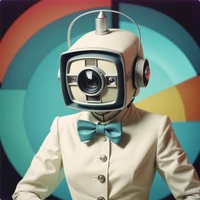
A lightweight LoRA that turns any Flux-compatible checkpoint into a generator of vivid, dream-like photographs.

It was fine-tuned on 4 000 synthetic images of “experimental photography” created with SDXL, Flux, and Midjourney, then auto-captioned with **JoyCaption**. The result is a compact but expressive adapter: the more poetic your prompt, the more surreal and colourful the image.

## Trigger words

You should use `3xp3r1m3nt4l photography` to trigger the image generation.


## Download model

Weights for this model are available in Safetensors format.

[Download](/latentbroadcasting/experimentalPH/tree/main) them in the Files & versions tab. |