

File size: 21,152 Bytes
a2afe2f |
1 2 3 4 5 6 7 8 9 10 11 12 13 14 15 16 17 18 19 20 21 22 23 24 25 26 27 28 29 30 31 32 33 34 35 36 37 38 39 40 41 42 43 44 45 46 47 48 49 50 51 52 53 54 55 56 57 58 59 60 61 62 63 64 65 66 67 68 69 70 71 72 73 74 75 76 77 78 79 80 81 82 83 84 85 86 87 88 89 90 91 92 93 94 95 96 97 98 99 100 101 102 103 104 105 106 107 108 109 110 111 112 113 114 115 116 117 118 119 120 121 122 123 124 125 126 127 128 129 130 131 132 133 134 135 136 137 138 139 140 141 142 143 144 145 146 147 148 149 150 151 152 153 154 155 156 157 158 159 160 161 162 163 164 165 166 167 168 169 170 171 172 173 174 175 176 177 178 179 180 181 182 183 184 185 186 187 188 189 190 191 192 193 194 195 196 197 198 199 200 201 202 203 204 205 206 207 208 209 210 211 212 213 214 215 216 217 218 219 220 221 222 223 224 225 226 227 228 229 230 231 232 233 234 235 236 237 238 239 240 241 242 243 244 245 246 247 248 249 250 251 252 253 254 255 256 257 258 259 260 261 262 263 264 265 266 267 268 269 270 271 272 273 274 275 276 277 278 279 280 281 282 283 284 285 286 287 288 289 290 291 292 293 294 295 296 297 298 299 300 301 302 303 304 305 306 307 308 309 310 311 312 313 314 315 316 317 318 319 320 321 322 323 324 325 326 327 328 329 330 331 332 333 334 335 336 337 338 339 340 341 342 343 344 345 346 347 348 349 350 351 352 353 354 355 356 357 358 359 360 361 362 363 364 365 366 367 368 369 370 371 372 373 374 375 376 377 378 379 380 381 382 383 384 385 386 387 388 389 390 391 392 393 394 395 396 397 398 399 400 401 402 403 404 405 406 407 408 409 410 411 412 413 414 415 416 417 418 419 420 421 422 423 424 425 426 427 428 429 430 431 432 433 434 435 436 437 438 439 440 441 442 443 444 445 446 447 448 449 450 451 452 453 454 455 456 457 458 459 460 461 462 463 464 465 466 467 468 469 470 471 472 473 474 475 476 477 478 479 480 481 482 483 484 485 486 487 488 489 490 491 492 493 494 495 496 497 498 499 500 501 502 503 504 505 506 507 508 509 510 511 512 513 514 515 516 517 518 519 520 521 522 523 524 525 526 527 528 529 530 531 532 533 534 535 536 537 538 539 540 541 542 543 544 545 546 547 548 549 550 551 552 553 554 555 556 557 558 559 560 561 562 563 564 565 566 567 568 569 570 571 572 573 574 575 576 577 578 579 580 581 582 583 584 585 586 587 588 589 590 591 592 593 594 595 596 597 598 599 600 601 602 603 604 605 606 607 608 609 610 611 |
# OpenBB Platform API Launcher
This package is responsible for launching and configuring an OpenBB Platform environment, or FastAPI instance, to use as an OpenBB Workspace [custom backend](https://docs.openbb.co/terminal/custom-backend).
## Installation
This package is included when you run [`pip install openbb`](https://docs.openbb.co/platform/installation); however, it also works as a standalone package
for creating new backends that are not part of the OpenBB GitHub [repository](https://github.com/OpenBB-finance/OpenBB/).
To install as a standalone, use a Python environment between versions 3.9 and 3.12, inclusively.
```sh
pip install openbb-platform-api
```
## Usage
See the [keyword arguments](#keyword-arguments) section for parameters and descriptions.
### Launch OpenBB Platform
To start the OpenBB Platform API, open a terminal, activate the environment where it is installed, and then enter:
```
openbb-api
```
This will launch a Fast API instance, via `uvicorn`, at `http://127.0.0.1:6900`
Uvicorn can be configured by adding keyword arguments, see the section [below](#keyword-arguments)
### Launch Custom App
To run your application as an OpenBB Workspace custom backend, add the path to the Python file with the FastAPI instance to the launch command.
```sh
openbb-api --app /Users/some_user/path/to/main.py
```
#### Arbitrary Instance Name
Define the FastAPI instance as an arbitrary name with the `--name` argument.
```sh
openbb-api --app some_file.py --name my_app
```
#### Factory Flag
If the FastAPI instance is served via a factory function, set the `--factory` flag.
```sh
openbb-api --app some_file.py:main --factory
```
## Keyword Arguments
The behavior of the script can be configured with the use of arguments and keyword arguments.
Launcher specific arguments:
--app Absolute path to the Python file with the target FastAPI instance. Default is the installed OpenBB Platform API.
--name Name of the FastAPI instance in the app file. Default is 'app'.
--factory Flag to indicate if the app name is a factory function. Default is 'false'.
--editable Flag to make widgets.json an editable file that can be modified during runtime. Default is 'false'.
--build If the file already exists, changes prompt action to overwrite/append/ignore. Only valid when --editable true.
--no-build Do not build the widgets.json file. Use this flag to load an existing widgets.json file without checking for updates.
--login Login to the OpenBB Platform.
--exclude JSON encoded list of API paths to exclude from widgets.json. Disable entire routes with '*' - e.g. '["/api/v1/*"]'.
--no-filter Do not filter out widgets in widget_settings.json file.
--widgets-json Absolute/relative path to use as the widgets.json file. Default is ~/envs/{env}/assets/widgets.json, when --editable is 'true'.
--apps-json Absolute/relative path to use as the apps.json file. Default is ~/OpenBBUserData/workspace_apps.json.
--agents-json Absolute/relative path to use as the agents.json file. Including this will add the /agents endpoint to the API.
All other arguments will be passed to uvicorn. Here are the most common ones:
--host TEXT Host IP address or hostname.
[default: 127.0.0.1]
--port INTEGER Port number.
[default: 6900]
--ssl-keyfile TEXT SSL key file.
--ssl-certfile TEXT SSL certificate file.
--ssl-keyfile-password TEXT SSL keyfile password.
--ssl-version INTEGER SSL version to use.
(see stdlib ssl module's)
[default: 17]
--ssl-cert-reqs INTEGER Whether client certificate is required.
(see stdlib ssl module's)
[default: 0]
--ssl-ca-certs TEXT CA certificates file.
--ssl-ciphers TEXT Ciphers to use.
(see stdlib ssl module's)
[default: TLSv1]
Run `uvicorn --help` to get the full list of arguments.
### API Over HTTPS
To run the API over the HTTPS protocol, you must first create a self-signed certificate and the associated key. After activating the environment, you can generate the files by entering this to the command line:
```sh
openssl req -x509 -days 3650 -out localhost.crt -keyout localhost.key -newkey rsa:4096 -nodes -sha256 -subj '/CN=localhost' -extensions EXT -config <( \
printf "[dn]\nCN=localhost\n[req]\ndistinguished_name = dn\n[EXT]\nsubjectAltName=DNS:localhost\nkeyUsage=digitalSignature\nextendedKeyUsage=serverAuth")
```
Two files will be created, in the current working directory, that are passed as keyword arguments to the `openbb-api` entry point.
```sh
openbb-api --ssl_keyfile localhost.key --ssl_certfile localhost.crt
```
**Note**: Adjust the command to include the full path to the file if the current working directory is not where they are located.
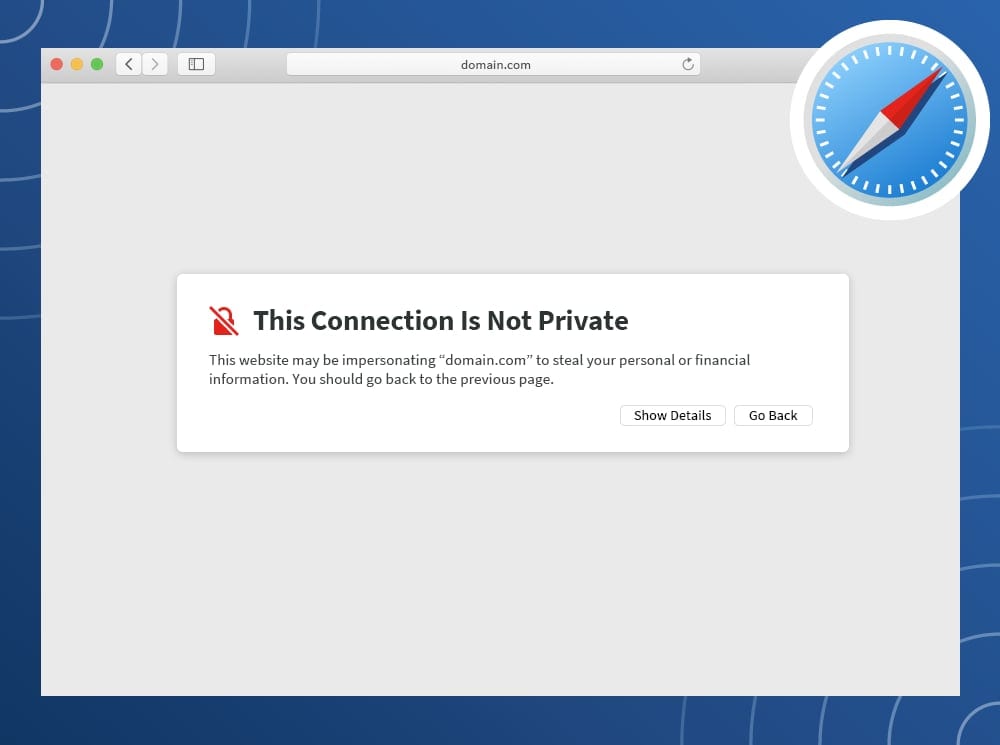
The certificate - `localhost.crt` - will need to be added to system's trust store. The process for this will depend on the operating system and the user account privilege.
A quick solution is to visit the server's URL, show the details of the warning, and choose to continue anyways.
Contact the system administrator if you are using a work device and require additional permissions to complete the configuration.
## Example Application
Examples below will assume this code block is at the start of the file.
```python
from fastapi import FastAPI
app = FastAPI()
```
### Markdown Widget
This script will create a "markdown" widget with the returned text.
```python
@app.get("/hello")
async def hello() -> str:
"""Widget Description Generated By Docstring"""
return "Hello, from OpenBB!"
```
### Table Widget
Create a table widget by returning data shaped as a list of dictionaries (records)
```python
@app.get("/hello")
async def hello() -> list:
"""Widget Description Generated By Docstring"""
return [{"Column 1": "Hello", "Column 2": "from OpenBB!"}]
```
### Metric Widget
This widget displays a label, value, and optional delta.
To create a metric widget, import the custom response model below and define it as a return type.
```python
from openbb_platform_api.response_models import MetricResponseModel
@app.get("/hello_metric")
async def hello_metric() -> MetricResponseModel:
"""Widget description created by docstring."""
return MetricResponseModel(label="Good Vibes Score", value=100, delta="1%")
```
This type of widget can be created as an array of MetricResponseModels. Adjust the response to be a `list[MetricRespnoseModel]`
### Query Parameters
Function arguments will populate as widget parameters.
```python
from typing import Literal, Optional
@app.get("/hello")
async def hello(param1: Optional[str] = None, param2: Literal["Choice 1", "Choice 2"] = None, param3: bool = False) -> str:
"""Widget Description Generated By Docstring"""
if not param1 and not param2 and not param3:
return "Enter a parameter or make a choice!"
if param3:
return f"Param3 enabled!"
if param2:
return f"You selected: {param2}"
if param1:
return f"You entered: {param1}"
return "Nothing to return!"
```
### Easy Date Picker
Name the parameter "date", or include "_date" in the name, and type it as a string.
Additionally, a parameter type of `datetime.date` will work.
```python
import datetime
@app.get("/hello_date")
async def hello_date(date: str) -> list:
"""Widget description created by docstring."""
# Workspace returns the date as YYYY-MM-DD
return [{"Hello": "Row 1!"}, {"Hello": "Row 2!"}]
@app.get("/hello_date_range")
async def hello_date_range(start: datetime.date, end: datetime.date) -> list:
"""Widget description created by docstring."""
# Workspace returns the date as YYYY-MM-DD
return [{"Hello": "Row 1!"}, {"Hello": "Row 2!"}]
```
This demonstrates how to define any of the basic widget parameter types, in a no-frills way. If you just need something that works, it's an easy starting point.
```python
@app.get("/hello_params")
async def hello_params(
required_param: datetime.date,
param_1: str = "Default",
param_2: int = 0,
param_3: float = None,
param_4: Literal["Choice 1", "Choice 2", "Choice 3"] = "Choice 1",
param_5: bool = True,
) -> list:
"""Widget description created by docstring."""
# Handle the "choices" parameter inside the function to convert the displayed label to the desired one.
choices_dict = {"Choice 1": "do_one", "Choice 2": "do_two", "Choice 3": "do_three"}
choice = choices_dict.get(param_4, None)
# Do something with the parameters and return the result of work.
return [{"Hello": "Row 1!"}, {"Hello": "Row 2!"}]
```
### Annotated Query Params
Adding helpful placeholder text and tooltips to parameters requires annotating them. This will also help code editors and improve the API documentation.
Additional settings, compatible with `widgets.json`, are defined in the `json_schema_extra` dictionary, under a key, `x-widget_config`
```python
from typing import Annotated
from fastapi import Query
```
The pattern for annotating a query parameter is:
```python
my_param: Annotated[str, Query(title="My Title", description="My custom hovertext with detailed information")] = None
```
```python
@app.get("/hello_annotated_params")
async def hello_annotated_params(
required_param: Annotated[
datetime.date, Query(description="The date is required.", title="Required Date")
],
not_required_param: Annotated[
Literal["Choice 1", "Choice 2", "Choice 3"],
Query(
description="Choose from a list of possible choices. The default is, 'Choice 1'",
title="Selector",
json_schema_extra={"x-widget_config": {"multiSelect": True}} # This lets you select multiple items from dropdown choices.
),
] = "Choice 1",
) -> list:
"""Widget description created by docstring."""
# Do something with the parameters and return the result of work.
return [{"Hello": "Row 1!"}, {"Hello": "Row 2!"}]
```
### Annotated Table Fields
The procedure for annotating the output is similar to the query parameters, and involves defining a response model.
A response model is a Data model of Fields. Create one by defining a new class that inherits from "Data", and then define each column as a "Field".
```python
from openbb_platform_api.response_models import Data
from pydantic import Field
```
Optional values should be defined, as `Optional[{type}]`, with a default value of `None`.
```python
class MyData(Data):
"""This is a custom Data model."""
# Add fields to the model.
column_1: datetime.date = Field(
description="The date column is a mandatory field.",
title="Some Date",
)
column_2: Optional[str] = Field(
default=None,
description="This is an optional string column.",
title="Some String",
)
column_3: int = Field(
default=-1,
description="This is an integer column.",
title="Some Integer",
)
column_4: float = Field(
default=10.25,
description="This is a float column.",
title="Some Float",
)
column_5: float = Field(
default=10.25,
description="This is a percent column.",
title="Some Percent",
json_schema_extra={"x-widget_config": {"formatterFn": "percent"}},
)
column_6: float = Field(
default=0.1025,
description="This is a normalized percent value adjusted for presentation.",
title="Some Normalized Percent",
json_schema_extra={
"x-widget_config": {
"formatterFn": "normalizedPercent",
"renderFn": "greenRed",
}
},
)
@app.get("/hello_data")
async def hello_data() -> list[MyData]:
"""Widget description created by docstring."""
# Do something with the parameters and return the result of work.
return [MyData(column_1=datetime.date.today(), column_2="Hello!")]
```
### PDF Widget
To create a PDF widget, import the custom response model below and define it as a return type.
The model handles conversion of the document, from a bytes object, to a base64 encoded string.
```python
from openbb_platform_api.response_models import PdfResponseModel
@app.get("/open_pdf")
async def open_pdf(
url: Annotated[
str,
Query(
description="URL, or local path, to the PDF document.",
title="URL or Path",
),
],
filename: Annotated[
Optional[str],
Query(
description="Filename to associate with the PDF internally.",
title="Fiilename",
),
] = "",
user_agent: Annotated[
Optional[str],
Query(description="A specific User-Agent string for the request.", title="User-Agent"),
] = None,
) -> PdfResponseModel:
"""Open a PDF document from a URL, or local file path."""
# pylint: disable=import-outside-toplevel
from pathlib import Path # noqa
from openbb_core.provider.utils.errors import OpenBBError
from openbb_core.provider.utils.helpers import get_requests_session
if "://" not in url:
file_path = Path(url)
if not file_path.is_file():
raise OpenBBError(f"The file - {url} - does not exist.")
with open(file_path, "rb") as file:
pdf = file.read()
else:
session = get_requests_session(headers={"User-Agent": user_agent})
response = session.get(url)
if response.status_code != 200:
raise OpenBBError(
f"Failed to open PDF from URL -> Code: {response.status_code} -> {response.reason}"
)
pdf = response.content
return PdfResponseModel(
filename = filename,
content = pdf,
)
```
### Custom Plotly Chart
To define a chart widget, update the widget "type" and return the content from the `Figure.to_plotly_json()` method.
```python
@app.get(
"/hello_chart",
openapi_extra={"widget_config": {"type": "chart"}},
)
async def hello_chart() -> dict:
"""Widget description created by docstring."""
from plotly.graph_objs import Bar, Layout, Figure
fig = Figure(
data=[Bar(x=["A", "B", "C"], y=[1, 2, 3])],
layout=Layout(title="Hello Chart!"),
)
return fig.to_plotly_json()
```
### Form Submit Widget
When submitted, Workspace makes a POST request to the endpoint.
If the POST function returns a 200 status code, the widget associated with the GET function is refreshed.
The results of the GET function does not have to correspond with the parameters and results of the POST function.
For example, the response to submitting a form can be a Markdown widget with a custom message.
The entry in `widgets.json` will be automatically created if the conditions below are met:
- GET and POST methods must share the same API route.
- POST method takes 1 positional argument, a sub-class of Pydantic BaseModel.
- Create a model, like annotated table fields, defining all inputs to the form.
#### Example
The code below creates a widget with a form as the input, and an output table of all submitted forms, as processed through the `IntakeForm` model.
```python
import uuid
from datetime import date as dateType
from typing import Literal, Union
# from fastapi import FastAPI
from openbb_platform_api.query_models import FormData
from openbb_platform_api.response_models import Data
from pydantic import ConfigDict, Field
# app = FastAPI()
AccountTypes = Literal["General Fund", "Separately Managed", "Private Equity", "Family Office"]
class GeneralIntake(FormData):
"""Submit a form via POST request."""
date_created: dateType = Field(
title="Created On", default_factory=dateType.today
)
first_name: str = Field(title="First Name")
last_name: str = Field(title="Last Name")
email: str = Field(title="Contact Email")
dob: dateType = Field(
title="Date Of Birth",
)
account_types: Union[AccountTypes, list[AccountTypes]] = Field(
title="Type Of Account",
json_schema_extra={
"x-widget_config": {"multiSelect": True},
},
)
submit: bool = Field(
default=True,
title="Submit",
type="button", # This creates a button, when pressed the parameter is sent as True
)
class IntakeForm(Data):
"""Submission Records."""
model_config = ConfigDict(extra="ignore")
contacted: bool = Field(
title="Contacted",
default=False,
)
date_created: dateType = Field(
title="Created On",
)
first_name: str = Field(title="First Name")
last_name: str = Field(title="Last Name")
email: str = Field(title="Contact Email")
dob: dateType = Field(
title="Date Of Birth",
)
account_types: Union[AccountTypes, list[AccountTypes]] = Field(
title="Account Interest",
)
unique_id: uuid.UUID = Field(
title="Unique ID",
default_factory=uuid.uuid4,
)
INTAKE_FORMS: list[IntakeForm] = []
@app.post("/general_intake")
async def general_intake_post(data: GeneralIntake) -> bool:
global INTAKE_FORMS
try:
INTAKE_FORMS.append(IntakeForm(**data.model_dump()))
return True
except Exception as e:
raise e from e
@app.get("/general_intake")
async def general_intake() -> list[IntakeForm]:
return INTAKE_FORMS
```
<img width="1552" alt="Screenshot 2025-03-09 at 9 51 47 PM" src="https://github.com/user-attachments/assets/16bb3844-ea43-44c8-ae44-67159b0b70e4" />
## Widget Config
Any value from the [`widgets.json`](https://docs.openbb.co/terminal/custom-backend/widgets-json-reference) structure can be passed into the `@app` decorator by including an `openapi_extra` dictionary with the key, `"widget_config"`.
Configurations for `widgets.json` supplied here will override any of the automatically generated content. If the key does not exist, it will be created.
When inserting/updating an entry in a `Params` or `ColumnsDefs` array, the matching identifier is "paramName" and "field", respectively.
```python
@app.get(
"/hello_data",
openapi_extra={
"widget_config": {
"data": {
"table": {
"columnsDefs": [
{
"field": "column_1",
"headerName": "My Column",
"headerTooltip": "This hovertext wins!",
}
]
}
}
}
},
)
async def hello_data() -> list[MyData]:
"""Widget description created by docstring."""
# Do something with the parameters and return the result of work.
return [MyData(column_1=datetime.date.today(), column_2="Hello!")]
```
## Location of `widgets.json`
When `--editable` is not flagged, the file remains in memory until the server is stopped. It is regenerated every run.
The file can be served at any time by visiting the URL (host address will vary):
```sh
http://127.0.0.1:6900/widgets.json
```
When launched as `openbb-api --editable`, a file will be stored to disk. By default, that location is:
```sh
/Path/to/environments/envs/obb/assets/widgets.json
```
The file can be manually edited and served without the build process by passing `--editable --no-build` to the API launch script.
```sh
openbb-api --editable --no-build
```
If you would like to construct this file manually, create the file and define the path as an argument.
```sh
openbb-api --widgets-json /Users/some_user/path/to/widgets.json
```
### Location of `workspace_apps.json`
By default, the location is:
> ~/OpenBBUserData/workspace_apps.json
This can be changed by adding the path as an argument.
```sh
openbb-api --apps-json /Users/some_user/path/to/workspace_apps.json
```
The OpenBB Workspace allows you to export the current dashboard layout - when it is a custom backend - as a template.
To export the layout, right-click on the dashboard and select, "Export apps.json".
A JSON dictionary will be exported. Insert the contents of the export into "~/OpenBBUserData/workspace_apps.json" by pasting between the JSON list markers, [ ].
If there are more than one, add a comma between each dictionary entry.
See the page [here](https://docs.openbb.co/workspace/apps#creating-your-own-app) for details on custom backend apps.
|