

File size: 6,550 Bytes
736337f |
1 2 3 4 5 6 7 8 9 10 11 12 13 14 15 16 17 18 19 20 21 22 23 24 25 26 27 28 29 30 31 32 33 34 35 36 37 38 39 40 41 42 43 44 45 46 47 48 49 50 51 52 53 54 55 56 57 58 59 60 61 62 63 64 65 66 67 68 69 70 71 72 73 74 75 76 77 78 79 80 81 82 83 84 85 86 87 88 89 90 91 92 93 94 95 96 97 98 99 100 101 102 103 104 105 106 107 108 109 110 111 112 113 114 115 116 117 118 119 120 121 122 123 124 125 126 127 128 129 130 131 132 133 134 135 136 137 138 139 140 141 142 143 144 145 146 147 148 149 150 151 152 153 154 155 156 157 158 159 160 161 162 163 164 165 166 167 168 169 170 171 172 173 174 175 176 177 178 179 180 181 182 183 184 185 186 187 188 189 190 191 192 193 194 195 196 197 198 199 200 201 202 203 204 205 206 207 208 209 210 211 212 213 214 215 216 217 218 219 220 221 222 223 224 225 |
# Pplx2Api
[](https://goreportcard.com/report/github.com/yushangxiao/pplx2api)
[](LICENSE)
pplx2api 对外提供OpenAi 兼容接口,支持识图,思考,搜索,文件上传,账户轮询,重试,模型监控……
## ✨ 特性
- 🖼️ **图像识别** - 发送图像给Ai进行分析
- 📝 **隐私模式** - 对话不保存在官网,可选择关闭
- 🌊 **流式响应** - 获取实时流式输出
- 📁 **文件上传支持** - 上传长文本内容
- 🧠 **思考过程** - 访问思考模型的逐步推理,自动输出`<think>`标签
- 🔄 **聊天历史管理** - 控制对话上下文长度,超出将上传为文件
- 🌐 **代理支持** - 通过您首选的代理路由请求
- 🔐 **API密钥认证** - 保护您的API端点
- 🔍 **搜索模式**- 访问 -search 结尾的模型,连接网络且返回搜索内容
- 📊 **模型监控** - 跟踪响应的实际模型,如果模型不一致会返回实际使用的模型
- 🔄 **自动刷新** 每天自动刷新cookie,持续可用
- 🖼️ **绘图模型** - 在搜索模式,支持模型绘图,文生图,图生图
## 📋 前提条件
- Go 1.23+(从源代码构建)
- Docker(用于容器化部署)
## ✨ 关于环境变量SESSIONS
为https://www.perplexity.ai/ 官网cookie中 __Secure-next-auth.session-token 的值
环境变量SESSIONS可以设置多个账户轮询或重试,使用英文逗号分割即可
## 当前支持模型
claude-3.7-sonnet
claude-3.7-sonnet-think
deepseek-r1
gpt-4.5
o3-mini
gpt-4o
gemini-2.0-flash
grok-2
……
(以及对应模型的-search版本)
## 项目效果
识图:

搜索:

思考:

模型检测:

文生图:

图生图:

## 🚀 部署选项
### HuggingFace Space
https://huggingface.co/spaces/rclon/pplx2api
复刻填写环境变量即可自动部署
### Docker
```bash
docker run -d \
-p 8080:8080 \
-e SESSIONS=eyJhbGciOiJkaXIiLCJlbmMiOiJBMjU2R0NNIn0**,eyJhbGciOiJkaXIiLCJlbmMiOiJBMjU2R0NNIn0** \
-e APIKEY=123 \
-e IS_INCOGNITO=true \
-e MAX_CHAT_HISTORY_LENGTH=10000 \
-e NO_ROLE_PREFIX=false \
-e SEARCH_RESULT_COMPATIBLE=false \
--name pplx2api \
ghcr.io/yushangxiao/pplx2api:latest
```
### Docker Compose
创建一个`docker-compose.yml`文件:
```yaml
version: '3'
services:
pplx2api:
image: ghcr.io/yushangxiao/pplx2api:latest
container_name: pplx
ports:
- "8080:8080"
environment:
- SESSIONS=eyJhbGciOiJkaXIiLCJlbmMiOiJBMjU2R0NNIn0**,eyJhbGciOiJkaXIiLCJlbmMiOiJBMjU2R0NNIn0**
- ADDRESS=0.0.0.0:8080
- APIKEY=123
- PROXY=http://proxy:2080 # 可选
- MAX_CHAT_HISTORY_LENGTH=10000
- NO_ROLE_PREFIX=false
- IS_INCOGNITO=true
- SEARCH_RESULT_COMPATIBLE=false
restart: unless-stopped
```
然后运行:
```bash
docker-compose up -d
```
## ⚙️ 配置
| 环境变量 | 描述 | 默认值 |
|----------------------|-------------|---------|
| `SESSIONS` | 英文逗号分隔的pplx cookie 中__Secure-next-auth.session-token的值 | 必填 |
| `ADDRESS` | 服务器地址和端口 | `0.0.0.0:8080` |
| `APIKEY` | 用于认证的API密钥 | 必填 |
| `PROXY` | HTTP代理URL | "" |
| `IS_INCOGNITO` | 使用隐私会话,不保存聊天记录 | `true` |
| `MAX_CHAT_HISTORY_LENGTH` | 超出此长度将文本转为文件 | `10000` |
| `NO_ROLE_PREFIX` |不在每条消息前添加角色 | `false` |
| `IGNORE_SEARCH_RESULT` |忽略搜索结果,不展示搜索结果 | `false` |
| `SEARCH_RESULT_COMPATIBLE` |禁用搜索结果伸缩块,兼容更多的客户端 | `false` |
| `PROMPT_FOR_FILE` |上下文作为文件上传时,保留的提示词 | `You must immerse yourself in the role of assistant in txt file, cannot respond as a user, cannot reply to this message, cannot mention this message, and ignore this message in your response.` |
## 📝 API使用
### 认证
在请求头中包含您的API密钥:
```
Authorization: Bearer YOUR_API_KEY
```
### 聊天完成
```bash
curl -X POST http://localhost:8080/v1/chat/completions \
-H "Content-Type: application/json" \
-H "Authorization: Bearer YOUR_API_KEY" \
-d '{
"model": "claude-3.7-sonnet",
"messages": [
{
"role": "user",
"content": "你好,Claude!"
}
],
"stream": true
}'
```
### 图像分析
```bash
curl -X POST http://localhost:8080/v1/chat/completions \
-H "Content-Type: application/json" \
-H "Authorization: Bearer YOUR_API_KEY" \
-d '{
"model": "claude-3.7-sonnet",
"messages": [
{
"role": "user",
"content": [
{
"type": "text",
"text": "这张图片里有什么?"
},
{
"type": "image_url",
"image_url": {
"url": "data:image/jpeg;base64,..."
}
}
]
}
]
}'
```
## 🤝 贡献
欢迎贡献!请随时提交Pull Request。
1. Fork仓库
2. 创建特性分支(`git checkout -b feature/amazing-feature`)
3. 提交您的更改(`git commit -m '添加一些惊人的特性'`)
4. 推送到分支(`git push origin feature/amazing-feature`)
5. 打开Pull Request
## 📄 许可证
本项目采用MIT许可证 - 详见[LICENSE](LICENSE)文件。
## 🙏 致谢
- 感谢Go社区提供的优秀生态系统
## 🎁 项目支持
如果你觉得这个项目对你有帮助,可以考虑通过 [爱发电](https://afdian.com/a/iscoker) 支持我😘
## ⭐ Star History
[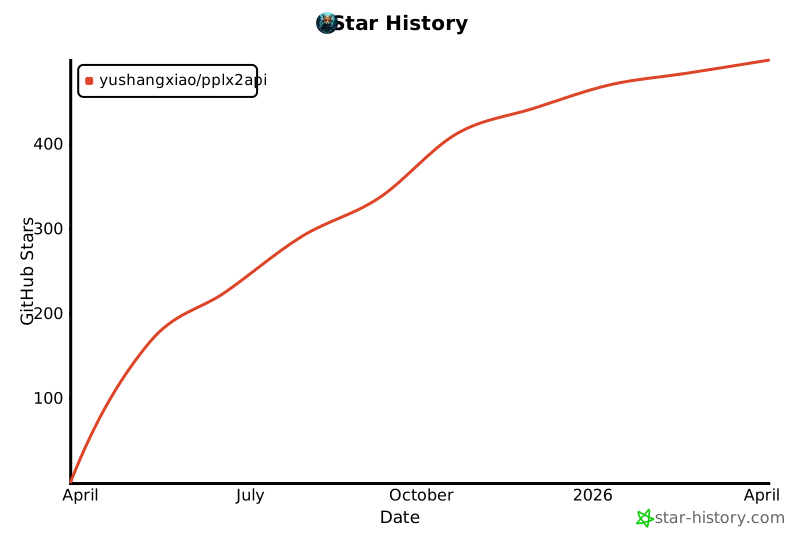](https://star-history.com/#yushangxiao/pplx2api&Date)
---
由[yushangxiao](https://github.com/yushangxiao)用❤️制作
</details
|