
Spaces:
Sleeping
Sleeping

| import gradio as gr | |
| from cellpose import models | |
| import numpy as np | |
| import cv2 | |
| from PIL import Image | |
| # Draw contours on original image | |
| def masks_to_overlay(image, masks): | |
| overlay = image.copy() | |
| contours, _ = cv2.findContours(masks.astype(np.uint8), cv2.RETR_EXTERNAL, cv2.CHAIN_APPROX_SIMPLE) | |
| cv2.drawContours(overlay, contours, -1, (0, 255, 0), 1) | |
| return overlay | |
| # Main processing function | |
| def segment_and_count(image: Image.Image, model_type: str, diameter: float): | |
| img_np = np.array(image.convert("RGB")) | |
| model = models.CellposeModel(model_type=model_type) | |
| masks, _, _, _ = model.eval(img_np, diameter=None if diameter == 0 else diameter, channels=[0, 0]) | |
| overlay = masks_to_overlay(img_np, masks) | |
| cell_count = len(np.unique(masks)) - 1 # exclude background 0 | |
| return Image.fromarray(overlay), f"Detected cells: {cell_count}" | |
| # Gradio UI | |
| with gr.Blocks() as demo: | |
| gr.Markdown("Cell Counting with Cellpose (Interactive)") | |
| with gr.Row(): | |
| with gr.Column(): | |
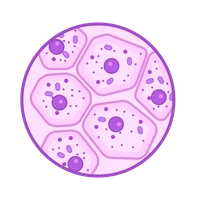
| image_input = gr.Image(type="pil", label="Upload Microscopy Image") | |
| model_selector = gr.Radio(["cyto", "nuclei"], label="Model Type", value="cyto") | |
| diameter_slider = gr.Slider(0, 100, step=1, value=0, label="Cell Diameter (0 = Auto)") | |
| run_btn = gr.Button("Run Cell Counting") | |
| count_output = gr.Textbox(label="Cell Count") | |
| examples = gr.Examples( | |
| examples=[ | |
| ["images/1.png"], | |
| ["images/1.png"], | |
| ["images/1.png"] | |
| ], | |
| inputs=[image_input], | |
| label="Example Images" | |
| ) | |
| with gr.Column(): | |
| image_output = gr.Image(type="pil", label="Mask Overlay") | |
| run_btn.click( | |
| fn=segment_and_count, | |
| inputs=[image_input, model_selector, diameter_slider], | |
| outputs=[image_output, count_output] | |
| ) | |
| demo.launch() | |