
Spaces:
Sleeping
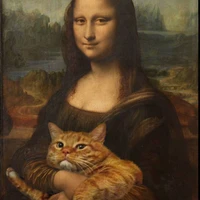
Sleeping
File size: 4,956 Bytes
dfcff84 f08045a |
1 2 3 4 5 6 7 8 9 10 11 12 13 14 15 16 17 18 19 20 21 22 23 24 25 26 27 28 29 30 31 32 33 34 35 36 37 38 39 40 41 42 43 44 45 46 47 48 49 50 51 52 53 54 55 56 57 58 59 60 61 62 63 64 65 66 67 68 69 70 71 72 73 74 75 76 77 78 79 80 81 82 83 84 85 86 87 88 89 90 91 92 93 94 95 96 97 98 99 100 101 102 103 104 105 106 107 108 109 110 111 112 113 114 115 116 117 118 119 120 121 122 123 124 125 126 127 128 129 130 131 132 133 134 135 136 137 138 139 140 141 142 143 144 145 |
import gradio as gr
from groq import Groq
import base64
import io
from PIL import Image

def encode_image(image):
    """將PIL圖片轉換為base64編碼"""
    buffered = io.BytesIO()
    image.save(buffered, format="JPEG")
    return base64.b64encode(buffered.getvalue()).decode("utf-8")

def analyze_image(api_key, image, prompt):
    """使用Groq API分析圖片"""
    try:
        # 檢查輸入
        if not api_key:
            return "錯誤:請輸入 API Key"

        if image is None:
            return "錯誤:請上傳圖片"

        if not prompt.strip():
            return "錯誤:請輸入提示詞"

        # 初始化 Groq 客戶端
        client = Groq(api_key=api_key)

        # 將圖片轉換為base64
        base64_image = encode_image(image)

        # 建立圖片內容
        image_content = {
            "type": "image_url",
            "image_url": {"url": f"data:image/jpeg;base64,{base64_image}"}
        }

        # 呼叫 API
        completion = client.chat.completions.create(
            model="meta-llama/llama-4-scout-17b-16e-instruct",
            messages=[{
                "role": "user",
                "content": [
                    {"type": "text", "text": prompt},
                    image_content
                ]
            }],
            temperature=1,
            max_completion_tokens=512,
            top_p=1,
            stream=False,
            stop=None,
        )

        # 回傳結果
        return completion.choices[0].message.content

    except Exception as e:
        return f"發生錯誤:{str(e)}"

# 建立 Gradio 介面
def create_interface():
    with gr.Blocks(title="Multidata_API_圖片分析器", theme=gr.themes.Soft()) as iface:
        gr.Markdown("# 🖼️ Groq 圖片分析器")
        gr.Markdown("使用 Groq API 和 Llama 模型來分析和描述圖片內容")

        with gr.Row():
            with gr.Column(scale=1):
                # 輸入區域
                api_key_input = gr.Textbox(
                    label="🔑 Groq API Key",
                    placeholder="請輸入您的 Groq API Key",
                    type="password"
                )

                image_input = gr.Image(
                    label="📸 上傳圖片",
                    type="pil",
                    sources=["upload", "clipboard"]
                )

                prompt_input = gr.Textbox(
                    label="💭 提示詞",
                    placeholder="請輸入您想要的分析要求,例如:幫我說明這張圖片,使用繁體中文",
                    lines=3,
                    value="幫我說明這張圖片,使用繁體中文"
                )

                analyze_btn = gr.Button("🔍 分析圖片", variant="primary")

            with gr.Column(scale=1):
                # 輸出區域
                output_text = gr.Textbox(
                    label="📝 分析結果",
                    lines=15,
                    max_lines=20,
                    interactive=False
                )

        # 範例區域
        with gr.Accordion("💡 使用說明", open=False):
            gr.Markdown("""
            ### 如何使用:
            1. **輸入 API Key**:在上方輸入您的 Groq API Key
            2. **上傳圖片**:點擊圖片區域上傳您想分析的圖片
            3. **輸入提示詞**:描述您希望 AI 如何分析這張圖片
            4. **點擊分析**:點擊「分析圖片」按鈕開始分析

            ### 提示詞範例:
            - `幫我說明這張圖片,使用繁體中文`
            - `描述這張圖片中的人物、場景和活動`
            - `分析這張圖片的構圖和色彩運用`
            - `這張圖片可能在哪裡拍攝的?`

            ### 注意事項:
            - 請確保您的 Groq API Key 有效且有足夠額度
            - 支援的圖片格式:JPG, PNG, WEBP 等常見格式
            - 圖片大小建議不超過 10MB
            """)

        # 綁定按鈕事件
        analyze_btn.click(
            fn=analyze_image,
            inputs=[api_key_input, image_input, prompt_input],
            outputs=output_text
        )

        # 也可以按 Enter 鍵觸發分析
        prompt_input.submit(
            fn=analyze_image,
            inputs=[api_key_input, image_input, prompt_input],
            outputs=output_text
        )

    return iface

# 啟動應用程式
if __name__ == "__main__":
    app = create_interface()
    app.launch(
        server_name="0.0.0.0",  # 允許外部訪問
        server_port=7860,       # 指定端口
        share=False,            # 設為 True 可獲得公開連結
        debug=True              # 開啟偵錯模式
) # |