---
title: Hieroglyph Mcp Server
emoji: 👁
colorFrom: gray
colorTo: yellow
sdk: gradio
sdk_version: 6.0.1
app_file: app.py
pinned: false
short_description: Detect and classify hieroglyphs to its Gardiner code
tags:
- building-mcp-track-creative
- mcp-server
---
# 𓀀 Egyptian Hieroglyph Detector (MCP Server)
Welcome to our submission for the **MCP Hackathon (Track 1: Building MCP)** !
This project bridges the gap between ancient history and modern AI Agents. It provides an **MCP Server** that allows Ai Agents to "see" and identify Gardiner's Egyptian Hieroglyphs in any image.
## 👥 Team
- **[youkii-xr](https://huggingface.co/youkii-xr)** – XR Developer, did the MCP and Gradio part
[](https://www.linkedin.com/in/youkii-xr/)
- **[mariam-essam](https://huggingface.co/mariam-essam)** – AI Engineer, did the AI model part
[](https://www.linkedin.com/in/mariam-essam-ai-engineer/)
## 🎥 Demo Video
| Claude Desktop MCP Server | Hieroglyphic Gradio Web App |
| :---: | :---: |
| [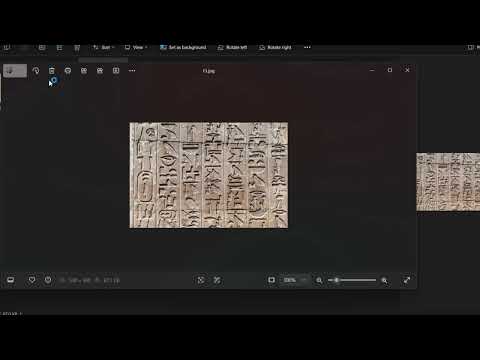](https://youtu.be/Vvlu6sDzsBE) | [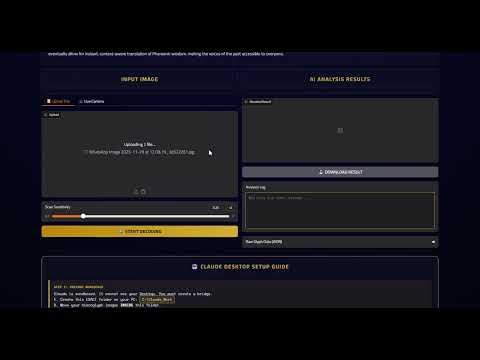](https://youtu.be/GSXIpSummOU) |
## 🚨🌍 IMPORTANT NOTICE FOR HACKATHON 🤖
We are participating in the **Creative Track** (`building-mcp-track-creative`) because this tool unlocks new cultural and educational capabilities for AI agents.
🔗 **Social Media Post:**
[[Gradio App](https://www.linkedin.com/posts/mariam-essam-ai-engineer_machinelearning-computervision-ai-activity-7400193629241143296-sWvC?utm_source=social_share_send&utm_medium=member_desktop_web&rcm=ACoAADSn0yMBo1MdVldbeoL5OxUZo2-CMJKUKOM)]
[[MCP Server](https://www.linkedin.com/posts/youkii-xr_huggingface-mcp-ai-activity-7400474001891819520-tTa3?utm_source=social_share_send&utm_medium=member_desktop_web&rcm=ACoAADSn0yMBo1MdVldbeoL5OxUZo2-CMJKUKOM)]
## 🗂️ Capabilities & Tools
When connected to Claude, this server exposes two powerful tools:
### 1. `detect_hieroglyphs` (The AI Eye)
- **Purpose:** Takes an image input and performs object detection for Egyptian Hieroglyphs.
- **Output:** Returns an annotated image with bounding boxes drawn around symbols, plus a JSON summary of symbol counts (e.g., "3x Owl", "1x Water").
- **Model:** Powered by a custom-trained YOLOv8 model specialized on the Gardiner Sign List.
### 2. `upload_file` (The Bridge)
- **Purpose:** Solves the "Local vs. Cloud" problem. Since the server runs in the cloud, it cannot see your `C:` drive.
- **Function:** Claude uses this tool to upload a specific local image to the secure temporary storage of the Space, returning a valid URL for the AI Eye to process.
## 🚀 How to Use (Claude Desktop)
You can connect this tool to your own Claude Desktop right now!
### Prerequisites
- **Claude Desktop** installed.
- **Node.js** & **Python** installed.
- **Gradio MCP:** Run `pip install "gradio[mcp]"`
### Configuration
Add this to your `%APPDATA%\Claude\claude_desktop_config.json` (Windows) or `~/Library/Application Support/Claude/claude_desktop_config.json` (Mac):
```
{
"mcpServers": {
"hieroglyph-ai": {
"command": "npx.cmd",
"args": [
"mcp-remote",
"[https://youkii-xr-hieroglyph-mcp-server.hf.space/gradio_api/mcp/](https://youkii-xr-hieroglyph-mcp-server.hf.space/gradio_api/mcp/)",
"--transport",
"streamable-http"
]
},
"upload_helper": {
"command": "python",
"args": [
"-m",
"gradio",
"upload-mcp",
"[https://youkii-xr-hieroglyph-mcp-server.hf.space/](https://youkii-xr-hieroglyph-mcp-server.hf.space/)",
"C:\\Claude_Work"
]
}
}
}
```
*(Note: Change* *`C:\\Claude_Work`* *to the actual folder where you keep your images)*
## 🧩 Technical Architecture
- **Framework:** Gradio 5.9.0 (with native MCP support)
- **Model:** Ultralytics YOLOv8 (Private Weights)
- **Storage:** Hugging Face Hub (Private Repo for Model, Public Space for Inference)
- **Protocol:** Model Context Protocol (MCP) via SSE (Server-Sent Events)
*Built with ❤️ for the Hugging Face MCP Hackathon 2025*