---
title: Rosetta Decoder
emoji: 👁
colorFrom: gray
colorTo: yellow
sdk: gradio
sdk_version: 6.0.1
app_file: app.py
pinned: false
short_description: Detect & Translate hieroglyphics
tags:
- building-mcp-track-creative
- building-mcp-track-consumer
- mcp-in-action-track-creative
- mcp-in-action-track-consumer
- mcp-server
---
# 𓀀 Egyptian Hieroglyph Detector (MCP Server)
This project bridges the gap between ancient history and modern AI Agents. It provides an **MCP Server** that allows Ai Agents to "see" and identify Hieroglyphs in any image.
## 👥 Team
- **[youkii-xr](https://huggingface.co/youkii-xr)** – XR Developer, did the MCP and Gradio part
[](https://www.linkedin.com/in/youkii-xr/)
- **[MariamEssam204](https://huggingface.co/MariamEssam204)** – AI Engineer, did the AI model part
[](https://www.linkedin.com/in/mariam-essam-ai-engineer/)
## 🎥 Demo Video
| Gradio App V2 | Mobile Camera Test | MCP Server |
| :---: | :---: | :---: |
| [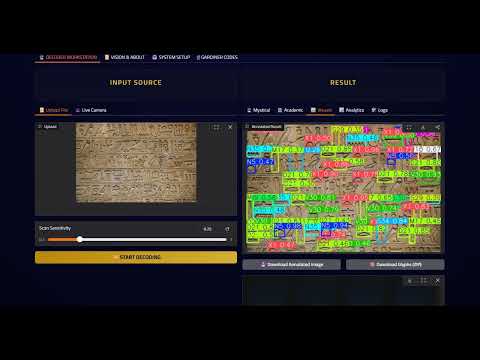](https://youtu.be/nnQnNfJtSWM) | [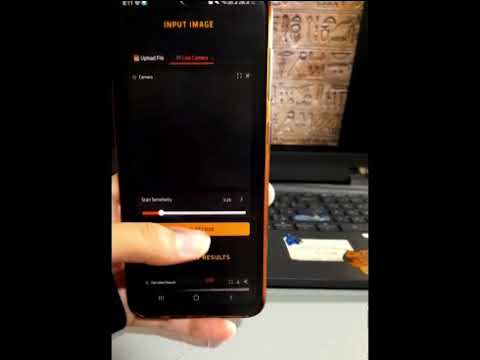](https://youtu.be/wZKBVYAZwZ4) | [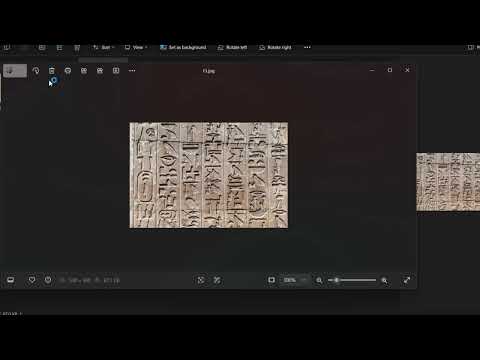](https://youtu.be/Vvlu6sDzsBE) |
🔗 **Social Media Post:**
[[Gradio App - V2](https://www.linkedin.com/posts/youkii-xr_our-hieroglyphic-ai-detector-just-got-a-major-activity-7400855950632411136-5Z9Y?utm_source=social_share_send&utm_medium=member_desktop_web&rcm=ACoAADSn0yMBo1MdVldbeoL5OxUZo2-CMJKUKOM)]
[[Mobile camera test](https://www.linkedin.com/posts/mariam-essam-ai-engineer_productdevelopment-dataaugmentation-realtimeai-activity-7400635609570205696-a9JN?utm_source=social_share_send&utm_medium=member_desktop_web&rcm=ACoAADSn0yMBo1MdVldbeoL5OxUZo2-CMJKUKOM)]
[[Gradio App - V1](https://www.linkedin.com/posts/mariam-essam-ai-engineer_machinelearning-computervision-ai-activity-7400193629241143296-sWvC?utm_source=social_share_send&utm_medium=member_desktop_web&rcm=ACoAADSn0yMBo1MdVldbeoL5OxUZo2-CMJKUKOM)]
[[MCP Server - V1](https://www.linkedin.com/posts/youkii-xr_huggingface-mcp-ai-activity-7400474001891819520-tTa3?utm_source=social_share_send&utm_medium=member_desktop_web&rcm=ACoAADSn0yMBo1MdVldbeoL5OxUZo2-CMJKUKOM)]
## 🗂️ Capabilities & Tools
#### Hieroglyphs Detection:
* trained on 400+ different glyphs
* able to detect with high confidence
#### Translation
* **Mystical prophecy** : translates for tourists and non-academics as a story
* **Academic Translation** : a linguistics breakdown of symbols and their meaning and how they fit together
#### Analytics
* **Spatial Heatmaps** : visualizes where glyphs are clustered on the wall / papyrus
* **Confidence Charts** : Shows how sure the AI is about every symbol
* **Frequency Analysis** : Counts the occurrence of distinguished symbols
#### Digital Encyclopedia
* Includes a searchable database of supported Gardiner Codes with descriptions and transliteration
#### Downloadable Results
* Download the detection result with bounding boxes surrounding each glyph on the wall / papyrus
* Download glyphs gallery as a zip containing all glyphs detected individually cropped
## 🔌Available MCP Tools
When connected to Claude Desktop, this server exposes **4 specific tools** that allow the Agent to perform the full archaeological pipeline:
#### `detect glyphs`
* **Description:** Scans an input image to find hieroglyphs.
* **Returns:** A path to the annotated image (boxes drawn) and a JSON object containing the list of found codes and confidence scores.
#### `translate story`
* **Description:** Takes a list of Gardiner codes or keywords and interprets them.
* **Returns:** Two distinct texts: a "Mystical Story" (creative interpretation) and an "Academic Translation" (scientific interpretation).
#### `get stats`
* **Description:** Takes the detection data and generates visual reports.
* **Returns:** A path to an image file containing charts for Symbol Frequency, Confidence Levels, and Spatial Heatmaps.
#### `list codes`
* **Description:** Provides access to the full internal database of Egyptian hieroglyphs.
* **Returns:** The complete dictionary of supported Gardiner codes, descriptions, and categories.
## 🚀 How to Use (Claude Desktop)
You can connect this tool to your own Claude Desktop right now!
### Prerequisites
- **Claude Desktop** installed.
- **Node.js** & **Python** installed.
- **Gradio MCP:** Run `pip install "gradio[mcp]"`
### Configuration
Add this to your `%APPDATA%\Claude\claude_desktop_config.json` (Windows) or `~/Library/Application Support/Claude/claude_desktop_config.json` (Mac):
```
{
"mcpServers": {
"gradio": {
"command": "npx",
"args": [
"mcp-remote",
"https://mcp-1st-birthday-rosetta-decoder.hf.space/gradio_api/mcp/",
"--transport",
"streamable-http"
]
},
"upload_helper": {
"command": "C:\\Python313\\python.exe",
"args": [
"-m",
"gradio",
"upload-mcp",
"https://mcp-1st-birthday-rosetta-decoder.hf.space/",
"C:\\Claude_Work"
]
}
}
}
```
*(Note: Change* *`C:\\Claude_Work`* *to the actual folder where you keep your images)*
## 🧩 Technical Architecture
- **Framework:** Gradio 6.0.0 (with native MCP support)
- **Model:** Ultralytics YOLOv8 (Private Weights)
- **Storage:** Hugging Face Hub
- **Protocol:** Model Context Protocol (MCP) via SSE (Server-Sent Events)
*Built with ❤️ for the Hugging Face MCP Hackathon 2025*