# 🤖 Video Inference Dashboard Example
Roboflow's inference server to analyze video streams. This project extracts insights from video frames at defined intervals and generates informative visualizations and CSV outputs.
## 📦 Use Case: Smart Inventory Monitoring
Factories & stores can:
- Save time
- Count items at intervals, avoiding stockouts.
- Restock efficiently using data.
- Enhance operations
## 📈 Result
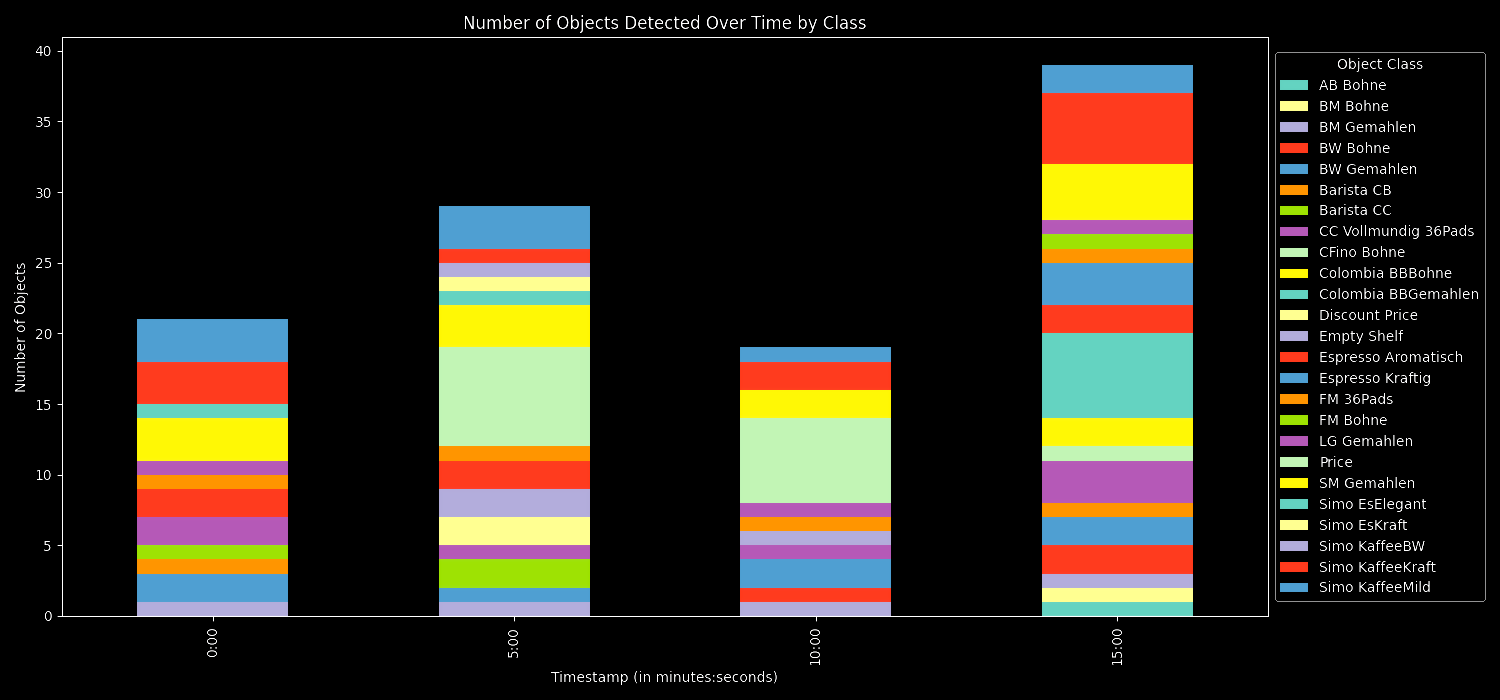
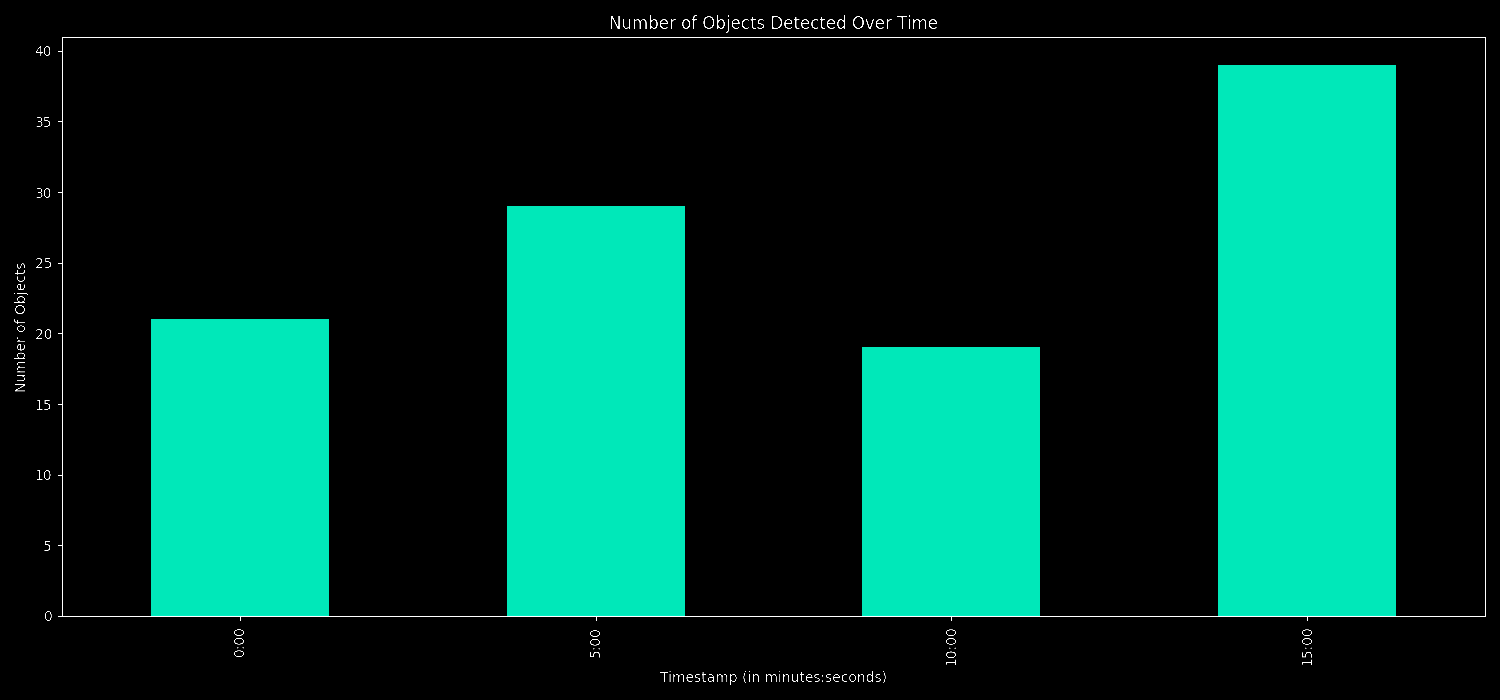
This is counting products on shelf, every 5 minutes, categorically and in total.


## ⚙️ Requirements
Make sure you have docker installed. Learn more about building, pulling, and running the Roboflow Inference Docker Image in our [documentation](https://roboflow.github.io/inference/quickstart/docker/).
## 🔍 Installation
### **⌗ 1 Start inference server**
x86 CPU:
```bash
docker run --net=host roboflow/roboflow-inference-server-cpu:latest
```
NVIDIA GPU
```bash
docker run --network=host --gpus=all roboflow/roboflow-inference-server-gpu:latest
```
### **⌗ 2 Setup and Run**
```python
git clone https://github.com/roboflow/inference-dashboard-example.git
cd inference-dashboard-example
pip install -r requirements.txt
```
```python
python main.py --dataset_id [YOUR_DATASET_ID] --api_key [YOUR_API_KEY] --video_path [PATH_TO_VIDEO] --interval_minutes [INTERVAL_IN_MINUTES]
"""
--dataset_id: Your dataset name on Roboflow.
--version_id: The version ID for inference (default: 1).
--api_key: Your API key on Roboflow.
--video_path: Path to the video file for analysis.
--interval_minutes: Interval in minutes to extract predictions (default: 1).
"""
```
## 🦾 Feedback & Contributions
Feel free to open an issue, submit a PR, or share your feedback. All contributions are welcome!