
Spaces:
Running
on
Zero
Running
on
Zero
File size: 2,436 Bytes
352b049 |
1 2 3 4 5 6 7 8 9 10 11 12 13 14 15 16 17 18 19 20 21 22 23 24 25 26 27 28 29 30 31 32 33 34 35 36 37 38 39 40 41 42 43 44 45 46 47 48 49 50 51 52 |
# Generate gifs from sequences of obj files
## Environment
Sorry, there is no environment file (the env I am currently using contains packages that are not necessary here). Here the version of a few necessary modules. You will have to install other modules as warning appears once you try running the code.
```
vedo                      2024.5.1
vpython                   7.6.5
python                    3.10.13
```

## Run the code
### Prepare the data
Copy the directory '/usr/wiss/curreli/work/my_modules/Skeleton2Mesh/final_output/hmp/visuals_50samples/amass/SkeletonDiffusion/test' to this folder (I already gave you the rights - afterwards I will delete it). There are meshes for two test segments from AMASS, 9622_GRAB and 11949_HUMAN4D. The predictions are named according to the following convention:
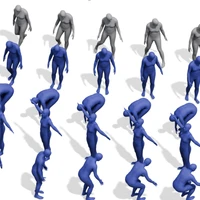
 - obs: Past obervation (input sequence)
 - gt: GT future
 - pred_closest_GT: prediction that is most similar to the GT
 - most_far_<idx>: the remaining predictions are sorted accordng to their similarity to the GT future, or better to the similarity to the prediction closest to the GT. So most_far_0 is the prediction most diverse from the GT

In the demo we will not have a GT future. We will order the predictions according to a different criterion (maybe diversity).

### Generate visuals
Now you can run
```
python plot_several_meshes.py --mesh_parent_folder=<put_correct_path_here/9622_GRAB>
```
The output should be in a parallel direction at lowest folder level.
 ## If you are using a ssh connection
 You probably have no screen, so the code terminates. You can avoid the problem by generating a screen first with our script  setup_headless.bash:
 ```
 setup_headless.bash python plot_several_meshes.py <...>
 ```
 ### Debug via ssh connection
 OPen the file of your VS Studio debug configurations, launch.json, and add this new configuration:

```
    { "name": "Python: Attach to Edge",
    "request": "attach", "type": "python",
    "connect": { "host": "localhost", "port": 5678 },
    "justMyCode": true,
    },
```
Now start the file in debugger mode with debugpy
```
./setup_headless.bash python -m debugpy --listen 5678 --wait-for-client plot_several_meshes.py
 ```

Now start your debug configuraiton ""Python: Attach to Edge" to attach your debugger and start debugging.

## For the future
If you need to put more functions together consider using shell cripts
```
bash create_mesh_gifs.sh
``` |