| --- |
| title: LabelStudio |
| emoji: 🟧 |
| colorFrom: yellow |
| colorTo: purple |
| sdk: docker |
| tags: |
| - label-studio |
| fullwidth: true |
| license: apache-2.0 |
| app_port: 8080 |
| --- |
| <img src="https://user-images.githubusercontent.com/12534576/192582340-4c9e4401-1fe6-4dbb-95bb-fdbba5493f61.png"/> |
|
|
| [Website](https://hubs.ly/Q01CNgsd0) • [Docs](https://hubs.ly/Q01CN9Yq0) • [12K+ GitHub ⭐️!](https://hubs.ly/Q01CNbPQ0) • [Slack Community](https://hubs.ly/Q01CNb9H0) |
|
|
| ## What is Label Studio? |
|
|
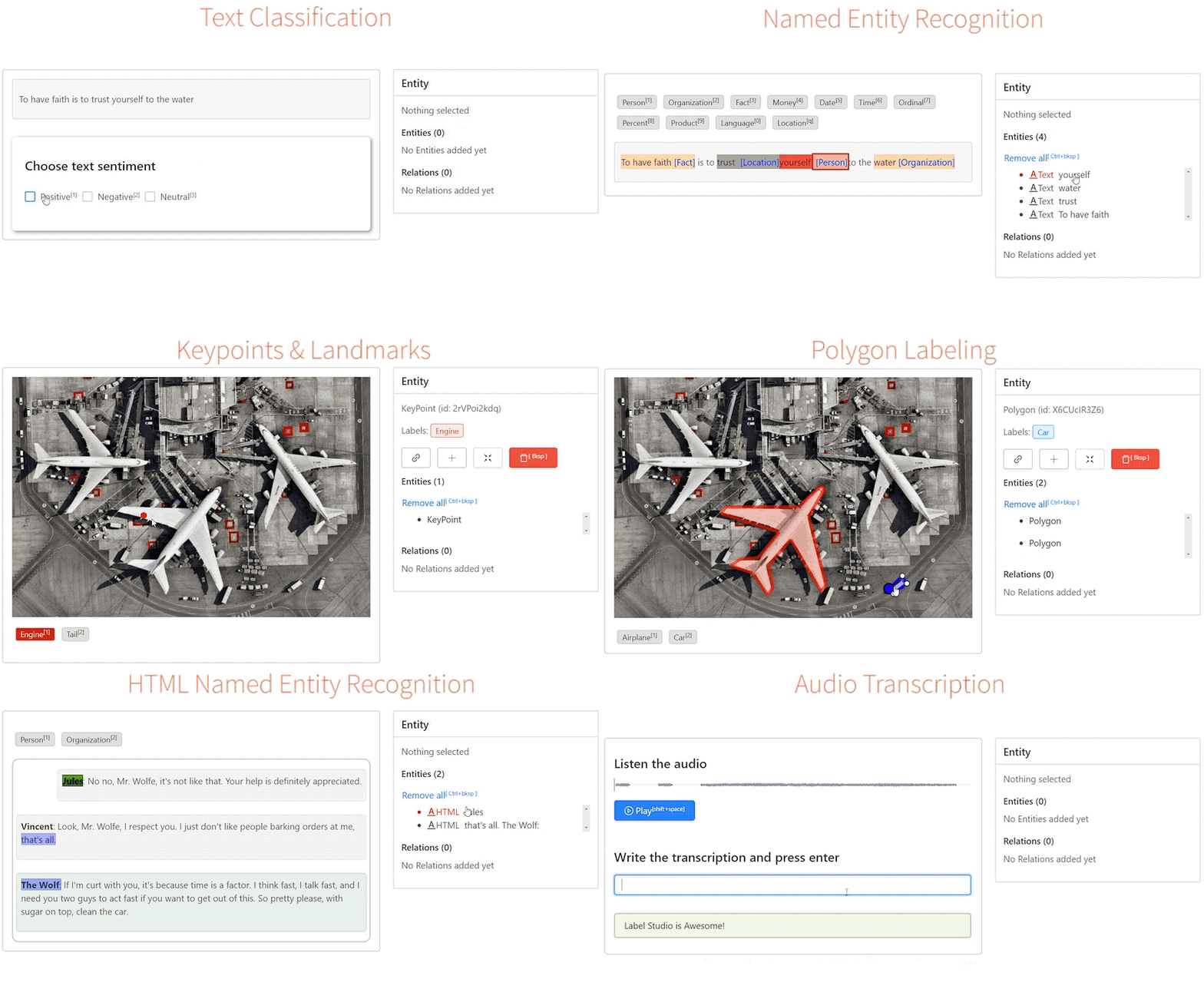
| Label Studio is an open source data labeling platform. It lets you label audio, |
| text, images, videos, and time series data with a simple, straightforward, and |
| highly-configurable user interface. Label Studio can prepare new data or |
| improve existing training data to get more accurate ML models. |
|
|
|
|
| ## Label Studio in Hugging Face Spaces |
|
|
| The Label Studio community is thrilled to offer Label Studio as a Hugging Face |
| Spaces application. You can try the data-annotation interface, connect popular |
| machine learning models, and share the application with collaborators. You can |
| start immediately by creating an account or replicate the space and work in |
| your own environment. |
|
|
| ## Creating a Use Account and Logging In |
|
|
| Begin by creating a new account in the Label Studio space, then log in with your |
| credentials. |
|
|
| **By default, these spaces permit anyone to create a new login |
| account, allowing them to view and modify project configuration, data sets, and |
| annotations. Without any modifications, treat this space like a demo environment.** |
|
|
| ## Creating a Labeling Project |
|
|
| After logging in, Label Studio will present you with a project view. Here you |
| can create a new project with prompts to upload data and set up a custom |
| configuration interface. |
|
|
| **Note that in the default configuration, storage is local and temporary.** To |
| persist your projects and annotations across restarts, attach an |
| [HF Storage Bucket](https://huggingface.co/docs/hub/storage-buckets) — see the |
| persistence section below. |
|
|
| ## Next Steps and Additional Resources |
|
|
| To help with getting started, the Label Studio community curated a list of |
| resources including tutorials and documentation. |
|
|
| - 🚀 [Zero to One with Label Studio Tutorial](https://labelstud.io/blog/introduction-to-label-studio-in-hugging-face-spaces/) |
| - 📈 [Try Label Studio Enterprise](https://hubs.ly/Q01CMLll0) |
| - 🤗 [Tutorial: Using Label Studio with Hugging Face Datasets Hub](https://danielvanstrien.xyz/huggingface/huggingface-datasets/annotation/full%20stack%20deep%20learning%20notes/2022/09/07/label-studio-annotations-hub.html) |
| - 💡 [Label Studio Docs](https://hubs.ly/Q01CN9Yq0) |
|
|
| |
|  |
|
|
| ### Making your Label Studio Hugging Face Space production-ready |
|
|
| By default this space allows for the unrestricted creation of new accounts |
| will full access to all projects and data. This is great for trying out |
| Label Studio and collaborating on projects, but you may want to restrict |
| access to your space to only authorized users. Add the following environment |
| variable to your spaces Dockerfile to disable public account creation for |
| this space. |
|
|
| ENV LABEL_STUDIO_DISABLE_SIGNUP_WITHOUT_LINK=true |
| |
| Set secrets in your space to create an inital user, and log in with your |
| provided username and password. Do not set these in your Dockerfile, as they |
| globally visible on a public space. |
|
|
| LABEL_STUDIO_USERNAME |
| LABEL_STUDIO_PASSWORD |
| |
| You will need to provide new users with an invitation link to join the space, |
| which can be found in the Organizations interface of Label Studio. |
|
|
| By default this space stores all project configuration and data annotations |
| in local storage with SQLite. If the space is reset, all configuration and |
| annotation data in the space will be lost. You can enable persistence in one |
| of two ways: |
|
|
| 1. Attaching an HF Storage Bucket (recommended). |
|
|
| 2. Connecting an external Postgres database and cloud storage to your space, |
| guaranteeing that all project and annotation settings are preserved. |
|
|
| ### Persistence with HF Storage Buckets |
|
|
| [HF Storage Buckets](https://huggingface.co/docs/hub/storage-buckets) provide |
| persistent object storage that can be mounted directly into your Space. Label |
| Studio will write its SQLite database and media uploads into the mounted bucket, |
| so projects and annotations survive restarts. |
|
|
| 1. **Create a bucket:** |
|
|
| hf buckets create <your-namespace>/label-studio-data |
| |
| 2. **Attach it** in Space Settings → Storage Buckets, mount path `/data`. |
|
|
| 3. **Set two Space Variables:** |
|
|
| LABEL_STUDIO_BASE_DATA_DIR=/data |
| STORAGE_PERSISTENCE=1 |
| |
| 4. **Factory rebuild** the Space. |
|
|
| It is also recommended to set a `SECRET_KEY` Space Secret to keep user sessions |
| alive across restarts. Without it, Label Studio generates a random key on each |
| boot and all users are logged out on restart. |
|
|
| ### Enabling Postgres Database and Cloud Storage |
|
|
| Set the following secret variables to match your own hosted instance of |
| Postgres. We strongly recommend setting these as secrets to prevent leaking |
| information about your database service to the public in your spaces |
| definition. |
|
|
| DJANGO_DB=default |
| POSTGRE_NAME=<postgres_name> |
| POSTGRE_PORT=<db_port> |
| POSTGRE_USER=<postgres_user> |
| POSTGRE_PASSWORD=<password> |
| POSTGRE_PORT=<db_port> |
| POSTGRE_HOST=<db_host> |
| |
| Add the following environment variable to remove the warning about ephemeral |
| storage. |
|
|
| ENV STORAGE_PERSISTENCE=1 |
| |
| Note that you will need to connect cloud storage to host data items that you |
| want to annotate, as local storage will not be preserved across a space reset. |
|
|
| By default the only data storage enabled for this space is local. In the case |
| of a space reset, all data will be lost. To enable permanent storage, you |
| must enable a cloud storage connector. We also strongly recommend enabling |
| configuration persistence to preserve project data, annotations, and user |
| settings. Choose the appropriate cloud connector and configure the secrets |
| for it. |
|
|
| #### Amazon S3 |
| STORAGE_TYPE=s3 |
| STORAGE_AWS_ACCESS_KEY_ID="<YOUR_ACCESS_KEY_ID>" |
| STORAGE_AWS_SECRET_ACCESS_KEY="<YOUR_SECRET_ACCESS_KEY>" |
| STORAGE_AWS_BUCKET_NAME="<YOUR_BUCKET_NAME>" |
| STORAGE_AWS_REGION_NAME="<YOUR_BUCKET_REGION>" |
| STORAGE_AWS_FOLDER="" |
| |
| #### Google Cloud Storage |
|
|
| STORAGE_TYPE=gcs |
| STORAGE_GCS_BUCKET_NAME="<YOUR_BUCKET_NAME>" |
| STORAGE_GCS_PROJECT_ID="<YOUR_PROJECT_ID>" |
| STORAGE_GCS_FOLDER="" |
| GOOGLE_APPLICATION_CREDENTIALS="/opt/heartex/secrets/key.json" |
| |
| Azure Blob Storage |
| ================== |
|
|
| STORAGE_TYPE=azure |
| STORAGE_AZURE_ACCOUNT_NAME="<YOUR_STORAGE_ACCOUNT>" |
| STORAGE_AZURE_ACCOUNT_KEY="<YOUR_STORAGE_KEY>" |
| STORAGE_AZURE_CONTAINER_NAME="<YOUR_CONTAINER_NAME>" |
| STORAGE_AZURE_FOLDER="" |
| |
|
|
| ## Questions? Concerns? Want to get involved? |
|
|
| Email the community team at [community@labelstud.io](mailto:community@labelstud.io) |
|
|


