

File size: 5,604 Bytes
c31142a dc2cef4 c31142a | 1 2 3 4 5 6 7 8 9 10 11 12 13 14 15 16 17 18 19 20 21 22 23 24 25 26 27 28 29 30 31 32 33 34 35 36 37 38 39 40 41 42 43 44 45 46 47 48 49 50 51 52 53 54 55 56 57 58 59 60 61 62 63 64 65 66 67 68 69 70 71 72 73 74 75 76 77 78 79 80 81 82 83 84 85 86 87 88 89 90 91 92 93 94 95 96 97 98 99 100 101 102 103 104 105 106 107 108 109 110 111 112 113 114 115 116 117 118 119 120 121 122 123 124 125 126 127 128 129 130 131 132 133 134 135 136 137 138 139 140 141 142 143 144 145 146 147 148 149 150 151 152 153 154 155 156 157 158 159 160 161 162 163 164 165 166 167 168 169 170 171 172 173 174 175 176 177 178 179 180 181 182 183 184 185 186 187 188 189 190 191 192 193 194 195 196 197 198 199 200 201 202 203 204 205 206 207 208 209 210 211 212 213 214 215 216 217 218 219 220 221 222 223 224 225 226 227 228 229 230 231 232 233 234 |
<div align="center">
<h1>IDM-VTON: Improving Diffusion Models for Authentic Virtual Try-on in the Wild</h1>
<a href='https://idm-vton.github.io'><img src='https://img.shields.io/badge/Project-Page-green'></a>
<a href='https://arxiv.org/abs/2403.05139'><img src='https://img.shields.io/badge/Paper-Arxiv-red'></a>
<a href='https://huggingface.co/spaces/yisol/IDM-VTON'><img src='https://img.shields.io/badge/%F0%9F%A4%97%20Hugging%20Face-Demo-yellow'></a>
<a href='https://huggingface.co/yisol/IDM-VTON'><img src='https://img.shields.io/badge/%F0%9F%A4%97%20Hugging%20Face-Model-blue'></a>
</div>
This is the official implementation of the paper ["Improving Diffusion Models for Authentic Virtual Try-on in the Wild"](https://arxiv.org/abs/2403.05139).
Star ⭐ us if you like it!
---


## Requirements
```
git clone https://github.com/yisol/IDM-VTON.git
cd IDM-VTON
conda env create -f environment.yaml
conda activate idm
```
## Data preparation
### VITON-HD
You can download VITON-HD dataset from [VITON-HD](https://github.com/shadow2496/VITON-HD).
After download VITON-HD dataset, move vitonhd_test_tagged.json into the test folder, and move vitonhd_train_tagged.json into the train folder.
Structure of the Dataset directory should be as follows.
```
train
|-- image
|-- image-densepose
|-- agnostic-mask
|-- cloth
|-- vitonhd_train_tagged.json
test
|-- image
|-- image-densepose
|-- agnostic-mask
|-- cloth
|-- vitonhd_test_tagged.json
```
### DressCode
You can download DressCode dataset from [DressCode](https://github.com/aimagelab/dress-code).
We provide pre-computed densepose images and captions for garments [here](https://kaistackr-my.sharepoint.com/:u:/g/personal/cpis7_kaist_ac_kr/EaIPRG-aiRRIopz9i002FOwBDa-0-BHUKVZ7Ia5yAVVG3A?e=YxkAip).
We used [detectron2](https://github.com/facebookresearch/detectron2) for obtaining densepose images, refer [here](https://github.com/sangyun884/HR-VITON/issues/45) for more details.
After download the DressCode dataset, place image-densepose directories and caption text files as follows.
```
DressCode
|-- dresses
|-- images
|-- image-densepose
|-- dc_caption.txt
|-- ...
|-- lower_body
|-- images
|-- image-densepose
|-- dc_caption.txt
|-- ...
|-- upper_body
|-- images
|-- image-densepose
|-- dc_caption.txt
|-- ...
```
## Training
### Preparation
Download pre-trained ip-adapter for sdxl(IP-Adapter/sdxl_models/ip-adapter-plus_sdxl_vit-h.bin) and image encoder(IP-Adapter/models/image_encoder) [here](https://github.com/tencent-ailab/IP-Adapter).
```
git clone https://huggingface.co/h94/IP-Adapter
```
Move ip-adapter to ckpt/ip_adapter, and image encoder to ckpt/image_encoder.
Start training using python file with arguments,
```
accelerate launch train_xl.py \
--gradient_checkpointing --use_8bit_adam \
--output_dir=result --train_batch_size=6 \
--data_dir=DATA_DIR
```
or, you can simply run with the script file.
```
sh train_xl.sh
```
## Inference
### VITON-HD
Inference using python file with arguments,
```
accelerate launch inference.py \
--width 768 --height 1024 --num_inference_steps 30 \
--output_dir "result" \
--unpaired \
--data_dir "DATA_DIR" \
--seed 42 \
--test_batch_size 2 \
--guidance_scale 2.0
```
or, you can simply run with the script file.
```
sh inference.sh
```
### DressCode
For DressCode dataset, put the category you want to generate images via category argument,
```
accelerate launch inference_dc.py \
--width 768 --height 1024 --num_inference_steps 30 \
--output_dir "result" \
--unpaired \
--data_dir "DATA_DIR" \
--seed 42
--test_batch_size 2
--guidance_scale 2.0
--category "upper_body"
```
or, you can simply run with the script file.
```
sh inference.sh
```
## Start a local gradio demo <a href='https://github.com/gradio-app/gradio'><img src='https://img.shields.io/github/stars/gradio-app/gradio'></a>
Download checkpoints for human parsing [here](https://huggingface.co/spaces/yisol/IDM-VTON/tree/main/ckpt).
Place the checkpoints under the ckpt folder.
```
ckpt
|-- densepose
|-- model_final_162be9.pkl
|-- humanparsing
|-- parsing_atr.onnx
|-- parsing_lip.onnx
|-- openpose
|-- ckpts
|-- body_pose_model.pth
```
Run the following command:
```python
python gradio_demo/app.py
```
## Acknowledgements
Thanks [ZeroGPU](https://huggingface.co/zero-gpu-explorers) for providing free GPU.
Thanks [IP-Adapter](https://github.com/tencent-ailab/IP-Adapter) for base codes.
Thanks [OOTDiffusion](https://github.com/levihsu/OOTDiffusion) and [DCI-VTON](https://github.com/bcmi/DCI-VTON-Virtual-Try-On) for masking generation.
Thanks [SCHP](https://github.com/GoGoDuck912/Self-Correction-Human-Parsing) for human segmentation.
Thanks [Densepose](https://github.com/facebookresearch/DensePose) for human densepose.
## Star History
[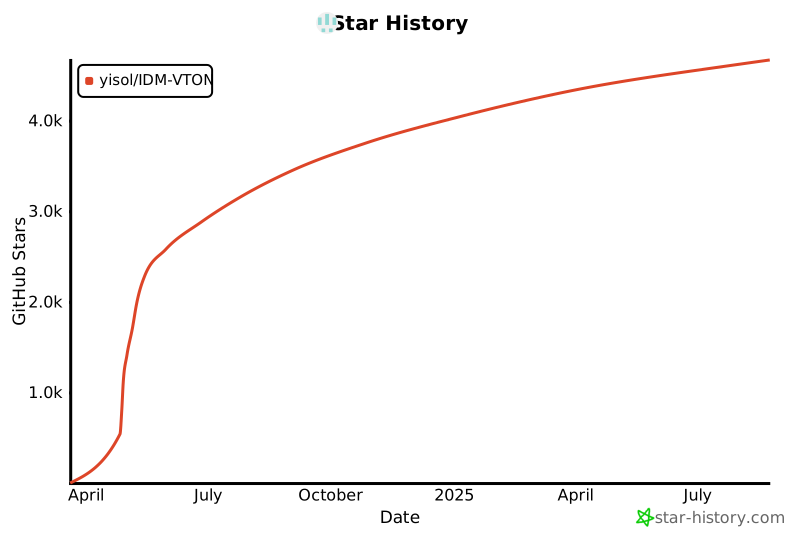](https://star-history.com/#yisol/IDM-VTON&Date)
## Citation
```
@article{choi2024improving,
title={Improving Diffusion Models for Authentic Virtual Try-on in the Wild},
author={Choi, Yisol and Kwak, Sangkyung and Lee, Kyungmin and Choi, Hyungwon and Shin, Jinwoo},
journal={arXiv preprint arXiv:2403.05139},
year={2024}
}
```
## License
The codes and checkpoints in this repository are under the [CC BY-NC-SA 4.0 license](https://creativecommons.org/licenses/by-nc-sa/4.0/legalcode).
|