Local first
Core AI workflows process source media in the browser instead of sending it to an editing backend.
A multi-track browser editor with local captions, multilingual voiceovers, vocal separation, background removal, and talking avatars.
Best experienced in a recent desktop version of Chrome or Edge.
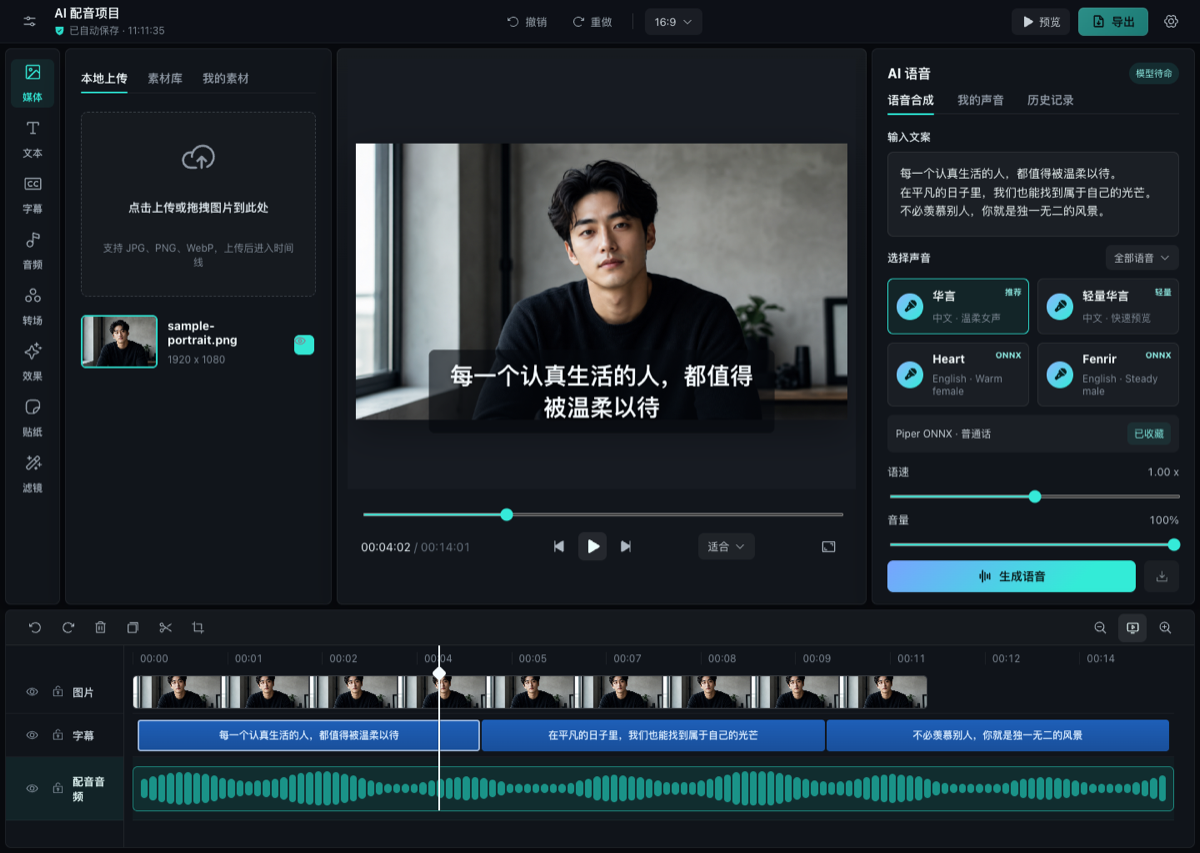
Core AI workflows process source media in the browser instead of sending it to an editing backend.
Arrange visuals, captions, voiceovers, source audio, music, and overlays on time-accurate tracks.
Built with ONNX Runtime, WebGPU, WebAssembly, WebCodecs, and the Web Audio API.
Whisper small q8 transcription with waveform-aware timing and editable, WYSIWYG subtitle styling.
Multilingual Piper/VITS voices and Kokoro English generation, lazy-loaded when needed.
Isolate vocals from the current source-audio clip and place the instrumental stem on the music track.
JoyVASA audio-to-motion with LivePortrait neural rendering on compatible WebGPU hardware.
Timestamped subject detection, smart crop, background removal, and caption avoidance for images and video.
Preview the composed result and export MP4 or WebM without handing the project to a render server.
Free, open source, and ready to try.