
Spaces:
Sleeping

Sleeping
File size: 4,436 Bytes
7864524 73c3867 7864524 73c3867 7864524 73c3867 7864524 73c3867 7864524 73c3867 7864524 73c3867 7864524 73c3867 7864524 73c3867 7864524 73c3867 7864524 73c3867 7864524 73c3867 7864524 73c3867 7864524 73c3867 7864524 73c3867 7864524 73c3867 7864524 73c3867 7864524 73c3867 7864524 73c3867 7864524 73c3867 7864524 73c3867 7864524 73c3867 7864524 73c3867 7864524 73c3867 7864524 73c3867 7864524 73c3867 7864524 73c3867 7864524 73c3867 7864524 73c3867 7864524 73c3867 7864524 73c3867 7864524 73c3867 7864524 73c3867 7864524 | 1 2 3 4 5 6 7 8 9 10 11 12 13 14 15 16 17 18 19 20 21 22 23 24 25 26 27 28 29 30 31 32 33 34 35 36 37 38 39 40 41 42 43 44 45 46 47 48 49 50 51 52 53 54 55 56 57 58 59 60 61 62 63 64 65 66 67 68 69 70 71 72 73 74 75 76 77 78 79 80 81 82 83 84 85 86 87 88 89 90 91 92 93 94 95 96 97 98 99 100 101 102 103 104 105 106 107 108 109 110 111 112 113 114 115 116 117 118 119 120 121 122 123 124 125 126 127 128 129 130 131 132 133 134 135 136 137 138 139 140 141 142 143 144 145 146 147 148 149 150 151 152 153 154 155 156 157 158 159 | ---
title: Z.ai API
emoji: 🚀
colorFrom: blue
colorTo: indigo
sdk: docker
app_port: 7860
---
# z-ai2api_python
GLM proxy service based on FastAPI + Granian
Suitable for local development, self-hosted proxy, Token pool management, and compatible client access
[English](README.md) / [中文简体](README_ZH.md)
## 🚀 Hugging Face Setup Guide
### 1. Admin Panel Configuration
After your Space is running:
1. Go to `https://huggingface.co/spaces/YOUR_USERNAME/YOUR_SPACE_NAME/admin`.
2. Login with password (default: `admin123`).
3. **Change Password**: Go to "Settings" in Hugging Face and add an Environment Variable `ADMIN_PASSWORD`.
4. **Add Tokens**: Go to the **Tokens** tab to add your GLM tokens to the pool.
### 2. Claude Code Setup
To use this Space with **Claude Code**, run:
```bash
export CLAUDE_CONFIG_BASE_URL="https://huggingface.co/spaces/YOUR_USERNAME/YOUR_SPACE_NAME/anthropic"
export ANTHROPIC_API_KEY="your_auth_token"
claude
```
*Note: `your_auth_token` should match the `AUTH_TOKEN` environment variable in your Space (default is empty/none if not set).*
### 3. OpenClaude / OpenAI Client Setup
For any OpenAI-compatible client:
- **Base URL**: `https://huggingface.co/spaces/YOUR_USERNAME/YOUR_SPACE_NAME/v1`
- **API Key**: Your `AUTH_TOKEN`
- **Model**: `GLM-4.5` or `GLM-5`
---
## Features
- Compatible with `OpenAI`, `Claude Code`, `Anthropic` style requests
- Supports streaming responses, tool calls, Thinking models
- Built-in Token pool, supports polling, failure circuit breaker, recovery, and health checks
- Provides admin panel: Dashboard, Token management, Configuration management, Real-time logs
- Uses SQLite to store Tokens and request logs, simple deployment
- Supports local running and Docker / Docker Compose deployment
## Quick Start
### Environment Requirements
- Python `3.9` to `3.12`
- Recommend using `uv`
### Local Startup
```bash
git clone https://github.com/ZyphrZero/z.ai2api_python.git
cd z.ai2api_python
uv sync
cp .env.example .env
uv run python main.py
```
First startup will automatically initialize the database.
Default addresses:
- API root path: `http://127.0.0.1:8080`
- OpenAI docs: `http://127.0.0.1:8080/docs`
- Admin panel: `http://127.0.0.1:8080/admin`
### Docker Compose
```bash
docker compose -f deploy/docker-compose.yml up -d --build
```
More deployment instructions see [deploy/README_DOCKER.md](deploy/README_DOCKER.md).
## Minimum Configuration
At least suggest confirming these environment variables:
| Variable | Description |
| --- | --- |
| `AUTH_TOKEN` | Bearer Token used by clients to access this service |
| `ADMIN_PASSWORD` | Admin panel login password, default value must be changed |
| `LISTEN_PORT` | Service listening port, default `8080` |
| `ANONYMOUS_MODE` | Whether to enable anonymous mode |
| `GUEST_POOL_SIZE` | Anonymous pool capacity |
| `DB_PATH` | SQLite database path |
| `TOKEN_FAILURE_THRESHOLD` | Token consecutive failure threshold |
| `TOKEN_RECOVERY_TIMEOUT` | Token recovery wait time |
Complete configuration please see [.env.example](.env.example).
## Admin Panel
Admin panel unified entry:
- `/admin`: Dashboard
- `/admin/tokens`: Token management
- `/admin/config`: Configuration management
- `/admin/logs`: Real-time logs
## Common Commands
```bash
# Start service
uv run python main.py
# Run tests
uv run pytest
# Run an existing smoke test
uv run python tests/test_simple_signature.py
# Lint
uv run ruff check app tests main.py
```
## Compatible Interfaces
Common interface entries:
- OpenAI compatible: `/v1/chat/completions`
- Anthropic compatible: `/v1/messages`
- Claude Code compatible: `/anthropic/v1/messages`
Model mapping and default model can be adjusted in `.env` or admin configuration page.
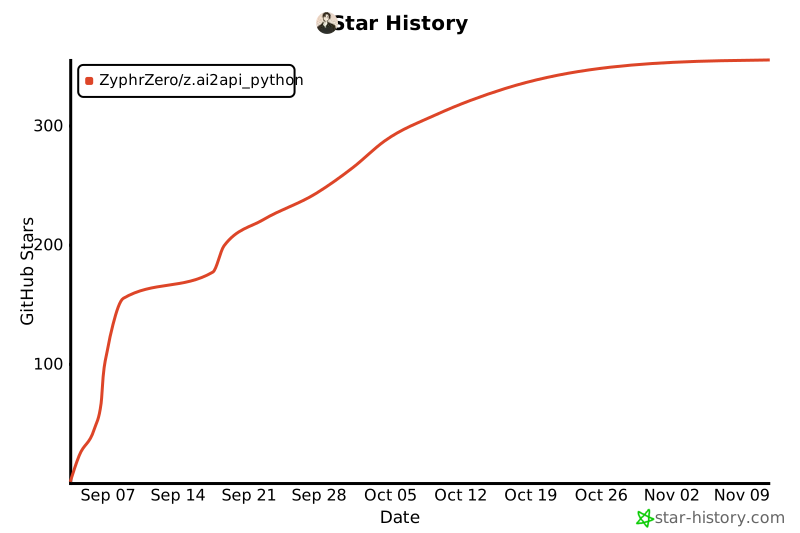
## ⭐ Star History
[](https://star-history.com/#ZyphrZero/z.ai2api_python&Date)
## License
This project uses MIT license - see [LICENSE](LICENSE) file for details.
## Disclaimer
- **This project is for learning and research use only, do not use for other purposes**
- This project is not affiliated with Z.AI official
- Please ensure compliance with Z.AI's terms of service before use
- Do not use for commercial purposes or scenarios that violate terms of service
- Users must bear their own usage risks
---
<div align="center">
Made with ❤️ by the community
</div>
|