
Spaces:
Paused

Paused
File size: 18,242 Bytes
b6fb0da 5ce82b9 58f9c43 b6fb0da 62aad30 b893743 b6fb0da eaca108 57d3b3f eaca108 e0efe4c bd8efea 54ce9bd 9afcba2 bd8efea f00f61d dbcb619 f00f61d dbcb619 eaca108 f00f61d dfaf886 f00f61d eaca108 f00f61d 205758b 775f52a f00f61d 52a25ef f06bcdb 4a1b917 f00f61d 6526571 0d4162d f00f61d eaca108 f00f61d a1e6245 dfaf886 a1e6245 ef41ebd a1e6245 ef41ebd a1e6245 eaca108 0d4162d f00f61d eaca108 4a1b917 0d4162d eaca108 f00f61d eaca108 f00f61d eaca108 f00f61d eaca108 ef41ebd dfaf886 ef41ebd 205758b 2c36a17 ef41ebd 4e1b8bc eaca108 f00f61d 0d4162d eaca108 6c49471 89351c2 6c49471 0d4162d 527c2ac ef6fc50 527c2ac 4a1b917 f06bcdb 527c2ac f06bcdb 527c2ac ef6fc50 527c2ac 4a5649d 527c2ac 205758b ebe1afd 205758b 775f52a 366847d 775f52a 527c2ac 775f52a 366847d 527c2ac 4a1b917 527c2ac 52a25ef f06bcdb 527c2ac b66dc73 527c2ac 55e8571 f06bcdb 55e8571 6fd286c 55e8571 6fd286c 55e8571 ef41ebd 55e8571 c0ca604 527c2ac 4e1b8bc 527c2ac be8044d 527c2ac b7afd64 52a25ef ef41ebd 52a25ef 43c3e8d ef41ebd 43c3e8d dfaf886 43c3e8d 52a25ef ef41ebd 52a25ef 4a1b917 ef41ebd 4a1b917 f06bcdb 4a1b917 2e93c3b b7afd64 eaca108 4e1b8bc 2af0dd2 4e1b8bc f00f61d eaca108 f00f61d eaca108 ebec78d | 1 2 3 4 5 6 7 8 9 10 11 12 13 14 15 16 17 18 19 20 21 22 23 24 25 26 27 28 29 30 31 32 33 34 35 36 37 38 39 40 41 42 43 44 45 46 47 48 49 50 51 52 53 54 55 56 57 58 59 60 61 62 63 64 65 66 67 68 69 70 71 72 73 74 75 76 77 78 79 80 81 82 83 84 85 86 87 88 89 90 91 92 93 94 95 96 97 98 99 100 101 102 103 104 105 106 107 108 109 110 111 112 113 114 115 116 117 118 119 120 121 122 123 124 125 126 127 128 129 130 131 132 133 134 135 136 137 138 139 140 141 142 143 144 145 146 147 148 149 150 151 152 153 154 155 156 157 158 159 160 161 162 163 164 165 166 167 168 169 170 171 172 173 174 175 176 177 178 179 180 181 182 183 184 185 186 187 188 189 190 191 192 193 194 195 196 197 198 199 200 201 202 203 204 205 206 207 208 209 210 211 212 213 214 215 216 217 218 219 220 221 222 223 224 225 226 227 228 229 230 231 232 233 234 235 236 237 238 239 240 241 242 243 244 245 246 247 248 249 250 251 252 253 254 255 256 257 258 259 260 261 262 263 264 265 266 267 268 269 270 271 272 273 274 275 276 277 278 279 280 281 282 283 284 285 286 287 288 289 290 291 292 293 294 295 296 297 298 299 300 301 302 303 304 305 306 307 308 309 310 311 312 313 314 315 316 317 318 319 320 321 322 323 324 325 326 327 328 329 330 331 332 333 334 335 336 337 338 339 340 341 342 343 344 345 346 347 348 349 350 351 352 353 354 355 356 357 358 359 360 361 362 363 364 365 366 367 368 369 370 371 372 373 374 375 376 377 378 379 380 381 382 383 384 385 386 387 388 389 390 391 392 393 394 395 396 397 398 399 400 401 402 403 404 405 406 407 408 409 410 411 412 413 414 415 416 417 418 419 420 421 422 423 424 425 426 427 428 429 430 431 432 433 434 435 436 437 438 439 440 441 442 443 444 445 446 447 448 449 450 451 452 453 454 455 456 457 458 459 460 461 462 463 464 465 466 467 468 469 470 471 472 473 474 475 476 477 478 479 480 481 482 483 484 485 486 487 488 489 490 491 492 493 494 495 496 497 498 499 500 501 502 503 504 | ---
title: MedRAX2
emoji: 🏥
colorFrom: blue
colorTo: green
sdk: gradio
sdk_version: 6.1.0
python_version: "3.12"
app_file: app.py
pinned: false
license: mit
disable_embedding: false
startup_duration_timeout: 1h
---
<h1 align="center">
🤖 MedRAX-2: Medical Reasoning Agent for Chest X-ray
</h1>
<p align="center"> <a href="https://arxiv.org/abs/2502.02673" target="_blank"><img src="https://img.shields.io/badge/arXiv-ICML 2025-FF6B6B?style=for-the-badge&logo=arxiv&logoColor=white" alt="arXiv"></a> <a href="https://github.com/bowang-lab/MedRAX"><img src="https://img.shields.io/badge/GitHub-Code-4A90E2?style=for-the-badge&logo=github&logoColor=white" alt="GitHub"></a> <a href="https://huggingface.co/datasets/wanglab/chest-agent-bench"><img src="https://img.shields.io/badge/HuggingFace-Dataset-FFBF00?style=for-the-badge&logo=huggingface&logoColor=white" alt="HuggingFace Dataset"></a> </p>

<br>
## Abstract
Chest X-rays (CXRs) play an integral role in driving critical decisions in disease management and patient care. While recent innovations have led to specialized models for various CXR interpretation tasks, these solutions often operate in isolation, limiting their practical utility in clinical practice. We present MedRAX, the first versatile AI agent that seamlessly integrates state-of-the-art CXR analysis tools and multimodal large language models into a unified framework. MedRAX dynamically leverages these models to address complex medical queries without requiring additional training. To rigorously evaluate its capabilities, we introduce ChestAgentBench, a comprehensive benchmark containing 2,500 complex medical queries across 7 diverse categories. Our experiments demonstrate that MedRAX achieves state-of-the-art performance compared to both open-source and proprietary models, representing a significant step toward the practical deployment of automated CXR interpretation systems.
<br><br>
## MedRAX
MedRAX is built on a robust technical foundation:
- **Core Architecture**: Built on LangChain and LangGraph frameworks
- **Language Models**: Supports multiple LLM providers including OpenAI (GPT-4o), Google (Gemini), and xAI (Grok) models
- **Deployment**: Supports both local and cloud-based deployments
- **Interface**: Production-ready interface built with Gradio
- **Modular Design**: Tool-agnostic architecture allowing easy integration of new capabilities
### Integrated Tools
- **Visual QA**: Utilizes CheXagent and LLaVA-Med for complex visual understanding and medical reasoning
- **MedGemma VQA**: Advanced medical visual question answering using Google's MedGemma 4B model for comprehensive medical image analysis across multiple modalities
- **Segmentation**: Employs MedSAM2 (advanced medical image segmentation) and PSPNet model trained on ChestX-Det for precise anatomical structure identification
- **Grounding**: Uses Maira-2 for localizing specific findings in medical images
- **Report Generation**: Implements SwinV2 Transformer trained on CheXpert Plus for detailed medical reporting
- **Disease Classification**: Leverages DenseNet-121 from TorchXRayVision for detecting 18 pathology classes
- **X-ray Generation**: Utilizes RoentGen for synthetic CXR generation
- **Web Browser**: Provides web search capabilities and URL content retrieval using Google Custom Search API
- **DuckDuckGo Search**: Offers privacy-focused web search capabilities using DuckDuckGo search engine for medical research, fact-checking, and accessing current medical information without API keys
- **Python Sandbox**: Executes Python code in a secure, stateful sandbox environment using `langchain-sandbox` and Pyodide. Supports custom data analysis, calculations, and dynamic package installations. Pre-configured with medical analysis packages including pandas, numpy, pydicom, SimpleITK, scikit-image, Pillow, scikit-learn, matplotlib, seaborn, and openpyxl. **Requires Deno runtime.**
- **Utilities**: Includes DICOM processing, visualization tools, and custom plotting capabilities
<br><br>
## ChestAgentBench
We introduce ChestAgentBench, a comprehensive evaluation framework with 2,500 complex medical queries across 7 categories, built from 675 expert-curated clinical cases. The benchmark evaluates complex multi-step reasoning in CXR interpretation through:
- Detection
- Classification
- Localization
- Comparison
- Relationship
- Diagnosis
- Characterization
Download the benchmark: [ChestAgentBench on Hugging Face](https://huggingface.co/datasets/wanglab/chest-agent-bench)
```
huggingface-cli download wanglab/chestagentbench --repo-type dataset --local-dir chestagentbench
```
Unzip the Eurorad figures to your local `MedMAX` directory.
```
unzip chestagentbench/figures.zip
```
To evaluate with different models, set the appropriate API key in your `.env` file (see the "Environment Variable Setup" section for details) and run the quickstart script.
**Example with GPT-4o:**
```
python quickstart.py \
--model gpt-4o \
--temperature 0.2 \
--max-cases 2 \
--log-prefix gpt-4o \
--use-urls
```
<br>
## Installation
### Prerequisites
- Python 3.8+
- [Deno](https://docs.deno.com/runtime/getting_started/installation/): Required for the Python Sandbox tool. Install using:
```bash
# macOS/Linux
curl -fsSL https://deno.land/install.sh | sh
# Windows (PowerShell)
irm https://deno.land/install.ps1 | iex
```
- CUDA/GPU for best performance
### Installation Steps
```bash
# Clone the repository
git clone https://github.com/bowang-lab/MedRAX.git
cd MedRAX
# Install package
pip install -e .
```
### Environment Variable Setup
Create a `.env` file in the root of your project directory. MedRAX will automatically load variables from this file, making it a secure way to manage your API keys.
Below is an example `.env` file. Copy this into a new file named `.env`, and fill in the values for the services you intend to use.
```env
# -------------------------
# LLM Provider Credentials
# -------------------------
# Pick ONE provider and fill in the required keys.
# OpenAI
OPENAI_API_KEY=
OPENAI_BASE_URL= # Optional: for custom endpoints or local LLMs e.g. http://localhost:11434/v1
# Google
GOOGLE_API_KEY=
# OpenRouter
OPENROUTER_API_KEY=
OPENROUTER_BASE_URL= # Optional: Defaults to https://openrouter.ai/api/v1
# xAI
XAI_API_KEY=
# -------------------------
# Tool-specific API Keys
# -------------------------
# MedicalRAGTool (Optional)
# Requires a Cohere account for embeddings and a Pinecone account for the vector database.
COHERE_API_KEY=
PINECONE_API_KEY=
# WebBrowserTool (Optional)
# Requires Google Custom Search API credentials.
GOOGLE_SEARCH_API_KEY=
GOOGLE_SEARCH_ENGINE_ID=
# MedGemma VQA Tool (Optional)
# URL for the MedGemma FastAPI service
MEDGEMMA_API_URL=
```
### Getting Started
```bash
# Start the Gradio interface
python main.py
```
or if you run into permission issues
```bash
sudo -E env "PATH=$PATH" python main.py
```
You need to setup the `model_dir` inside `main.py` to the directory where you want to download or already have the weights of above tools from Hugging Face.
Comment out the tools that you do not have access to.
Make sure to setup your OpenAI API key in `.env` file!
<br><br><br>
## Tool Selection and Initialization
MedRAX supports selective tool initialization, allowing you to use only the tools you need. Tools can be specified when initializing the agent (look at `main.py`):
```python
selected_tools = [
"ImageVisualizerTool",
"TorchXRayVisionClassifierTool", # Renamed from ChestXRayClassifierTool
"ArcPlusClassifierTool", # New ArcPlus classifier
"ChestXRaySegmentationTool",
"PythonSandboxTool", # Python code execution
"WebBrowserTool", # Web search and URL access
"DuckDuckGoSearchTool", # Privacy-focused web search
# Add or remove tools as needed
]
agent, tools_dict = initialize_agent(
"medrax/docs/system_prompts.txt",
tools_to_use=selected_tools,
model_dir="/model-weights"
)
```
<br><br>
## Automatically Downloaded Models
The following tools will automatically download their model weights when initialized:
### Classification Tool
```python
# TorchXRayVision-based classifier (original)
TorchXRayVisionClassifierTool(device=device)
```
### Segmentation Tool
```python
ChestXRaySegmentationTool(device=device)
```
### Grounding Tool
```python
XRayPhraseGroundingTool(
cache_dir=model_dir,
temp_dir=temp_dir,
load_in_8bit=True,
device=device
)
```
- Maira-2 weights download to specified `cache_dir`
- 8-bit and 4-bit quantization available for reduced memory usage
### LLaVA-Med Tool
```python
LlavaMedTool(
cache_dir=model_dir,
device=device,
load_in_8bit=True
)
```
- Automatic weight download to `cache_dir`
- 8-bit and 4-bit quantization available for reduced memory usage
### Report Generation Tool
```python
ChestXRayReportGeneratorTool(
cache_dir=model_dir,
device=device
)
```
### Visual QA Tool
```python
XRayVQATool(
cache_dir=model_dir,
device=device
)
```
- CheXagent weights download automatically
### MedGemma VQA Tool
```python
MedGemmaAPIClientTool(
device=device,
cache_dir=model_dir,
api_url=MEDGEMMA_API_URL)
)
```
- Uses Google's MedGemma 4B instruction-tuned model for comprehensive medical image analysis
- Specialized for chest X-rays, dermatology, ophthalmology, and pathology images
- Provides radiologist-level medical reasoning and diagnosis assistance
- Supports up to 128K context length and 896x896 image resolution
- 4-bit quantization available (~4GB VRAM) with full precision option (~8GB VRAM)
- Model weights download automatically when the service starts
### MedSAM2 Tool
```python
MedSAM2Tool(
device=device,
cache_dir=model_dir,
temp_dir=temp_dir
)
```
- Advanced medical image segmentation using MedSAM2 (adapted from Meta's SAM2)
- Supports interactive prompting with box coordinates, point clicks, or automatic segmentation
- Model weights automatically downloaded from HuggingFace (wanglab/MedSAM2)
### Python Sandbox Tool
```python
# Tool name for selection: "PythonSandboxTool"
# Implementation: create_python_sandbox() -> PyodideSandboxTool
create_python_sandbox() # Returns configured PyodideSandboxTool instance
```
- **Stateful execution**: Variables, functions, and imports persist between calls
- **Pre-installed packages**: Common medical analysis packages (pandas, numpy, pydicom, SimpleITK, scikit-image, Pillow, scikit-learn, matplotlib, seaborn, openpyxl)
- **Dynamic package installation**: Can install additional packages using `micropip`
- **Network access**: Enabled for package installations from PyPI
- **Secure sandbox**: Runs in isolated Pyodide environment
- **Requires Deno**: Must have Deno runtime installed on host system
### Utility Tools
No additional model weights required:
```python
ImageVisualizerTool()
DicomProcessorTool(temp_dir=temp_dir)
WebBrowserTool() # Requires Google Search API credentials
DuckDuckGoSearchTool() # No API key required, privacy-focused search
```
<br>
## Manual Setup Required
### Image Generation Tool
```python
ChestXRayGeneratorTool(
model_path=f"{model_dir}/roentgen",
temp_dir=temp_dir,
device=device
)
```
- RoentGen weights require manual setup:
1. Contact authors: https://github.com/StanfordMIMI/RoentGen
2. Place weights in `{model_dir}/roentgen`
3. Optional tool, can be excluded if not needed
### ArcPlus SwinTransformer-based Classifier
```python
ArcPlusClassifierTool(
model_path="/path/to/Ark6_swinLarge768_ep50.pth.tar", # Optional
num_classes=18, # Default
device=device
)
```
The ArcPlus classifier requires manual setup as the pre-trained model is not publicly available for automatic download:
1. **Request Access**: Visit [https://github.com/jlianglab/Ark](https://github.com/jlianglab/Ark) and request the pretrained model through their Google Forms
2. **Download Model**: Once approved, download the `Ark6_swinLarge768_ep50.pth.tar` file
3. **Place in Directory**: Drag the downloaded file into your `model-weights` directory
4. **Initialize Tool**: The tool will automatically look for the model file in the specified `cache_dir`
The ArcPlus model provides advanced chest X-ray classification across 6 medical datasets (MIMIC, CheXpert, NIH, RSNA, VinDr, Shenzhen) with 52+ pathology categories.
```
### Knowledge Base Setup (MedicalRAGTool)
The `MedicalRAGTool` uses a Pinecone vector database to store and retrieve medical knowledge. To use this tool, you need to set up a Pinecone account and a Cohere account.
1. **Create a Pinecone Account**:
* Sign up for a free account at [pinecone.io](https://www.pinecone.io/).
2. **Create a Pinecone Index**:
* In your Pinecone project, create a new index with the following settings:
* **Index Name**: `medrax` (or match the `pinecone_index_name` in `main.py`)
* **Dimensions**: `1536` (for Cohere's `embed-english-v3.0` model)
* **Metric**: `cosine`
3. **Get API Credentials**:
* From the Pinecone dashboard, find your **API Key**.
* Sign up for a free Cohere account at [cohere.com](https://cohere.com/) and get your **Trial API Key**.
4. **Set Environment Variables**:
* Set your API keys in the `.env` file at the root of the project. Refer to the **Environment Variable Setup** section for a complete template and instructions.
5. **Data Format Requirements**:
The RAG system can load documents from two sources:
**Local Documents**: Place PDF, TXT, or DOCX files in a directory (default: `rag_docs/`)
**HuggingFace Datasets**: Must follow this exact schema:
```json
{
"id": "unique_identifier_for_chunk",
"title": "Document Title",
"content": "Text content of the chunk..."
}
```
**Converting PDFs to HuggingFace Format**:
Use the provided conversion scripts in the `scripts/` directory:
```bash
# Convert PDF files to HuggingFace parquet format
python scripts/pdf_to_hf_dataset.py \
--input_dir /path/to/your/pdfs \
--output_dir /path/to/output \
--format parquet \
--chunk_size 1000 \
--chunk_overlap 100
**Configuration Example**:
```python
rag_config = RAGConfig(
model="command-r-plus",
embedding_model="embed-v4.0",
pinecone_index_name="medrax",
local_docs_dir="rag_docs/", # Local PDFs/docs
huggingface_datasets=["your-username/medical-textbooks"], # HF datasets
chunk_size=1000,
chunk_overlap=100,
retriever_k=7
)
```
<br>
## Configuration Notes
### Required Parameters
- `model_dir` or `cache_dir`: Base directory for model weights that Hugging Face uses
- `temp_dir`: Directory for temporary files
- `device`: "cuda" for GPU, "cpu" for CPU-only
### Memory Management
- Consider selective tool initialization for resource constraints
- Use 8-bit quantization where available
- Some tools (LLaVA-Med, Grounding) are more resource-intensive
<br>
### Language Model Options
MedRAX supports multiple language model providers. Configure your API keys in the `.env` file as described in the **Environment Variable Setup** section.
#### OpenAI Models
Supported prefixes: `gpt-` and `chatgpt-`
#### Google Gemini Models
Supported prefix: `gemini-`
#### OpenRouter Models (Open Source & Proprietary)
Supported prefix: `openrouter-`
Access many open source and proprietary models via [OpenRouter](https://openrouter.ai/).
#### xAI Grok Models
Supported prefix: `grok-`
**Note:** Tool compatibility may vary with open-source models. For best results with tools, we recommend using OpenAI, Google Gemini, or xAI Grok models.
#### Local LLMs
If you are running a local LLM using frameworks like [Ollama](https://ollama.com/) or [LM Studio](https://lmstudio.ai/), you can configure the `OPENAI_BASE_URL` in your `.env` file to point to your local endpoint (e.g., `http://localhost:11434/v1`).
#### Tool-Specific Configuration
**WebBrowserTool**: Requires Google Custom Search API credentials, which can be set in the `.env` file.
**DuckDuckGoSearchTool**: No API key required. Uses DuckDuckGo's privacy-focused search engine for medical research and fact-checking.
**PythonSandboxTool**: Requires Deno runtime installation:
```bash
# Verify Deno is installed
deno --version
```
**Custom Python Sandbox Configuration**:
```python
from medrax.tools import create_python_sandbox
# Create custom sandbox with additional packages
custom_sandbox = create_python_sandbox(
pip_packages=["your-package", "another-package"],
stateful=True, # Maintain state between calls
allow_net=True, # Allow network access for package installation
)
```
<br>
## Star History
<div align="center">
[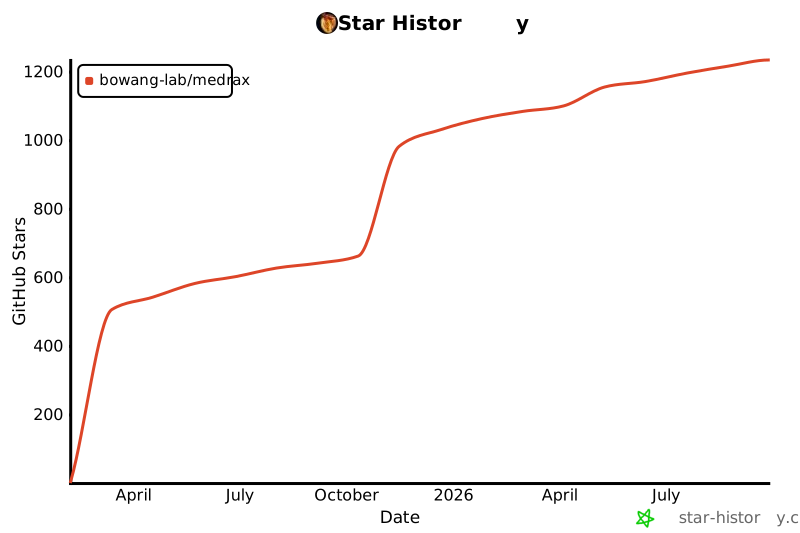](https://star-history.com/#bowang-lab/MedRAX&Date)
</div>
<br>
## Authors
- **Adibvafa Fallahpour**¹²³⁴ * (adibvafa.fallahpour@mail.utoronto.ca)
- ****Jun Ma****²³ *
- **Alif Munim**³⁵ *
- ****Hongwei Lyu****³
- ****Bo Wang****¹²³⁶
¹ Department of Computer Science, University of Toronto, Toronto, Canada <br>
² Vector Institute, Toronto, Canada <br>
³ University Health Network, Toronto, Canada <br>
⁴ Cohere, Toronto, Canada <br>
⁵ Cohere Labs, Toronto, Canada <br>
⁶ Department of Laboratory Medicine and Pathobiology, University of Toronto, Toronto, Canada
<br>
* Equal contribution
<br><br>
## Citation
If you find this work useful, please cite our paper:
```bibtex
@misc{fallahpour2025medraxmedicalreasoningagent,
title={MedRAX: Medical Reasoning Agent for Chest X-ray},
author={Adibvafa Fallahpour and Jun Ma and Alif Munim and Hongwei Lyu and Bo Wang},
year={2025},
eprint={2502.02673},
archivePrefix={arXiv},
primaryClass={cs.LG},
url={https://arxiv.org/abs/2502.02673},
}
```
---
<p align="center">
Made with ❤️ at University of Toronto, Vector Institute, and University Health Network
</p>
# Force rebuild - Wed Dec 17 16:49:57 GMT 2025
|