| --- |
| license: cc-by-nc-4.0 |
| inference: false |
| pipeline_tag: text-generation |
| tags: |
| - gguf |
| - quantized |
| - text-generation-inference |
| --- |
| |
| > [!TIP] |
| > **Credits:** |
| > |
| > Made with love by [**@Lewdiculous**](https://huggingface.co/Lewdiculous) with the handy contributions by [**@SolidSnacke**](https://huggingface.co/SolidSnacke). <br> |
| > If this proves useful for you, feel free to credit and share the repository and authors. |
|
|
| > [!WARNING] |
| > **[Important] Llama-3:** |
| > |
| > For those converting LLama-3 BPE models, you'll have to read [**llama.cpp/#6920**](https://github.com/ggerganov/llama.cpp/pull/6920#issue-2265280504) for more context. <br> |
| > |
| > Basically, make sure you're in the latest llama.cpp repo commit, then run the new `convert-hf-to-gguf-update.py` script inside the repo (you will need to provide a huggingface-read-token, and you need to have access to the Meta-Llama-3 repositories – [here](https://huggingface.co/meta-llama/Meta-Llama-3-8B) and [here](https://huggingface.co/meta-llama/Meta-Llama-3-8B-Instruct) – to be sure, so fill the access request from right away to be able to fetch the necessary files), afterwards you need to manually copy the config files from `llama.cpp\models\tokenizers\llama-bpe` into your downloaded **model** folder, replacing the existing ones. <br> |
| > Try again and the conversion procress should work as expected. |
| > |
| > **Experimental:** |
| > |
| > The is a new experimental script added, `gguf-imat-llama-3-lossless.py`, which performs the conversions directly from a BF16 GGUF to hopefully generate lossless Llama-3 model quantizations avoiding the recent talked about issues on that topic, it is more resource intensive and will generate more writes in the drive as there's a whole additional conversion step that isn't performed in the previous version. This should be only be necessary until we have GPU support for BF16 to run directly without conversion. |
|
|
|
|
| Pull Requests with your own features and improvements to this script are always welcome. |
|
|
| # GGUF-IQ-Imatrix-Quantization-Script: |
|
|
|  |
|
|
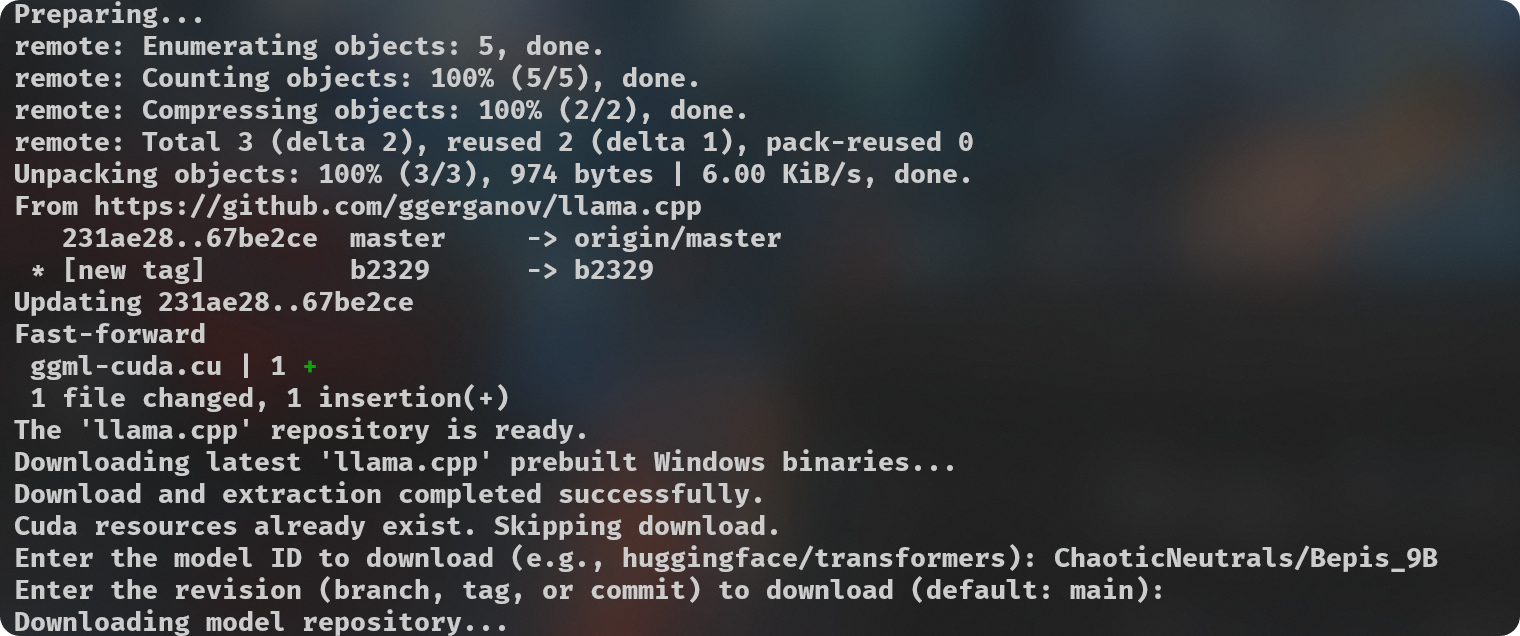
| Simple python script (`gguf-imat.py`) to generate various GGUF-IQ-Imatrix quantizations from a Hugging Face `author/model` input, for Windows and NVIDIA hardware. |
|
|
| This is setup for a Windows machine with 8GB of VRAM, assuming use with an NVIDIA GPU. If you want to change the `-ngl` (number of GPU layers) amount, you can do so at [**line 124**](https://huggingface.co/FantasiaFoundry/GGUF-Quantization-Script/blob/main/gguf-imat.py#L124). This is only relevant during the `--imatrix` data generation. If you don't have enough VRAM you can decrease the `-ngl` amount or set it to 0 to only use your System RAM instead for all layers, this will make the imatrix data generation take longer, so it's a good idea to find the number that gives your own machine the best results. |
|
|
| Your `imatrix.txt` is expected to be located inside the `imatrix` folder. I have already included a file that is considered a good starting option, [this discussion](https://github.com/ggerganov/llama.cpp/discussions/5263#discussioncomment-8395384) is where it came from. If you have suggestions or other imatrix data to recommend, please do so. |
|
|
| Adjust `quantization_options` in [**line 138**](https://huggingface.co/FantasiaFoundry/GGUF-Quantization-Script/blob/main/gguf-imat.py#L138). |
|
|
| > [!NOTE] |
| > Models downloaded to be used for quantization are cached at `C:\Users\{{User}}\.cache\huggingface\hub`. You can delete these files manually as needed after you're done with your quantizations, you can do it directly from your Terminal if you prefer with the `rmdir "C:\Users\{{User}}\.cache\huggingface\hub"` command. You can put it into another script or alias it to a convenient command if you prefer. |
|
|
|
|
| **Hardware:** |
|
|
| - NVIDIA GPU with 8GB of VRAM. |
| - 32GB of system RAM. |
|
|
| **Software Requirements:** |
| - Git |
| - Python 3.11 |
| - `pip install huggingface_hub` |
| |
| **Usage:** |
| ``` |
| python .\gguf-imat.py |
| ``` |
| Quantizations will be output into the created `models\{model-name}-GGUF` folder. |
| <br><br> |