Instructions to use AiAF/D-ART-18DART5_LoRA_Flux1 with libraries, inference providers, notebooks, and local apps. Follow these links to get started.
- Libraries
- Diffusers
How to use AiAF/D-ART-18DART5_LoRA_Flux1 with Diffusers:
pip install -U diffusers transformers accelerate
import torch from diffusers import DiffusionPipeline # switch to "mps" for apple devices pipe = DiffusionPipeline.from_pretrained("black-forest-labs/FLUX.1-dev", dtype=torch.bfloat16, device_map="cuda") pipe.load_lora_weights("AiAF/D-ART-18DART5_LoRA_Flux1") prompt = "D-ART \\(Artist\\), @18dart5, @18dart3, @18dart2, @18dart1, illustration of a woman with blonde hair, wearing a black lace bra, She has a small silver heart-shaped pendant necklace around her neck. She is looking directly at the camera with a neutral expression. The background is a plain, light-colored wall. The image is high quality ." image = pipe(prompt).images[0] - Inference
- Notebooks
- Google Colab
- Kaggle
- Local Apps
- Draw Things
- DiffusionBee
Add generated example
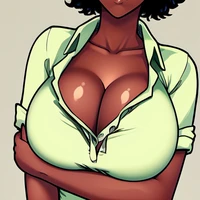
Generated example for model AiAF/D-ART-18DART5_LoRA_Flux1.
Prompt: D-ART (Artist), @18dart5, @18dart3, @18dart2, @18dart1, very dramatic angle, close up portrait of a beautiful and stunning women, dramatic pose, wearing a coral color long sleeve wrap dress with a ribbon, swirling clouds of teal smoke suspended in mid-air with soft edges that give a sense of mystery and fluidity, beautiful and complex background, pointy intricate metal ear cuffs over ears, teal and coral colors, coral color hair, double bun hairstyle, beautiful and intricate hair, vibrant lipstick, vibrant eyeliner, vibrant eye shadow, huge perfect round breasts, high-res, semi realistic, best quality, ultra details, intricate details, very detailed,