| --- |
| language: |
| - en |
| license: other |
| license_name: flux-non-commercial-license |
| base_model: black-forest-labs/FLUX.2-klein-base-9B |
| pipeline_tag: image-to-image |
| library_name: diffusers |
| tags: |
| - flux |
| - flux2 |
| - lora |
| - image-editing |
| - pixel-art |
| - sprites |
| - lpc |
| --- |
| |
| # LPC Four-Direction Walk — FLUX.2 Klein 9B |
|
|
| > **Warning** |
| > |
| > This experimental LoRA was trained on very little data, without adequate |
| > regularization, and at a rank that is low for the number and complexity of |
| > its tasks. Training a new LoRA for your specific goal is recommended. |
| > An image-edit-capable base model should produce better results when trained |
| > on fixed-integer-upscaled pixel art with consistent trigger words and a |
| > deliberate mixture of text-to-image and image-edit examples. |
|
|
| An experimental rank-16 LoRA for editing female LPC characters and 4×2 |
| walking sprite sheets with **FLUX.2 [klein] Base 9B**. |
|
|
| **Project repository:** [iljung1106/LPC-FourDirection-Walk-Flux-Klein-9B](https://github.com/iljung1106/LPC-FourDirection-Walk-Flux-Klein-9B) |
|
|
| ## Result samples |
|
|
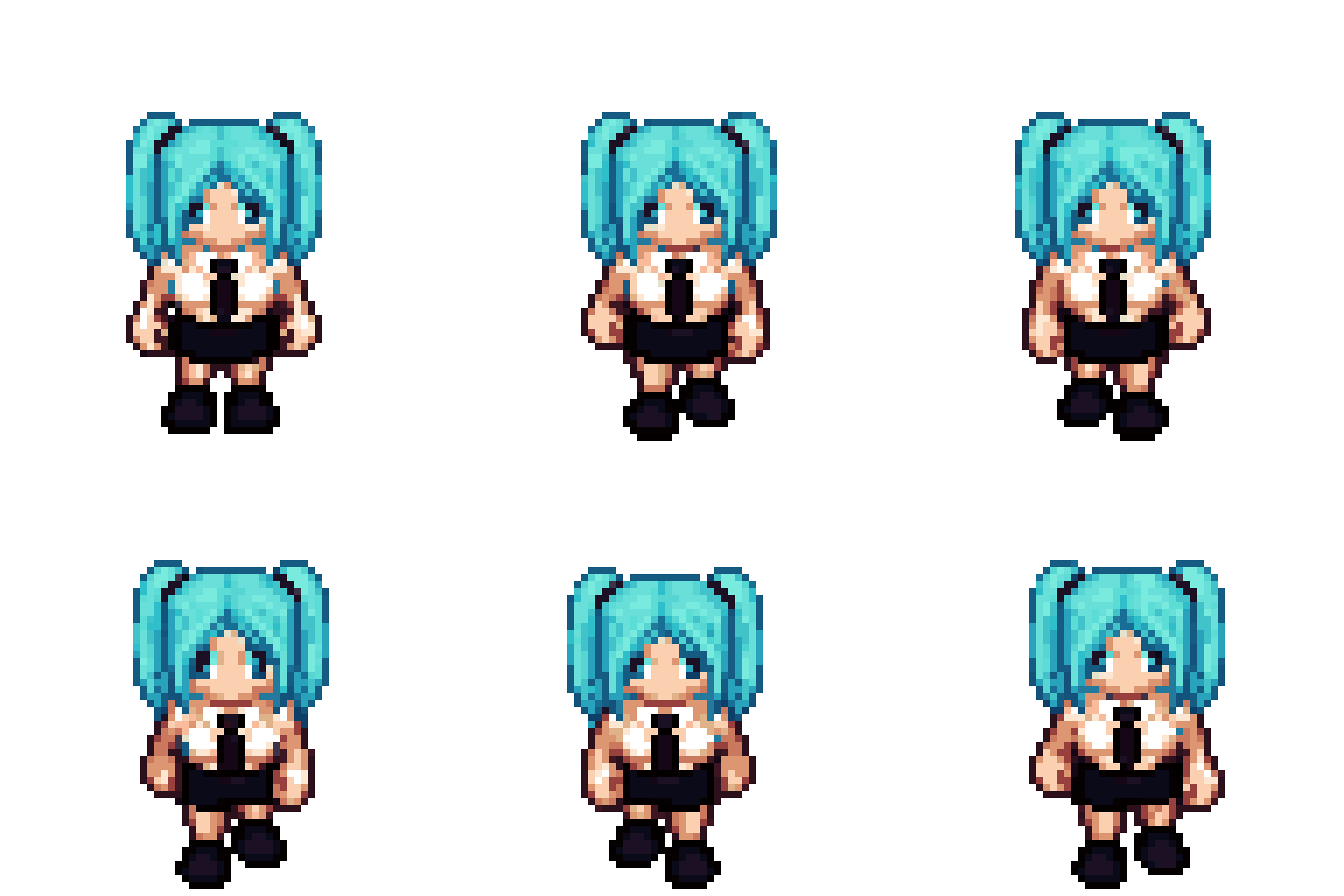
| These GIFs are direct GUI exports. Samples 1, 2, and 5 contain 24 frames; |
| samples 3 and 4 contain one 8-frame walking cycle. |
|
|
| Outputs may be inconsistent, as samples 2–4 demonstrate. Poorly written |
| training captions made this LoRA highly prompt-sensitive, so small prompt |
| changes can produce results that are difficult to predict. |
|
|
| | Sample 1 | Sample 2 | Sample 3 | |
| |---|---|---| |
| | 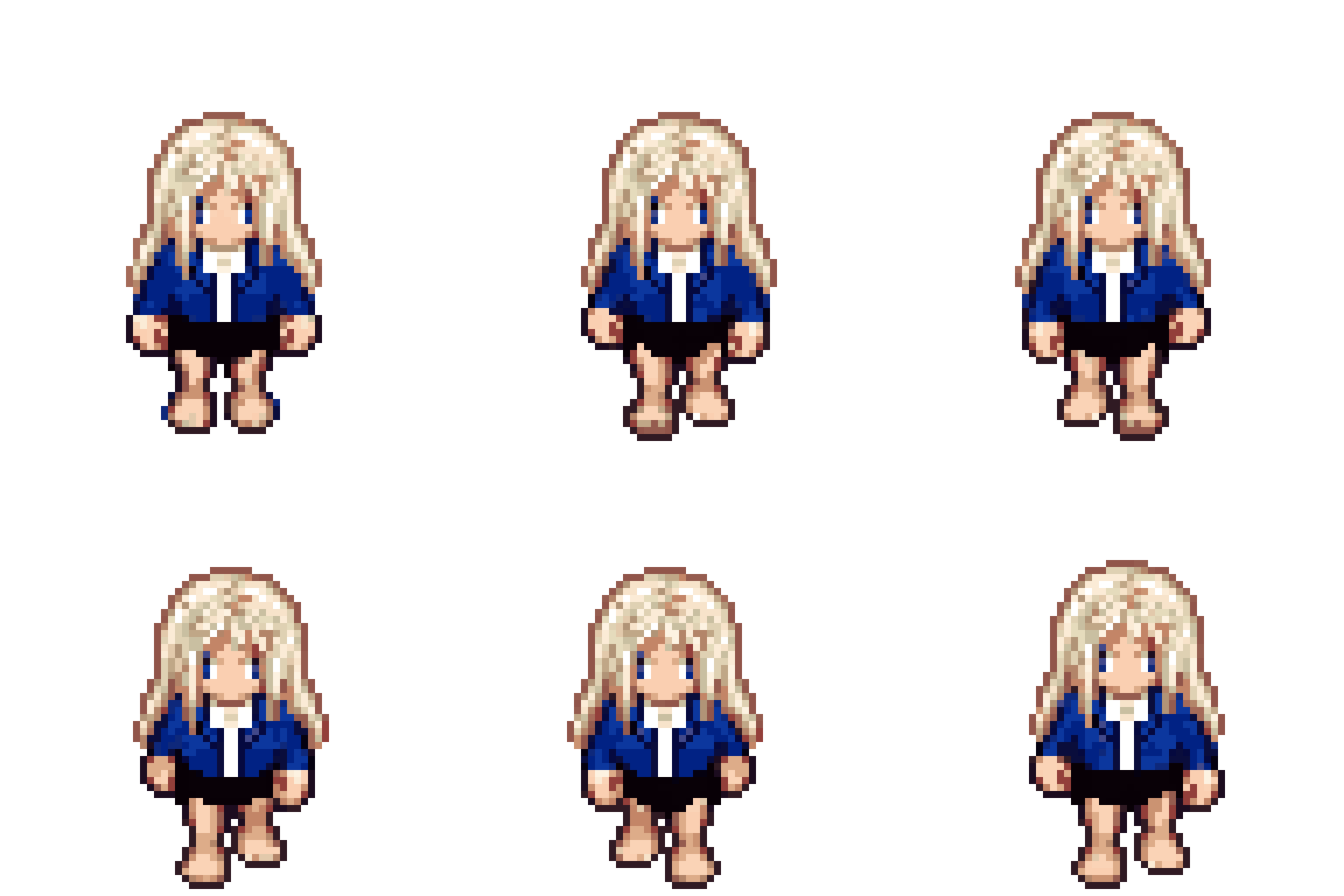 | 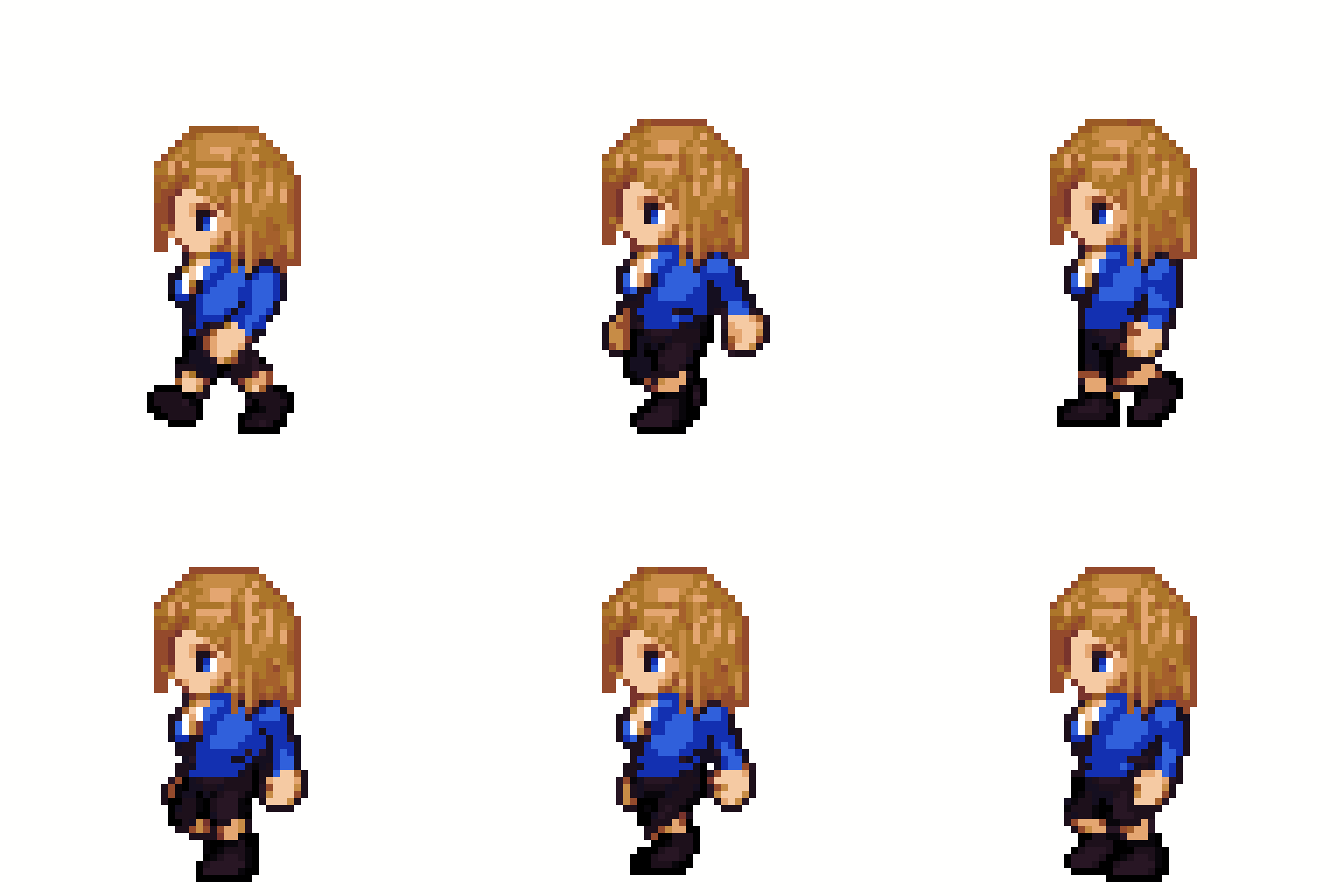 | 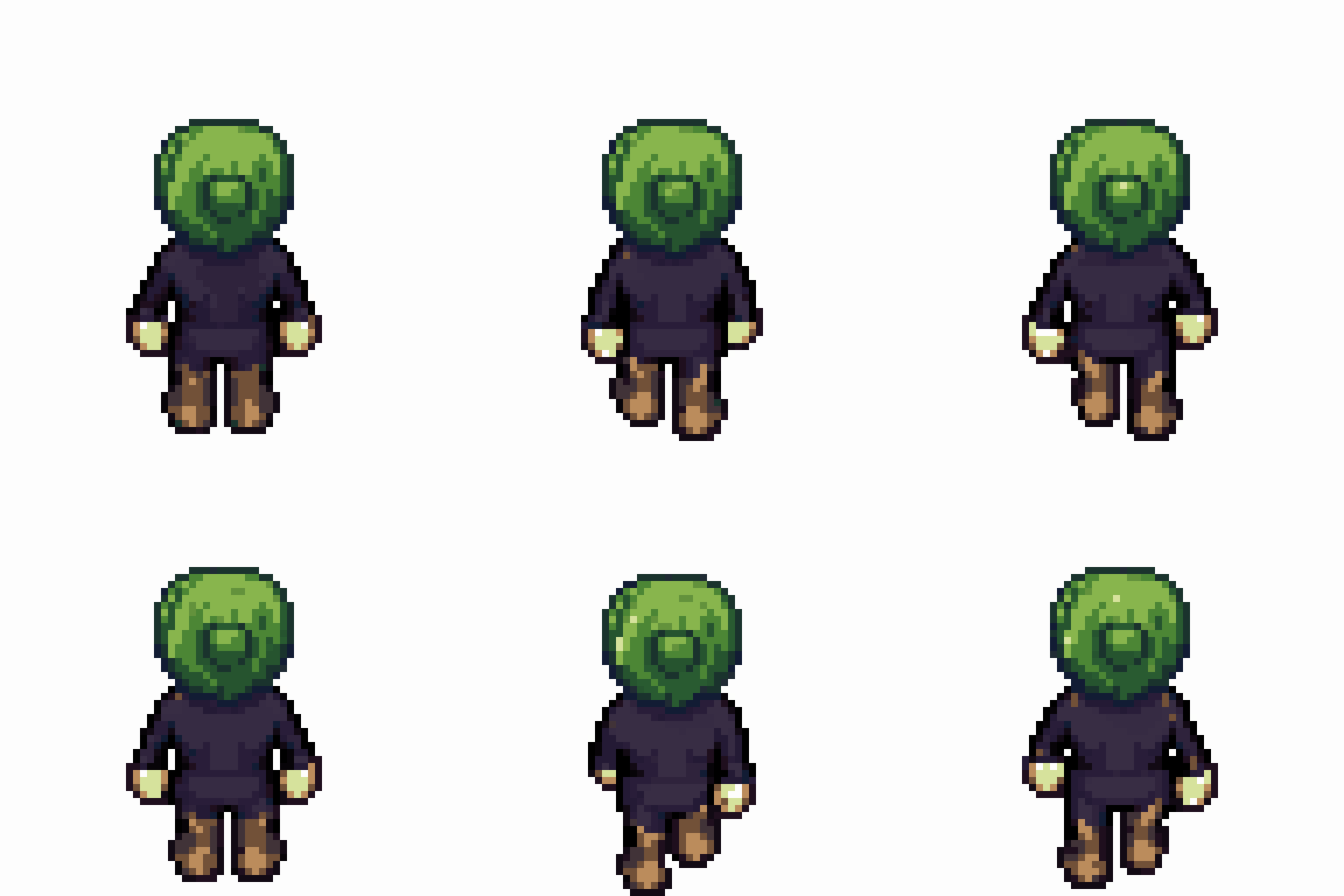 | |
|
|
| | Sample 4 | Sample 5 | |
| |---|---| |
| | 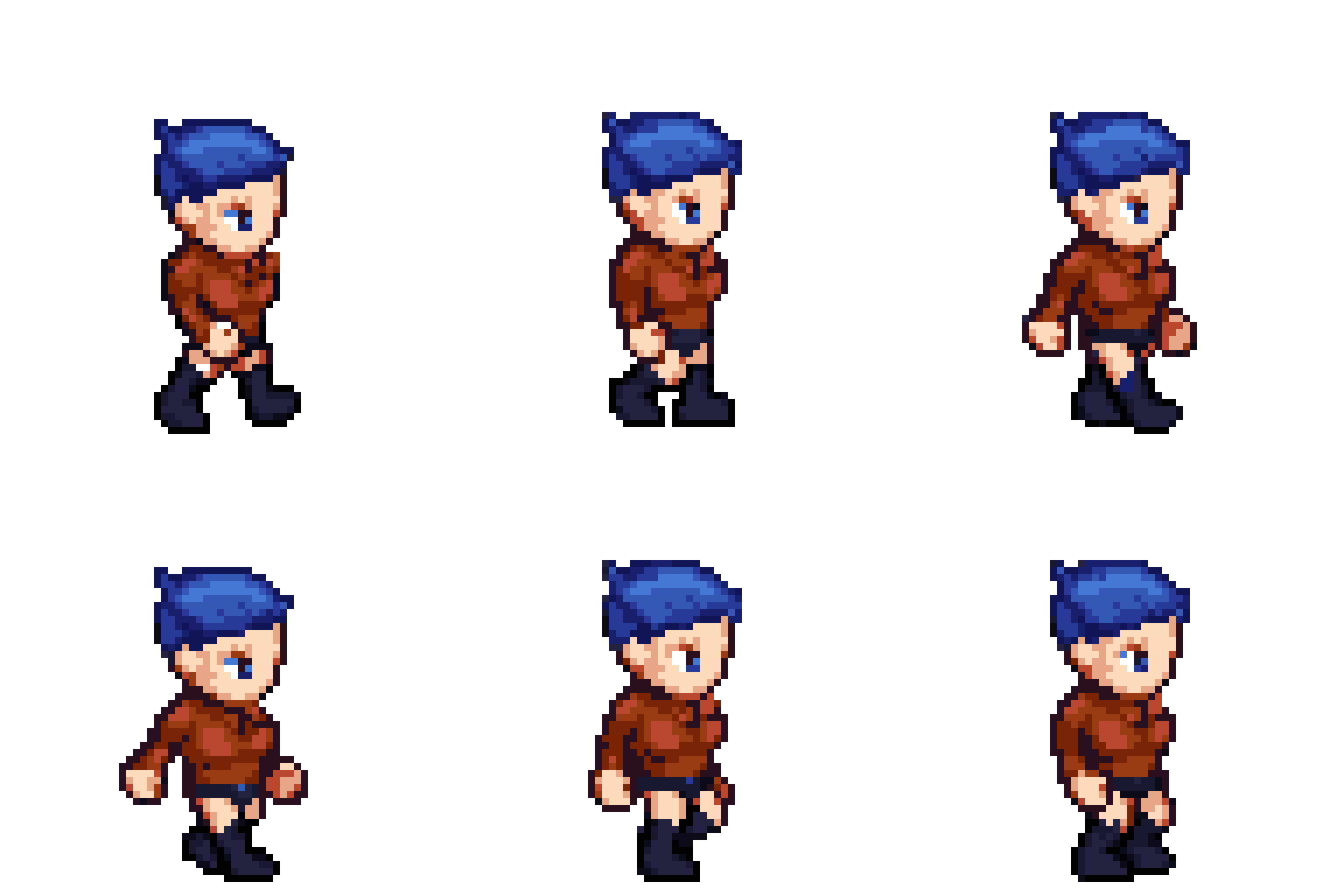 |  | |
|
|
| ## Supported tasks |
|
|
| | Task token | Input | Output | |
| |---|---|---| |
| | `TASK_ROTATE_STANDING` | South-facing dressed character | Same character facing north, east, or west | |
| | `TASK_STANDING_TO_WALK_FIRST_FRAME` | Standing character | First walking frame in the same direction | |
| | `TASK_PROPAGATE_APPEARANCE` | 4×2 sheet with frame 1 dressed | The same appearance applied to frames 2–8 | |
| | `TASK_DRESS_WALK_SHEET` | Female base 4×2 walk sheet | All eight frames dressed from a text description | |
| | `TASK_DRESS_STANDING` | South-facing female base | Standing character dressed from a text description | |
|
|
| Use the exact task token and sentence structure used during training: |
|
|
| ```text |
| TASK_ROTATE_STANDING: Turn the south-facing standing female LPC character to face north. Preserve the exact hairstyle, hair color, clothing, shoes and accessories. Keep the character centered on a pure white background. |
| ``` |
|
|
| ```text |
| TASK_STANDING_TO_WALK_FIRST_FRAME: Convert this west-facing standing LPC character into the first frame of the west-facing walking animation. Preserve the exact appearance and pure white background. |
| ``` |
|
|
| ```text |
| TASK_PROPAGATE_APPEARANCE: Use frame 1 as the appearance reference. Apply exactly the same hairstyle, hair color, clothing, shoes and accessories to frames 2 through 8. Preserve every walking pose, frame order, 4 by 2 layout and pure white background. |
| ``` |
|
|
| ```text |
| TASK_DRESS_WALK_SHEET: Dress the female LPC character in all 8 east-facing walking frames with blue bob hair, a red long-sleeve shirt, navy pants, brown boots, and gold glasses. Preserve every pose, frame order, 4 by 2 layout and pure white background. |
| ``` |
|
|
| ```text |
| TASK_DRESS_STANDING: Dress the south-facing standing female LPC character with blue bob hair, a red long-sleeve shirt, navy pants, brown boots, and gold glasses. Preserve the pose and pure white background. |
| ``` |
|
|
| ## Recommended inference settings |
|
|
| - Diffusion model: `black-forest-labs/FLUX.2-klein-base-9B` |
| - ComfyUI model file: `flux-2-klein-base-9b-fp8.safetensors` |
| - LoRA strength: `1.2` |
| - Steps: `11` |
| - Known-good seed: `981958406821486` |
| - CFG: `3.5` |
| - PAG: `1.5` |
| - Sampler: Euler |
| - Standing tasks: `1024×1024` |
| - 4×2 sheet tasks: `2048×1024` |
| - Background: white |
|
|
| ## ComfyUI workflow |
|
|
| The workflow uses only ComfyUI core nodes and has been tested on Comfy Cloud. |
| Because the LoRA is undertrained, using it with PAG is recommended. A LoRA |
| strength of `1.2` can produce better results than `1.0` for the same reason; |
| these values are starting points rather than guarantees. |
|
|
| 1. Install |
| [`LPC_FourDirection_Walk_ComfyUI.safetensors`](https://huggingface.co/Baragi-AI/LPC-FourDirection-Walk-Flux-Klein-9B/resolve/main/LPC_FourDirection_Walk_ComfyUI.safetensors) |
| as a LoRA. |
| 2. Import |
| [`workflows/LPC_FourDirection_Walk_ComfyUI.json`](workflows/LPC_FourDirection_Walk_ComfyUI.json). |
| 3. Select an input image and paste one of the task prompts above. |
| 4. Resize standing/frame inputs to exactly `1024×1024` and 4×2 inputs to |
| exactly `2048×1024` with `nearest-exact`. |
| 5. Generate with LoRA strength `1.2`, 11 steps, CFG `3.5`, PAG `1.5`, and |
| Euler. |
|
|
| Use this negative prompt: |
|
|
| ```text |
| random composition, low quality, scattered, dynamic movement, out of position |
| ``` |
|
|
| The graph uses: |
|
|
| - `flux-2-klein-base-9b-fp8.safetensors` |
| - `qwen_3_8b_fp8mixed.safetensors` |
| - `full_encoder_small_decoder.safetensors` |
|
|
| Keep the input reference latent connected to both positive and negative |
| conditioning. This matches the official FLUX.2 Klein edit graph. |
|
|
| An API-format version is available at |
| [`workflows/LPC_FourDirection_Walk_API.json`](workflows/LPC_FourDirection_Walk_API.json). |
|
|
| ## GUI |
|
|
| The included Korean-language Gradio workbench turns the five trained tasks |
| into a guided character-production flow. It works with Comfy Cloud or a local |
| ComfyUI server. |
|
|
| ```powershell |
| python -m venv .venv |
| .\.venv\Scripts\python -m pip install --upgrade pip |
| .\.venv\Scripts\python -m pip install -r requirements.txt |
| .\.venv\Scripts\python app.py |
| ``` |
|
|
| For Comfy Cloud, copy `.env.example` to `.env` and set: |
|
|
| ```dotenv |
| COMFY_URL=https://cloud.comfy.org |
| COMFY_API_KEY=your_api_key |
| ``` |
|
|
| The API key is read at runtime and is not written to the repository or output |
| files. |
|
|
| Use the virtual-environment commands above even if Anaconda `base` is active. |
| Gradio 5.x imports the removed `huggingface_hub.HfFolder` API and is not |
| supported by this GUI. |
|
|
| ### Guided workflow |
|
|
| - **Quick build:** dress the bundled standing base, create selected standing |
| directions, and build each direction's 4×2 walking sheet stage by stage. |
| Run-all is a separate action and shows its Comfy job count first. Each stage |
| can be regenerated immediately with a new recorded seed. |
| - **LoRA strength:** the always-visible shared slider applies `0`–`1.5` to |
| every generation task; `0` disables the LoRA and `1.2` is the default. |
| - **Standing:** upload a character or start from the bundled female LPC base, |
| then create a dressed standing proof and its 32-color palette. |
| - **Directions:** inspect north, west, south, and east standing results on one |
| turnaround board. Up to four direction jobs run concurrently, and each |
| result appears as soon as it finishes. |
| - **Walking:** create a first walking frame from the standing-character |
| latent at `0.9` denoise, without blending in a base-walk latent. Insert that |
| frame into the matching bundled 4×2 pose base, then propagate the appearance |
| to all eight frames. Each completed sheet gets an immediate looping |
| animation preview. |
| - **Dressing:** character-design tasks use the supplied LPC base latent at |
| `0.9` denoise. Other tasks use an empty latent at full denoise. |
| - **Stage handoff:** every generated image is flattened onto pure white before |
| reuse. Colors clearly present in both the input and output are softly |
| matched; newly introduced design colors remain available. |
| - **Pixel and palette:** snap to native LPC pixels, align 4×2 foot anchors, |
| lock or rebuild a 32-color palette, and export indexed PNG or GIF. |
| - **Results and settings:** review local session outputs, test the Comfy |
| connection, tune generation settings, or access the exact English task |
| prompts in the advanced single-task panel. |
|
|
| Generated files are saved under the ignored local `outputs/` directory. The |
| bundled bases match the fixed feminine thin body and head used during training; |
| other body types are outside this toy model's supported scope. |
|
|
| ### Pixel and palette output |
|
|
| The GUI includes deterministic sprite post-processing: |
|
|
| - **Lock reference palette:** maps every output pixel to the nearest color in |
| the input image or an optional shared palette-reference image. Select the |
| same reference for north, south, east, and west to keep one palette across |
| all directions. |
| - **Allow new colors (32):** builds a new adaptive 32-color palette from the |
| generated result. Use this when the prompt adds hair, clothing, or |
| accessories whose colors are absent from the base. |
| - **Align 4×2 frames:** detects the white background and aligns each |
| generated frame's foot anchor with the corresponding input frame on the |
| native 64×64 logical grid. |
| - **Pixel snap:** uses |
| [perfectPixel](https://github.com/theamusing/perfectPixel) to detect and |
| refine each of the eight frames separately. Each native frame is fitted |
| back to its generated source by a small nearest-neighbor scale and position |
| search before the sheet is reassembled. |
| - **Shared direction palette:** once every selected direction is complete, |
| one 32-color palette is calculated from all completed images and applied |
| back to every direction without dithering. |
| - **Resolution:** returns either native `64×64` single frames / |
| `256×128` 4×2 sheets or exact `1024×1024` / |
| `2048×1024` nearest-neighbor upscaled output. |
| - **Output:** returns an indexed PNG sheet or a 24-frame looping GIF. The |
| eight row-major sheet frames repeat three times. |
|
|
| Both palette modes write a 32-entry indexed palette without dithering. The |
| background remains white. |
|
|
| ## Verified Comfy Cloud examples |
|
|
| | Task | Input | Output | |
| |---|---|---| |
| | Dress standing character |  |  | |
| | Propagate frame 1 appearance |  |  | |
|
|
| ## Files |
|
|
| - `LPC_FourDirection_Walk.safetensors`: original fal/PEFT format |
| - `LPC_FourDirection_Walk_ComfyUI.safetensors`: ComfyUI-compatible key names |
| - LoRA rank: 16 |
| - Tensors: 176, float32 |
| - Original SHA-256: `5e092a1451be9565862c491e58cfd85514869433570e85f2d2661ff613cbab6c` |
| - ComfyUI SHA-256: `272ed2f178dc205b016d5783757ff0ee7ddaec834f95bdd7fc061d08e3dc2afe` |
|
|
| Use the original file with fal. Use the `_ComfyUI` file with ComfyUI. The |
| conversion only renames the fal PEFT prefix `base_model.model.` to ComfyUI's |
| FLUX model prefix `diffusion_model.`; tensor values are unchanged. The |
| reproducible converter is included as `convert_fal_lora_to_comfy.py`. |
|
|
| ## Limitations |
|
|
| This is a toy-project LoRA trained on one female LPC body type. It may alter |
| silhouettes, frame spacing, or poses, especially for appearances outside the |
| training distribution. Generated sheets are not guaranteed to be |
| pixel-perfect and may need alignment or nearest-neighbor cleanup. |
|
|
| ## License and attribution |
|
|
| The weights are a derivative of FLUX.2 [klein] Base 9B and are distributed |
| under the **FLUX Non-Commercial License v2.1**. Read `LICENSE.md` and `NOTICE` |
| before downloading or using them. Commercial or production use of the model |
| requires appropriate permission from Black Forest Labs. |
|
|
| Training assets are derived from |
| [ElizaWy/LPC](https://github.com/ElizaWy/LPC) and retain their respective LPC |
| asset licenses and attribution requirements. See `THIRD_PARTY_NOTICES.txt`. |
|
|
| This project is not affiliated with or endorsed by Black Forest Labs or the |
| LPC contributors. |
|
|


