
import torch
from diffusers import DiffusionPipeline

# switch to "mps" for apple devices
pipe = DiffusionPipeline.from_pretrained("Qwen/Qwen-Image", dtype=torch.bfloat16, device_map="cuda")
pipe.load_lora_weights("HotHams/GBSprite")

prompt = "-"
image = pipe(prompt).images[0]GBSprite

- Prompt
- -

- Prompt
- -

- Prompt
- -

- Prompt
- -

- Prompt
- -

- Prompt
- -
Model description
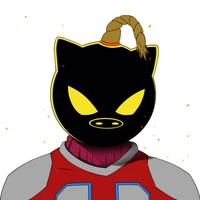
Great at emulating the iconic style of Game Boy-era pixel art sprites. The model's sprites are certainly capable of being used on their own or as a starting point for cleanup.
As an additional resource: I have yet to try this, but Pixel Perfect AI Art Converter could likely be coupled with this for very good results. You can find that here, if you're interested: https://github.com/nygaard91/Pixel-Perfect-AI-Art-Converter?tab=readme-ov-file
Trigger words
You should use GBSprite to trigger the image generation.
Download model
Download them in the Files & versions tab.
- Downloads last month
- 13
Model tree for HotHams/GBSprite
Base model
Qwen/Qwen-Image