
MoonKnight-and-MrKnight_Finetuned-Diffusion on Stable Diffusion via Dreambooth trained on the fast-DreamBooth.ipynb by TheLastBen notebook
Model by Laughify
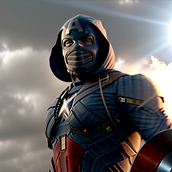
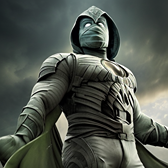
To use MrKnight include kmgrhnti in your prompts. To use Moon Knight use mnokiohntg in your prompts.
You can also train your own concepts and upload them to the library by using the fast-DremaBooth.ipynb by TheLastBen.
You can run your new concept via A1111 Colab :Fast-Colab-A1111
Or you can run your new concept via diffusers: Colab Notebook for Inference, Spaces with the Public Concepts loaded
Sample pictures of this concept:
5140C0CB-916A-47DD-B628-F52FD318CFBC.png
3FAB69E5-588B-4598-BB99-6FEF1BED36A7.png
2531B514-7FB1-4FC5-99E4-FD73AB4D5262.png
C6DEF6F4-D6DC-4324-BEE7-AF90D61CD6CB.png


- Downloads last month
- 5