
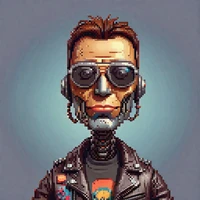
Pixal3D Modular Diffusers
Generated with the code below (seed 42, 12 steps, 1024 resolution).
Modular Diffusers blocks for TencentARC/Pixal3D: generate 3D geometry and materials from a single image. The model code and weights are in OzzyGT/Pixal3D.
Requires PyTorch, diffusers==0.41.0, transformers==5.20.2, accelerate>=1.15, safetensors>=0.8, numpy and pillow.
Licensing
The blocks are Apache-2.0, with the camera projection and latent statistics adapted from TencentARC/Pixal3D under MIT. See NOTICE. This repository contains no model weights.
Usage
The example uses trust_remote_code=True, which loads these blocks, and trust_components_code=True, which allows the model repository's custom classes.
Note: both flags run Python code downloaded from the Hub:
trust_remote_code=Trueruns the code of the blocks repository, andtrust_components_code=Trueruns the code shipped in thecomponents_repo. Only use them with repositories you trust, and review their code before passing different ones.
import math

import torch
from diffusers import ModularPipelineBlocks
from diffusers.utils import load_image


blocks = ModularPipelineBlocks.from_pretrained(
    "OzzyGT/Pixal3D_Modular",
    trust_remote_code=True,
    components_repo="OzzyGT/Pixal3D",
    trust_components_code=True,
)
pipe = blocks.init_pipeline()
flow_names = (
    "sparse_structure_flow_model",
    "shape_slat_flow_model_512",
    "shape_slat_flow_model_1024",
    "tex_slat_flow_model_1024",
)
dtypes = {spec.name: torch.float32 for spec in blocks.expected_components}
dtypes.update({name: torch.bfloat16 for name in (*flow_names, "image_encoder")})
pipe.load_components(dtype=dtypes)
pipe.to("cuda")

image = load_image("https://huggingface.co/datasets/OzzyGT/diffusers-examples/resolve/main/Pixal3D/Pixal3D_jester_input.png")
result = pipe(
    image=image,
    camera_angle_x=math.radians(33.85),
    distance=1.643,
    mesh_scale=1.0,
    resolution=1024,
    num_inference_steps=12,
    generator=torch.Generator().manual_seed(42),
    output=["geometry", "materials", "actual_resolution"],
)
geometry = result["geometry"]
materials = result["materials"]
The input is a prepared image: the subject on black (RGBA is composited on black), with no automatic background removal or crop. camera_angle_x and distance must match that image; the sample's camera was estimated with MoGe-2. resolution can be 1024 or 1536.
The output is sparse voxels, not a mesh: geometry holds the flexible-dual-grid cells for mesh extraction, materials the per-cell base color, metallic, roughness and alpha, and actual_resolution the grid resolution used (a 1536 request can fall back toward 1024). Coordinates are normalized and Y-up.
- Downloads last month
- -
Model tree for OzzyGT/Pixal3D_Modular
Base model
TencentARC/Pixal3D