

license: cc-by-nc-4.0
pipeline_tag: text-to-image
language:
  - en
tags:
  - pixel-art
  - text-to-image
  - flow-matching
  - small-model
  - game-assets
  - sprites
RD Flow 64
A 271M-parameter text-to-image model that draws real 64 x 64 pixel art, made by Retro Diffusion.
Try it free in your browser · Inference code (Windows, Linux, macOS) · Prompting guide · Technical report

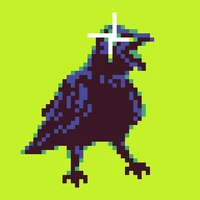
RD Flow 64 doesn't draw a big picture and shrink it. It works directly on the 64 x 64 pixel grid and chooses each pixel from a palette that it generates along with the image. The result is clean pixel art: every pixel is deliberate, colours are limited (about 37 per image on average), and sprites have real transparency.
Demo
Try RD Flow 64 directly in your browser, free and with no account: retrodiffusion.ai/rd-flow.
Small on purpose
How many parameters each image model has, and how many times bigger it is than RD Flow 64:
| Image model | Parameters | Size compared with RD Flow 64 |
|---|---|---|
| RD Flow 64 | 0.27B (a 542 MB file) | 1x |
| Stable Diffusion 1.5 | 0.86B | 3x bigger |
| SDXL | 2.6B | 10x bigger |
| FLUX.1 | 12B | 44x bigger |
| Qwen-Image | 20B | 74x bigger |
These are the image models alone. Each also reads your prompt with a separate text model; RD Flow 64's is a 3.1B cut of Qwen3-VL-4B, included in this repo.
The drawing model fits on a 2 GB GPU, and the whole pipeline runs on an ordinary laptop's CPU. An RTX 4090 draws 4 images in 0.7 s. A PC whose GPU has only 2 GB draws them in under a second, with the prompt read on the CPU. An 8 GB Mac mini M2 draws them in 25 s on its built-in GPU.
Use it
The GitHub repository has the inference code and per-OS install steps. It downloads these weights automatically:
git clone https://github.com/Retro-Diffusion/rd-flow-64
cd rd-flow-64
pip install torch && pip install -r requirements.txt
python generate.py "a red health potion" --expand      # an LLM writes the full caption
from rdflow import Pipeline

pipe = Pipeline.load()
images = pipe(caption, n=4, seed=1)            # 64 x 64 RGBA PIL images
ComfyUI: the same repository is a ComfyUI node pack. Clone it into ComfyUI/custom_nodes, install its
requirements.txt, and load workflows/rd-flow-64.json.
The nodes are a loader, a generator (image, alpha mask, palette, and an RGBA image that saves as a transparent PNG)
and an LLM caption writer.
Prompting
RD Flow 64 was trained on long, plain, careful descriptions (120-200 words): what the subject is, each part with its colours and position, the pose, the view and framing, the background, and the outline and shading. It draws best from a caption written the same way. Short prompts work, but much worse. The prompting guide has the structure, examples, and a system prompt that turns a short idea into a full caption with any LLM.
Example: the request "an orange cat dressed as a chef", expanded by Retro Diffusion's caption writer into (216 words):
An orange cat dressed as a chef. The cat's head sits at the top, round with two triangular ears pointing upward, the outer fur a deep orange and the inner ears a lighter peach. Two round green eyes sit above a small pink nose, with a white muzzle and thin white whiskers spreading to either side. A tall white chef's hat rests on top of the head, cylindrical with a puffed top and a narrow band around the base. Below the head, a white double-breasted chef's jacket covers the chest and shoulders, with a row of small dark buttons down the front and short sleeves ending at the elbows. Two orange forearms extend from the sleeves, ending in small paws with visible toes. Below the jacket, orange legs and a long orange tail curving to the right are visible. The cat stands upright on its hind legs, facing forward. It is centred in the frame as a full-body front view, filling most of the height with clear space around it. The whole subject is visible with a clear margin on every side and nothing cut off. The background is transparent. The art uses dark brown outlines, flat shading with soft highlights on the hat and jacket, and a warm palette of orange, white, pink and green.

Technical specifications
| Output | 64 x 64 RGBA, with an exact palette (pixels point to palette entries) and binary transparency |
| Drawing model | 270.9M parameters, hourglass flow transformer, fp16 weights (542 MB); runs in bf16 or fp32 |
| Prompt reader | the embeddings, first 27 of 36 decoder layers and final norm of Qwen3-VL-4B-Instruct, frozen and unchanged, 3.1B parameters, bf16 (6.2 GB); included in text_encoder/ under Apache 2.0 |
| Sampling | flow matching, 16 Euler steps, classifier-free guidance 4 |
| Training data | 525,430 whole 64 x 64 images: 67% generated by Retro Diffusion's own models, 33% hand-made pixel art and illustrations reduced to 64 x 64; every image captioned in detail by a vision model |
Measured speed and memory, 4 images per prompt at 16 steps. The prompt is read once per caption; more images of the same caption cost only the drawing.
| Machine | Read the prompt | Draw 4 images | Peak memory |
|---|---|---|---|
| RTX 4090, everything on the GPU | 0.03 s | 0.7 s | 6.6 GB VRAM |
| 2 GB GPU (bf16), prompt on the CPU | 19 s | 0.8 s | 0.8 GB VRAM |
| 2 GB GPU (GTX 10 series, fp32), prompt on the CPU | 19 s | 1.4 s | 1.5 GB VRAM |
| Mac mini M2, 8 GB, Apple GPU | 20 s | 25 s | 3.3 GB RAM |
| Mac mini M2, 8 GB, CPU only | 21 s | 67 s | 5.0 GB RAM |
Files
| File | |
|---|---|
rd-flow-64.safetensors |
the drawing model, fp16, 270.9M parameters |
config.json |
architecture, sampler defaults and the prompt reader's pinned revision |
text_encoder/ |
the prompt reader: model.safetensors (6.2 GB), Qwen's config and tokenizer, its Apache 2.0 LICENSE and a NOTICE saying what was kept |
samples/ |
the images on this page, each a real 64 x 64 output shown at 8x |
How it works
- Pixel-native: an hourglass flow transformer on the 64 x 64 grid, with a 16 x 16 core that attends jointly over the caption, the palette and the image.
- Palette first: the model generates its palette as it draws. Late in sampling, every pixel becomes a pointer to one palette entry, so the output never has in-between colours.
- Your palette: pass your own colours and every pixel is drawn from them.
- Transparency: transparent sprites and full-frame pictures from the same model.
- Fast: 16 sampling steps, about 0.13 s per image on one GPU in production.
The full design, with the reasoning behind each choice, is in the technical report.
Limitations and biases
- 64 x 64 only. Other sizes need Retro Diffusion's full models.
- Long captions. It was trained on 120-200 word descriptions and is much weaker on short prompts; use the system prompt to have an LLM write them.
- Limited knowledge. Half a million images is small for an image model: it knows common subjects, not everything.
- Looser prompt following than the largest models. It can miss an action or soften an unusual detail, and small details may be one or two pixels, or missing.
- Opaque pictures are weaker than transparent sprites. They tend to draw the subject larger and sometimes crop it.
- Less variety between seeds. The same caption tends to give similar compositions; change the wording to explore.
- No text. Letters and logos are out of reach.
- Bias. Two thirds of the training images were generated by Retro Diffusion's own models, so the model inherits their styles and their biases, along with those of the vision model that captioned the data. Expect common game-art conventions in how people, creatures and places are drawn.
References
- RD Flow 64: a pixel art model built from scratch, the technical report: architecture, data, sampler choices and comparisons with general image models.
- Inference code and prompting guide.
More from Retro Diffusion
Retro Diffusion is a full pixel art studio built on larger models. It does any size from 16 to 512 pixels, dozens of styles, animation, tilesets, editing, background removal and 3D, in the browser or through the API.
License
The RD Flow 64 weights are licensed under CC BY-NC 4.0: free for
non-commercial use with attribution to Retro Diffusion. The prompt reader in text_encoder/ is part of Qwen3-VL-4B-Instruct
by the Qwen team and stays under the Apache 2.0 license. For commercial use, generate with
Retro Diffusion. The inference code on GitHub is MIT licensed.