

FastVLM 0.5B for Unity Sentis
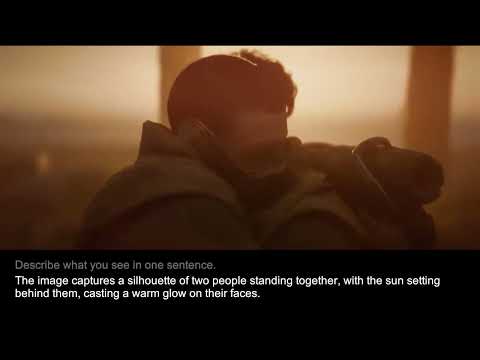
This repository is a Unity 6 + Sentis (com.unity.ai.inference) demo for FastVLM-based scene captioning.
Demo (YouTube)
Environment
- Unity Version:
6000.3.6f1 - Sentis Version:
com.unity.ai.inference 2.5.0(customized)- Custom layers added to the ONNX converter:
RotaryEmbedding,GroupQueryAttention,SimplifiedLayerNormalization,SkipSimplifiedLayerNormalization - Implementation file:
fastvlm-0.5b-unity/Packages/com.unity.ai.inference/Editor/ONNX/ONNXModelConverter.cs
- Custom layers added to the ONNX converter:
Setup Note (If It Does Not Run As-Is)
If the project does not run with the current setup:
- Download
com.unity.ai.inferenceversion2.5.0. - Copy
Library/PackageCache/com.unity.ai.inference@xxxxxxtoPackages/com.unity.ai.inference. - Overwrite only this file:
com.unity.ai.inference/Editor/ONNX/ONNXModelConverter.cs
Project Structure
Assets/FastVLM/FastVLMScene.unity: Main runtime sceneAssets/FastVLM/VLMController.cs: VideoPlayer-UI bridge and continuous inference loopAssets/FastVLM/ModelVLM.cs: Model initialization, vision/text embedding composition, and generationAssets/FastVLM/Qwen2Tokenizer.cs: Qwen2 BPE tokenizerAssets/StreamingAssets/fastvlm/:vocab.json,merges.txt,tokenizer_config.json
Required Model Files
Prepare the ONNX files below in Assets/FastVLM/Models/ and assign them to the ModelVLM component in VLMManager.
Source models:
https://huggingface.co/onnx-community/FastVLM-0.5B-ONNX/tree/main/onnx
Download the three files below from the link above, then copy them into Assets/FastVLM/Models/.
vision_encoder.onnxembed_tokens.onnxdecoder_model_merged.onnx
Quick Start
- Open the project in Unity
6000.3.6f1. - Open
Assets/FastVLM/FastVLMScene.unity. - Check
VLMManager > ModelVLMand verify allModelAssetfields are assigned. - Hit Play.
- Edit the prompt in
InputFieldif needed. The next loop uses the updated prompt.
License
[fastvlm-0.5b-unity] © 2026 Unity Technologies
Licensed under the Unity Companion License for Unity-dependent projects (see https://unity3d.com/legal/licenses/unity_companion_license). Unless expressly provided otherwise, the Software under this license is made available strictly on an "AS IS" BASIS WITHOUT WARRANTY OF ANY KIND, EXPRESS OR IMPLIED. Please review the license for details on these and other terms and conditions.
- Downloads last month
- -