

Disclaimer
This was inspired from https://github.com/YaYaB/finetune-diffusion
Model Card for Finetuning Stable Diffusion on Vivian Maier's photographs
The main goal is to fine-tune the Stable Diffusion model to generate images reflecting the distinct photographic style of Vivian Maier.
And I chose to utilize a Jupyter Notebook to make the fine-tuning process accessible and easy to understand, particularly for those new to the diffusion pipeline and hugging face API.
Requirements
To launch the finetuning with a batch_size of 1 you need to have a gpu with at least 24G VRAM (you can use accumulating gradient to simulate higher batch size)
Make sure that you have enough disk space, the model uses ~11Gb
Examples(at epoch 90)
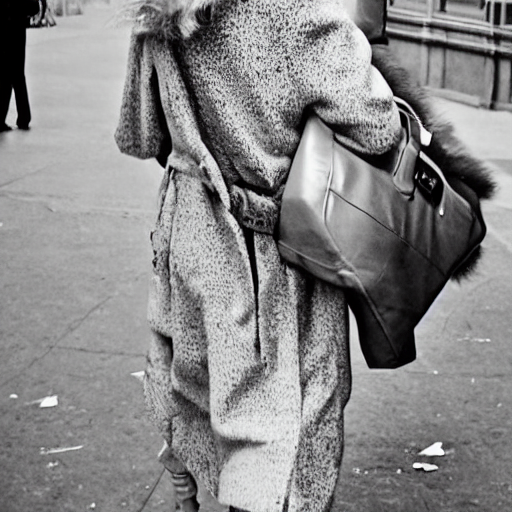
A woman walking down a street
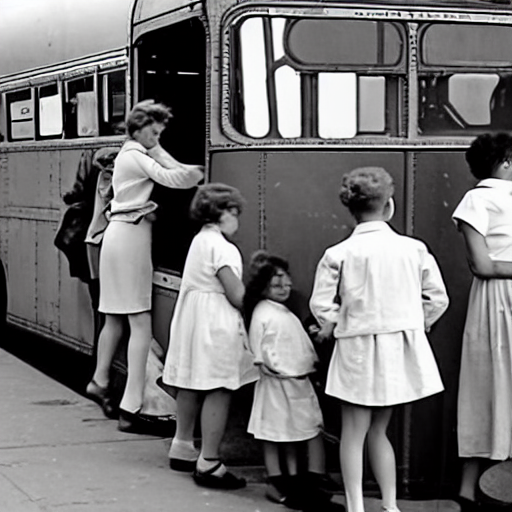
a group of people getting on a bus

two man working on a constructing site
Citation
If you use this dataset, please cite it as:
@misc{cqueenccc2023vivian,
      author = {cQueenccc},
      title = {Finetuning Stable Diffusion on Vivian Maier's photographs},
      year={2023},
      howpublished= {\url{https://huggingface.co/cQueenccc/Fine-Tune-Diffusion-Vivian/}}
}
- Downloads last month
- -