
import torch
from diffusers import DiffusionPipeline

# switch to "mps" for apple devices
pipe = DiffusionPipeline.from_pretrained("Yntec/m0nst3rfy3", dtype=torch.bfloat16, device_map="cuda")

prompt = "Astronaut in a jungle, cold color palette, muted colors, detailed, 8k"
image = pipe(prompt).images[0]M0nst3rfy
Use m0nst3rfy3 in your prompt for a stronger effect.
DucHaitenLofi R with the M0nst3rfy LORA by LDWorksDervlex trained in and the BlessedV2 VAE baked in.
Comparison:

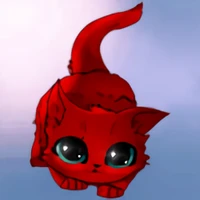
((best quality)), ((masterpiece)), (detailed), absurdres, HDR, cowboy shot, full body, EEVEE, VAPOREON, slightly underwater, sitting on rock, sunlight, big smile, tail up, detailed skin texture, subsurface scattering, splashing, blush, goosebumps
(Click for larger)
Samples and a prompt by digiplay:

(Click for larger)
Top left: Cut rabbit.
Top right (unknown prompt):
Bottom left (unknown prompt):
Bottom right (unknown prompt):
Original pages:
https://civitai.com/models/68037?modelVersionId=72706 (M0nst3rfy LoRA)
https://civitai.com/models/65706?modelVersionId=70363 (DucHaitenLofi R)
Recipe
- SuperMerger Merge LoRA to checkpoint:
Model A: DucHaitenLofi R
LoRA: M0nst3rfy
Output: LofiMonsters
- SuperMerger Add Difference Train Difference:
Model A: DucHaitenLofi R
Model B: LofiMonsters
Model C: DucHaitenLofi R
Output: m0nst3rfy3NoVAE
- Bake Blessed2VAE
Output: m0nst3rfy3
- Downloads last month
- 101