
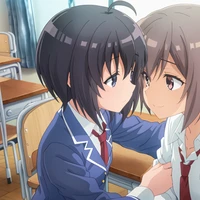
This model is trained for 5 characters from Saving 80,000 Gold in Another World for My Retirement (老後に備えて異世界で8万枚の金貨を貯めます)
Most information along with examples can be found on the civitAI model page https://civitai.com/models/17336/roukin8-character-lohaloconfullckpt-8
Usage
There are three formats: loha, locon, and full checkpoint The first two are part of the LyCORIS project and can be used as lora in a1111-webui once this extension is installed
You probably want to separate names by ; as this is how the model is trained. E.g.
Sabine; YamanoMitsuha; multiple girls, 2girls, bow, sliding doors, apron, dress, indoors, holding, bowtie, smile, open door, door
As usual, two characters are fine, but more are difficult
Dataset Description
The dataset is prepared via the workflow https://github.com/cyber-meow/anime_screenshot_pipeline
It contains 2948 roukin anime screenshots and 19279 regularization images. The anime screenshots can be downloaded from civitai.
Training
- Common: clip skip 1, resolution 512, batch size 8, on top of Crosstyan/BPModel
- Full checkpoint: 2.5e-6 cosine scheduler, Adam8bit, conditional dropout 0.08
- Loha/LoCon: 2e-4 constant scheduler, AdamW
- Downloads last month
- 4