

# Load model directly
from transformers import AutoModelForCausalLM
model = AutoModelForCausalLM.from_pretrained("aloobun/rmfg", trust_remote_code=True, device_map="auto")Quick Links
rmfg

Example
Image
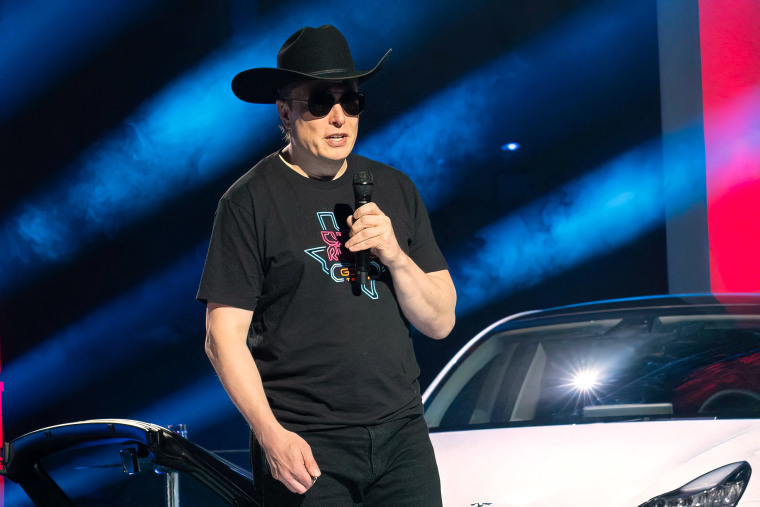 Output
A man in a black cowboy hat and sunglasses stands in front of a white car, holding a microphone and speaking into it.
- underfit, doesn't perform well
- this marks the beginning of my tiny vision language model series, with this model serving as a prelude to what's to come in the next few days.
from transformers import AutoModelForCausalLM, AutoTokenizer
from PIL import Image
model_id = "aloobun/rmfg"
model = AutoModelForCausalLM.from_pretrained(
model_id, trust_remote_code=True
)
tokenizer = AutoTokenizer.from_pretrained(model_id)
image = Image.open('692374.jpg')
enc_image = model.encode_image(image)
print(model.answer_question(enc_image, "Describe this image.", tokenizer))
- Downloads last month
- 21
# Use a pipeline as a high-level helper
# Warning: Pipeline type "image-to-text" is no longer supported in transformers v5.
# You must load the model directly (see below) or downgrade to v4.x with:
# 'pip install "transformers<5.0.0'
from transformers import pipeline

pipe = pipeline("image-to-text", model="aloobun/rmfg", trust_remote_code=True)