

flux-mixReality
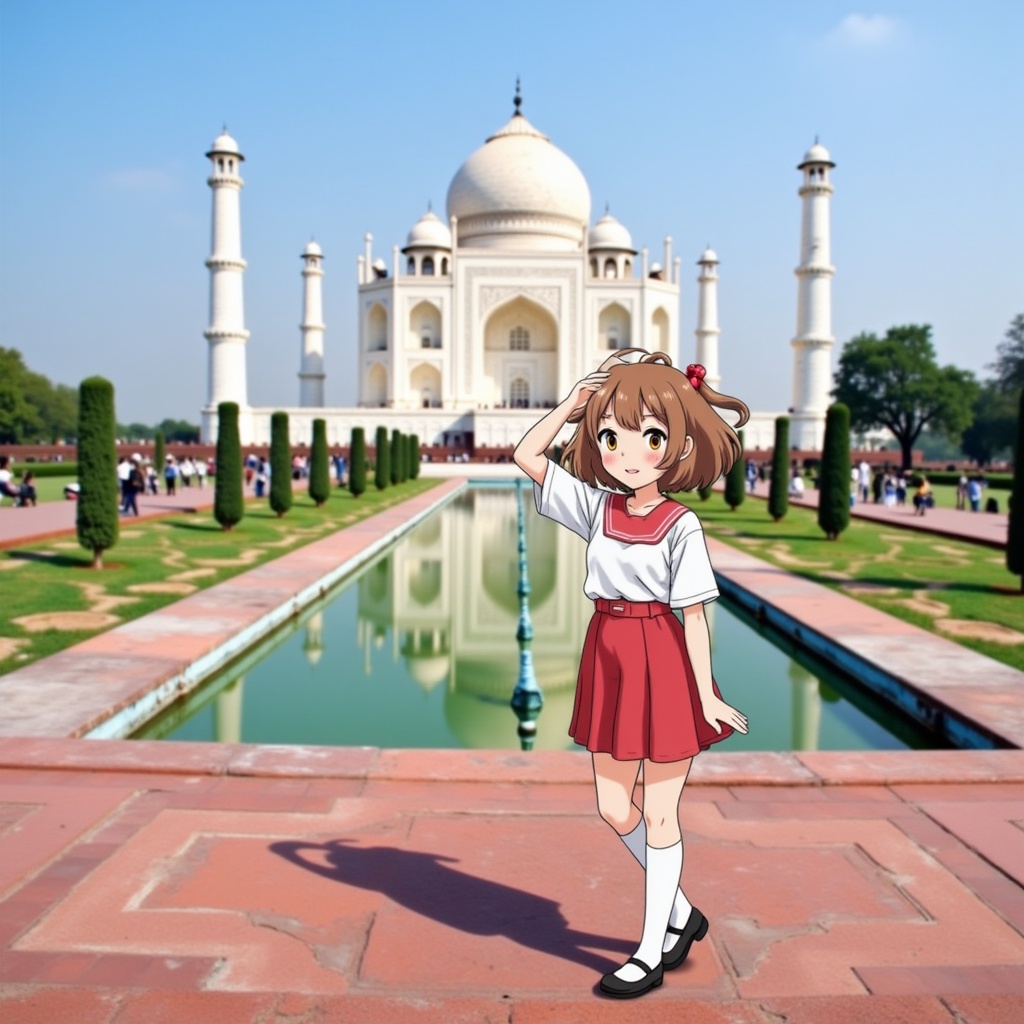
- Prompt
- A vivid photo of a 2D illustrated anime girl posing for a photo in front of the taj mahal. The photo is a blend of illustration and reality, in the style of HLFILSTHLFPHTO

- Prompt
- A vivid photo of a 2D illustrated anime girl coding on her laptop, background of a library. The photo is a blend of illustration and reality, in the style of HLFILSTHLFPHTO

- Prompt
- A vivid photo of a 2D illustrated anime girl riding a bicycle, busy street, road signs. The photo is a blend of illustration and reality, in the style of HLFILSTHLFPHTO
Model description
Flux LoRA for creating composite images where a stylized character is placed in a realistic setting. To trigger the model, structure your prompt like this: *A vivid photo of an illustrated {character/subject} {rest of the details}.The photo is a blend of illustration and reality, in the style of HLFILSTHLFPHTO. Works best with character LoRAs and with characters flux already recognises. Find a sample comfyUI workflow in the Files & versions tab that works with alvdansen/linnea_beta character LoRA. You can also try the workflow very easily at https://glif.app/@bingbangboomlab/glifs/cm2px3rwd000pa679u6lacx7l
 |
When using the workflow locally, download linnea_by_araminta_k_beta.safetensors from https://huggingface.co/alvdansen/linnea_beta/tree/main and both HLFILSTHLFPHTO_000001500.safetensors and HLFILSTHLFPHTO_000002500.safetensors from Files & versions tab of this repo.
Download model
Weights for this model are available in Safetensors format.
Download them in the Files & versions tab.
Training at Glif
Model trained with AI Toolkit by Ostris under the Glif Loradex program by Glif
- Downloads last month
- 94
Model tree for bingbangboom/flux-mixReality
Base model
black-forest-labs/FLUX.1-dev