
Buckets:


| # Quick Start | |
| In this guide you'll deploy a production ready AI model using Inference Endpoints in only a few minutes. | |
| Make sure you've been able to log into the [Inference Endpoints UI](https://endpoints.huggingface.co) with your Hugging Face account, and that you have a payment | |
| method setup. If not, it's a quick add of valid payment method in your [billing settings](https://huggingface.co/settings/billing). | |
| ## Create your endpoint | |
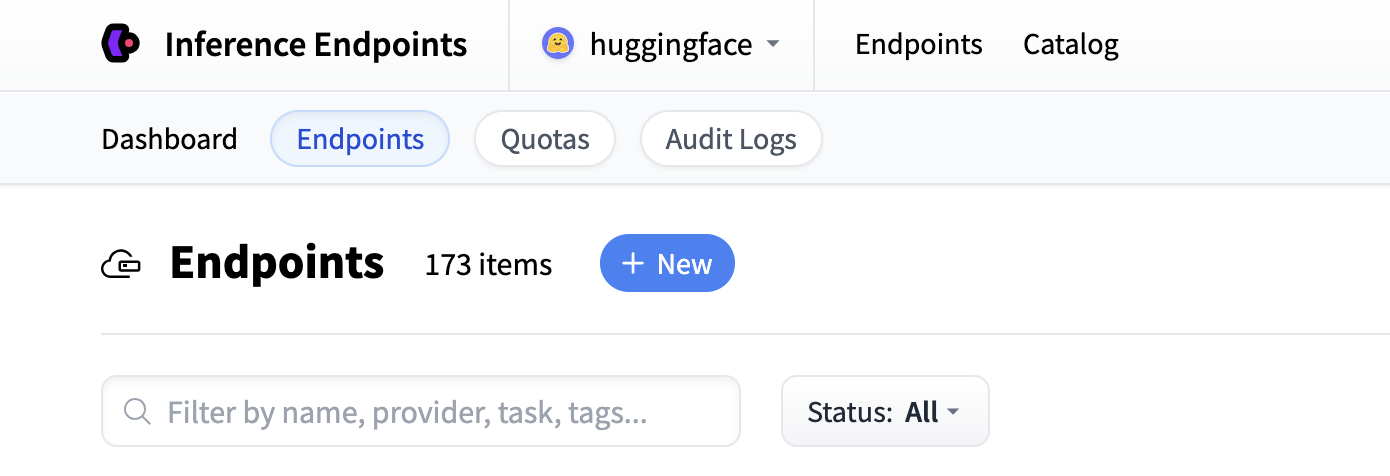
| Start by navigating to the Inference Endpoints UI, and once you're logged in, you should see a button for creating a new Inference | |
| Endpoint. Click the "New" button. | |
|  | |
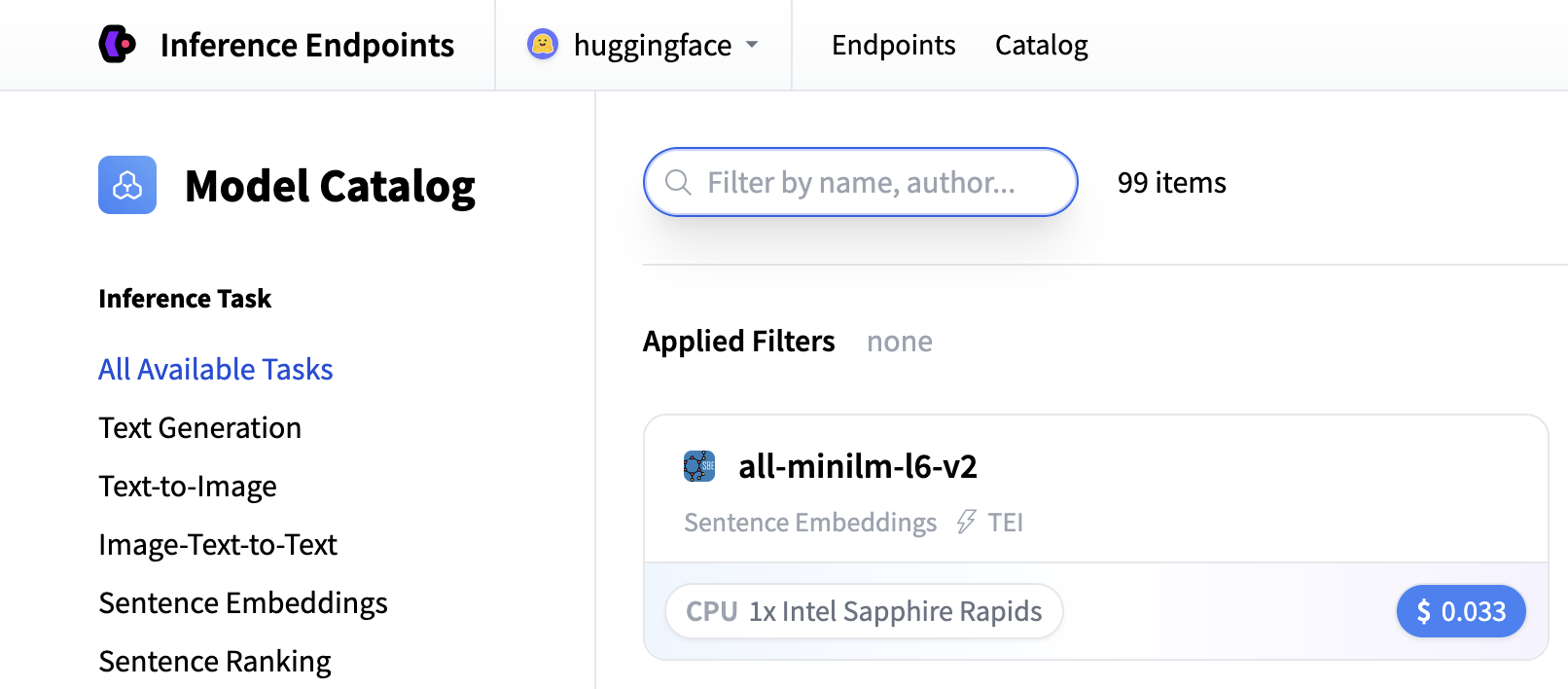
| From there you'll be directed to the catalog. The Model Catalog consists of popular models which have tuned configurations to work in one-click | |
| deploys. You can filter by name, task, hardware price, and much more. | |
|  | |
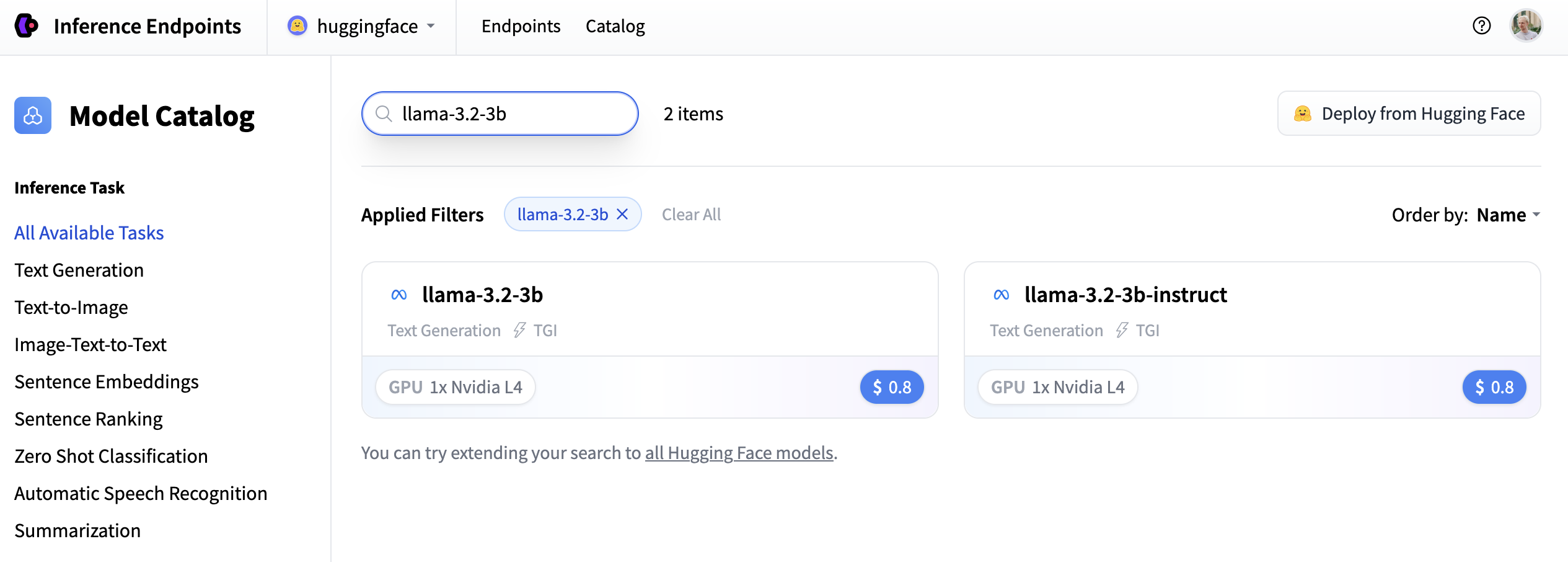
| In this example let's deploy the [meta-llama/Llama-3.2-3B-Instruct](https://huggingface.co/meta-llama/Llama-3.2-3B-Instruct) model. You can find | |
| it by searching for `llama-3.2-3b` in the search field and deploy it by clicking the card. | |
|  | |
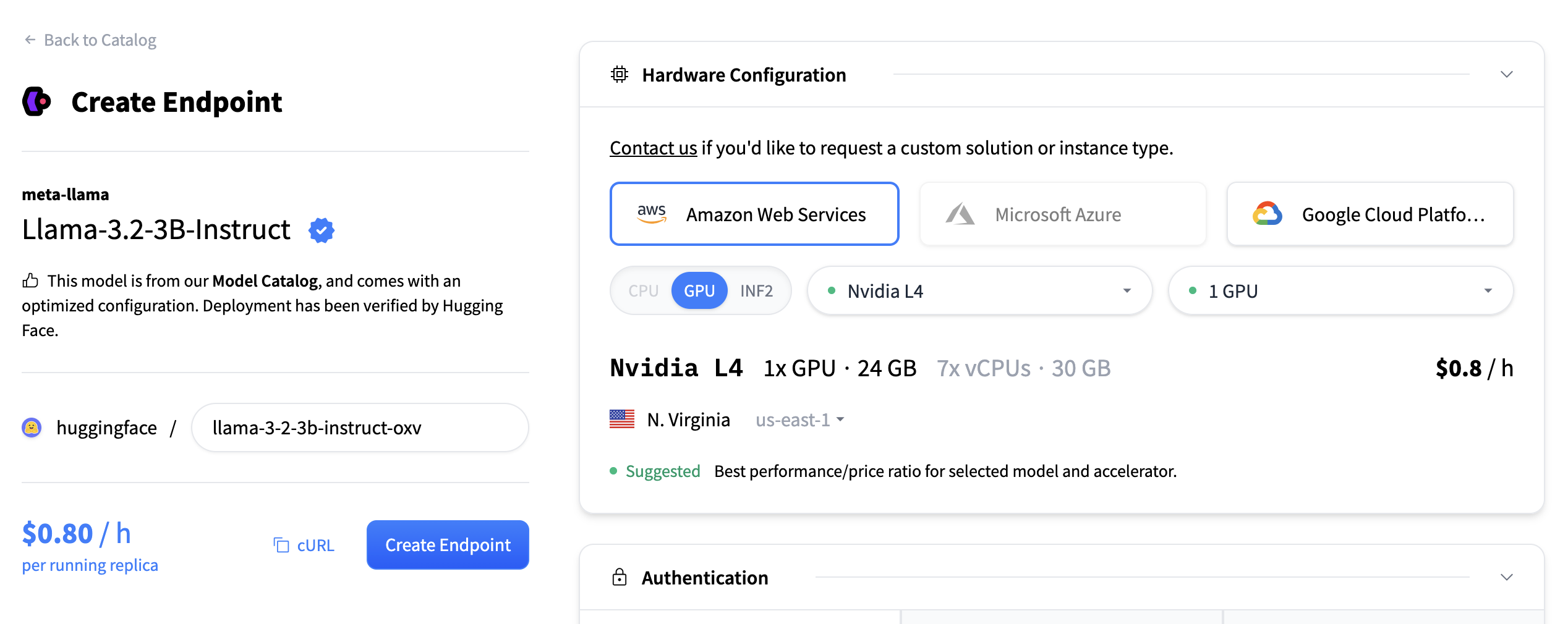
| Next we'll choose which hardware and deployment settings we'll go for. Since this is a catalog model, all of the pre-selected options are very good | |
| defaults. So in this case we don't need to change anything. In case you want a deeper dive on what the different settings mean you can check out | |
| the [configuration guide](./guides/configuration). | |
| For this model the Nvidia L4 is the recommended choice. It will be perfect for our testing. Performant but still reasonably priced. Also note that by | |
| default the endpoint will scale down to zero, meaning it will become idle after 1h of inactivity. | |
| Now all you need to do is click click "Create Endpoint" 🚀 | |
|  | |
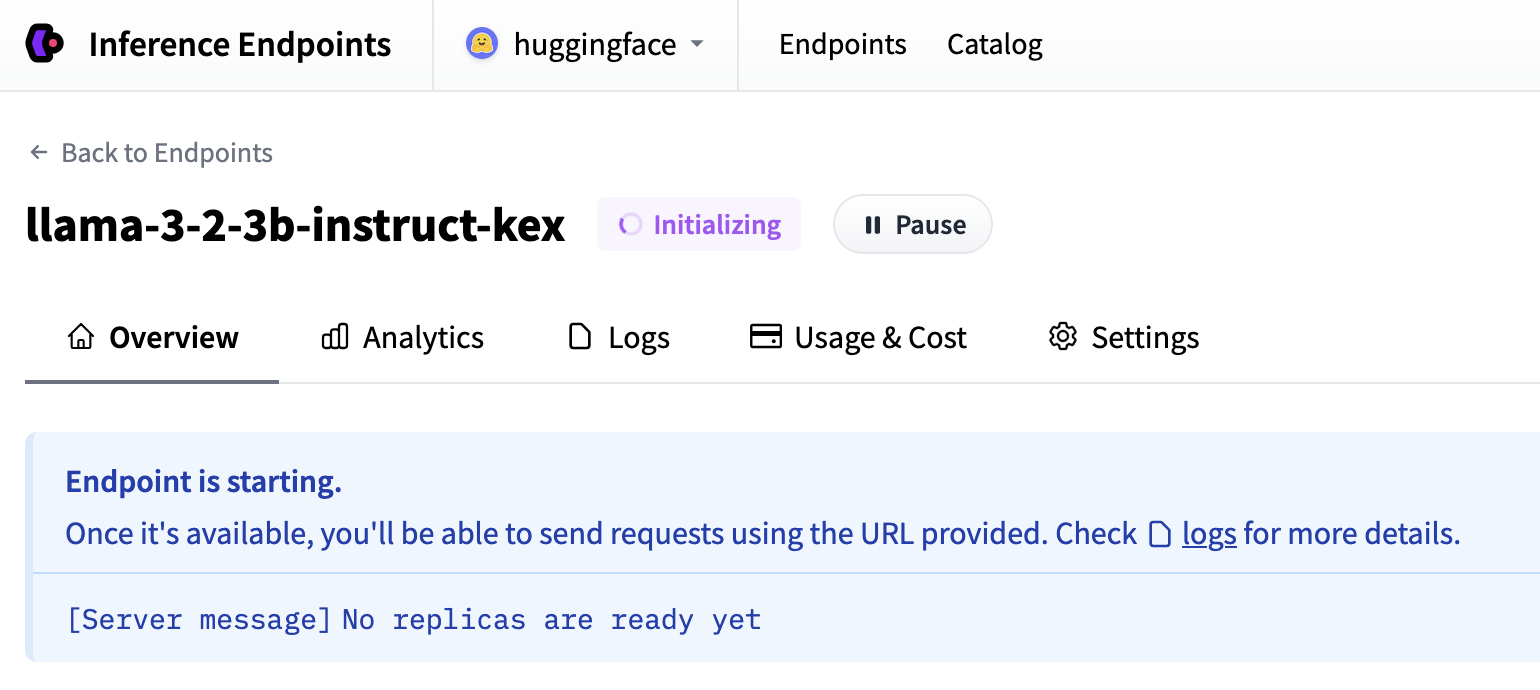
| Now our Inference Endpoint is initializing, which usually takes about 3-5 minutes. If you want to can allow browser notifications which will give you a | |
| ping once the endpoint reaches a running state. | |
|  | |
| ## Test your Inference Endpoint | |
| And then once everything is up and running you'll be able to see the: | |
| - **Endpoint URL**: this is what you use to call your endpoint and send requests to it | |
| - **Playground**: a small visual way of quickly testing that the model works | |
| 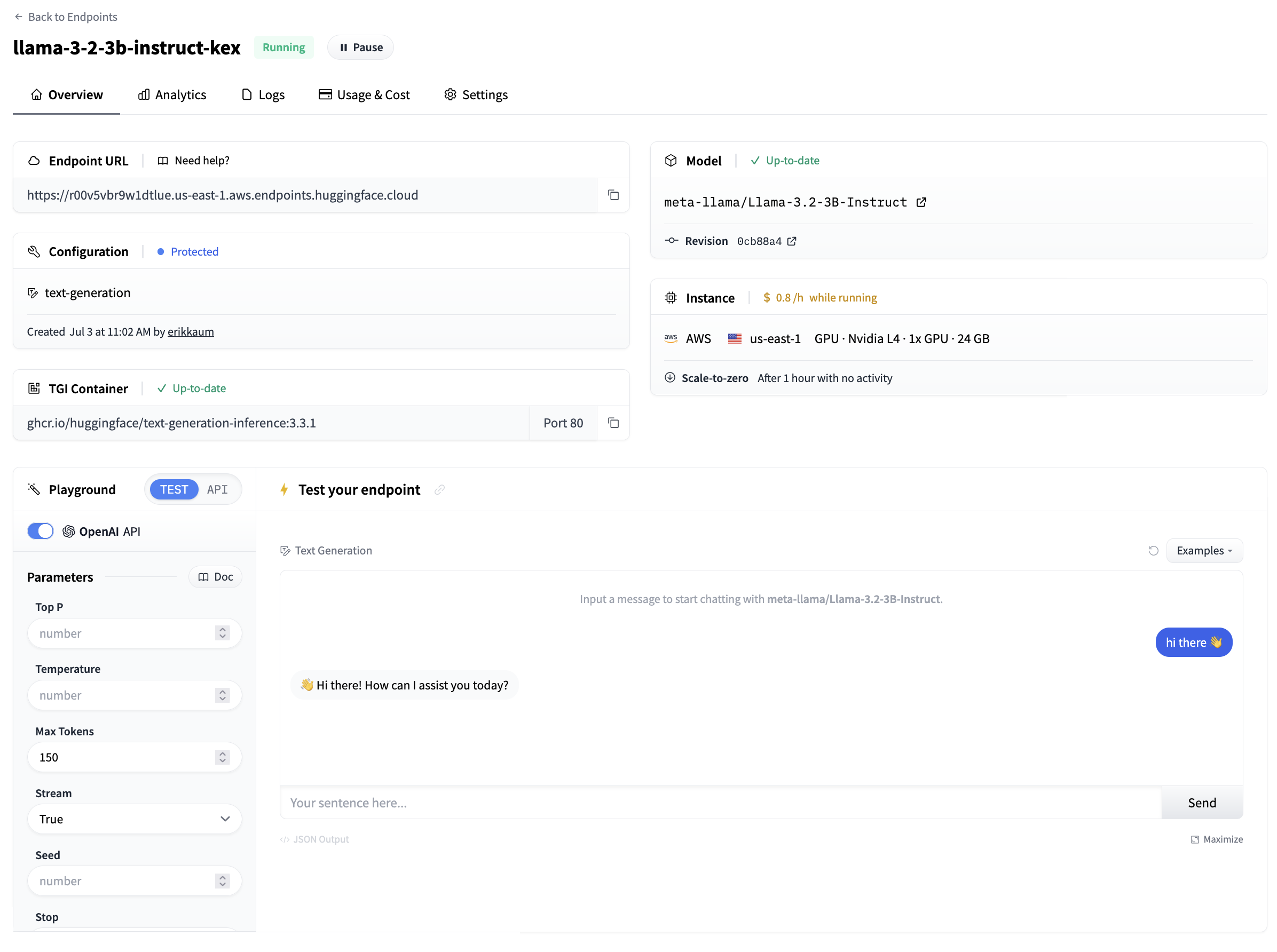 | |
| From the side of the playground you can also copy + paste a code snippet for calling the model. By clicking "App Tokens" you'll be directed to Hugging Face | |
| to configure an access token to be able to call the model. By default, all Inference Endpoints are created as private which require authentication and | |
| all data is encryped in transit using TLS/SSL. | |
| Congratulations, you just deployed a production ready AI model in Inference Endpoints 🔥 | |
| Once you're happy with the testing you can pause the Inference Endpoint, delete it. Or if you let it be, it will scale to zero after 1 hour. | |
| <EditOnGithub source="https://github.com/huggingface/hf-endpoints-documentation/blob/main/docs/source/quick_start.md" /> |
Xet Storage Details
- Size:
- 3.63 kB
- Xet hash:
- ffb4092a4c323f7a23497a53727270d4818cd7b7c0d15f6ec56b4de8d27f806a
·
Xet efficiently stores files, intelligently splitting them into unique chunks and accelerating uploads and downloads. More info.