

higgs-gguf
- run it with
gguf-connector; simply execute the command below in console/terminal
ggc h6
GGUF file(s) available. Select which one to use:
- higgs-audio-3b-q5_1.gguf
- higgs-audio-3b-q6_k.gguf
- higgs-audio-3b-q8_0.gguf
Enter your choice (1 to 3): _
- opt a
gguffile in your current directory to interact with; nothing else
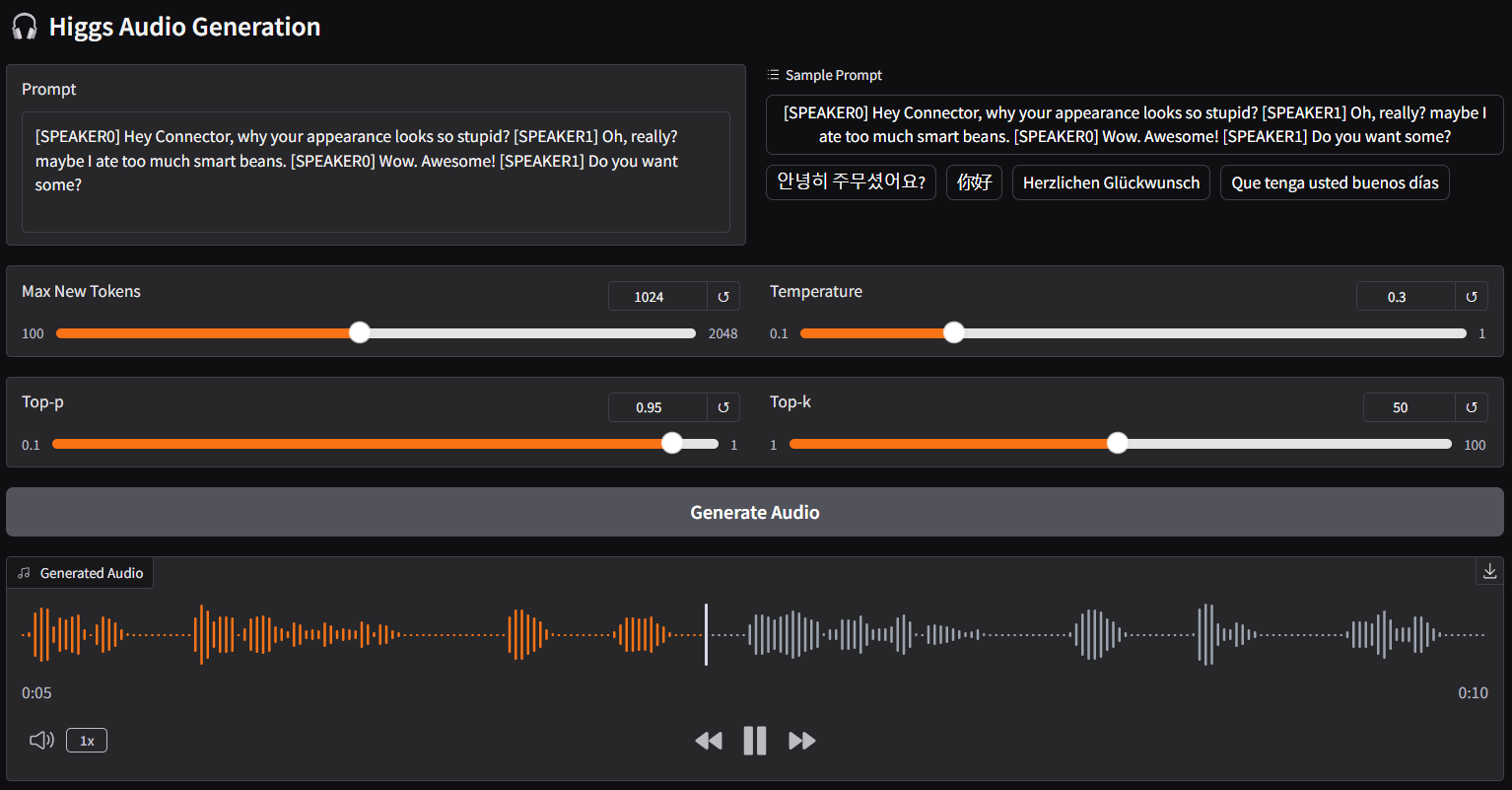
| Prompt | Audio Sample |
|---|---|
[SPEAKER0] Hey Connector, why your appearance looks so stupid?[SPEAKER1] Oh, really? maybe I ate too much smart beans.[SPEAKER0] Wow. Awesome![SPEAKER1] Do you want some? |
🎧 audio-1-english |
안녕히 주무셨어요? |
🎧 audio-2-korean |
你好 |
🎧 audio-3-chinese |
Herzlichen Glückwunsch |
🎧 audio-4-german |
Que tenga usted buenos días |
🎧 audio-5-spanish |
こんにちは |
🎧 audio-6-japanese |
connector h2 (alternative)
ggc h2
- note: differ from
ggc h6, forggc h2, you don't need gguf files; model file(s) will be pulled to local cache automatically during the first launch; then opt to run it entirely offline; i.e., from local URL: http://127.0.0.1:7860 with lazy webui - as higgs audio model is very sensitive to quant type loss; would recommend to pick higher tier quants, i.e., q6, q8, etc. of course, you could test them one by one and pick the one suits you
- one more thing, you might need to downgrade tranformers to 4.46.3 since transformers.models.llama.modeling_llama was removed from the new version but higgs need it to encode text; just remember to revert it back if you need the updated transformers for other models
reference
- Downloads last month
- 518
Hardware compatibility
Log In to add your hardware
1-bit
2-bit
3-bit
4-bit
5-bit
6-bit
8-bit
16-bit
32-bit
Model tree for calcuis/higgs-gguf
Base model
bosonai/higgs-tts-2-3b-base