

| <div align="center"> | |
| <img alt="Logo" src="https://raw.githubusercontent.com/bchiang7/v4/main/src/images/logo.png" width="100" /> | |
| </div> | |
| <h1 align="center"> | |
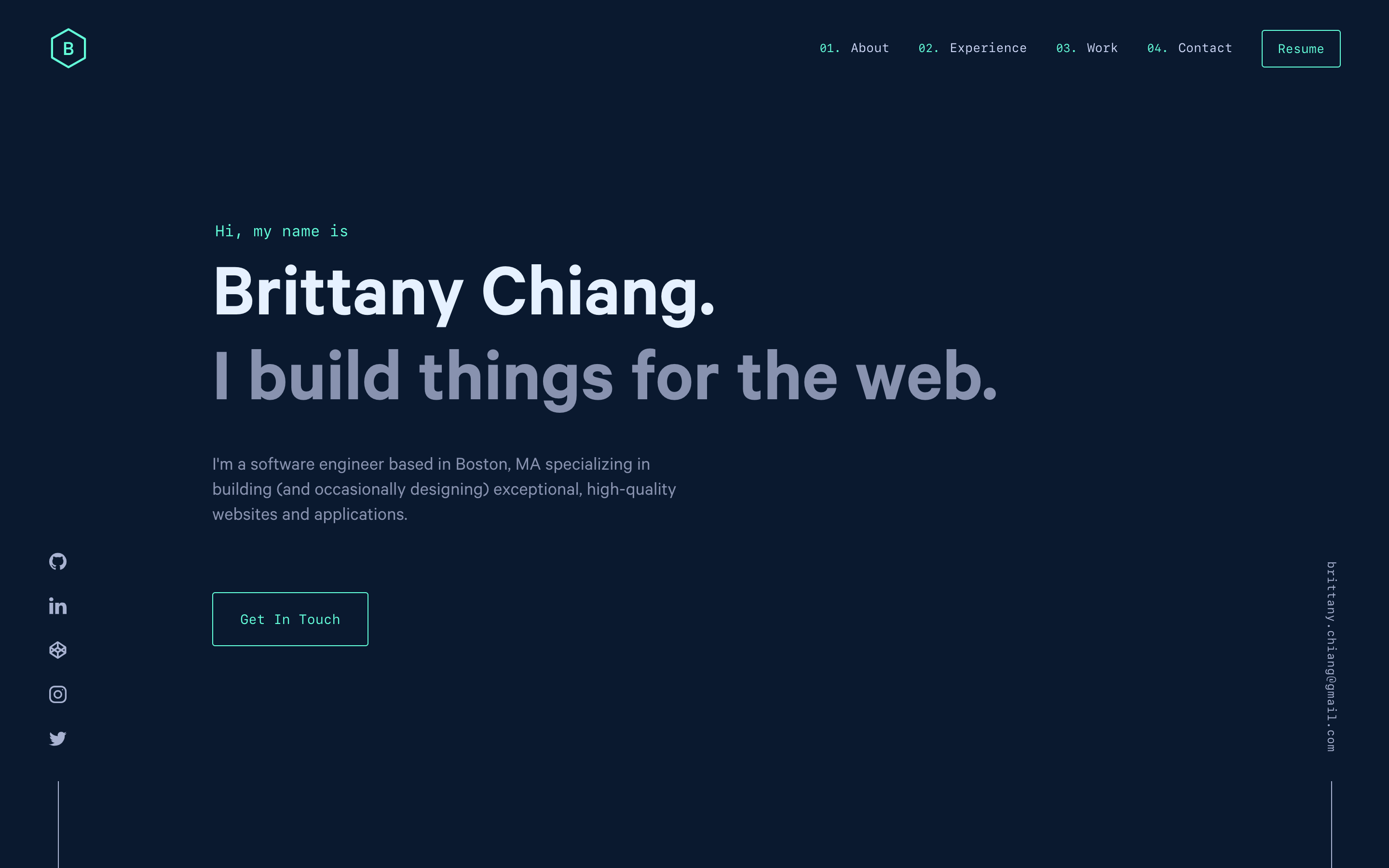
| brittanychiang.com - v4 | |
| </h1> | |
| <p align="center"> | |
| The fourth iteration of <a href="https://brittanychiang.com" target="_blank">brittanychiang.com</a> built with <a href="https://www.gatsbyjs.org/" target="_blank">Gatsby</a> and hosted with <a href="https://www.netlify.com/" target="_blank">Netlify</a> | |
| </p> | |
| <p align="center"> | |
| Previous iterations: | |
| <a href="https://github.com/bchiang7/v1" target="_blank">v1</a>, | |
| <a href="https://github.com/bchiang7/v2" target="_blank">v2</a>, | |
| <a href="https://github.com/bchiang7/bchiang7.github.io" target="_blank">v3</a> | |
| </p> | |
| <p align="center"> | |
| <a href="https://app.netlify.com/sites/brittanychiang/deploys" target="_blank"> | |
| <img src="https://api.netlify.com/api/v1/badges/1963b488-7b78-48c9-9e2d-6fb5e47ab3af/deploy-status" alt="Netlify Status" /> | |
| </a> | |
| </p> | |
|  | |
| ## 🚨 Forking this repo (please read!) | |
| Many people have contacted me asking me if they can use this code for their own website, and the answer to that question is usually **yes, with attribution**. | |
| I value keeping my site open source, but as you all know, _**plagiarism is bad**_. It's always disheartening whenever I find that someone has copied my site without giving me credit. I spent a non-trivial amount of effort building and designing this iteration of my website, and I am proud of it! All I ask of you all is to not claim this effort as your own. | |
| Please also note that I did not build this site with the intention of it being a starter theme, so if you have questions about implementation, please refer to the [Gatsby docs](https://www.gatsbyjs.org/docs/). | |
| ### TL;DR | |
| Yes, you can fork this repo. Please give me proper credit by linking back to [brittanychiang.com](https://brittanychiang.com). Thanks! | |
| ## 🛠 Installation & Set Up | |
| 1. Install the Gatsby CLI | |
| ```sh | |
| npm install -g gatsby-cli | |
| ``` | |
| 2. Install and use the correct version of Node using [NVM](https://github.com/nvm-sh/nvm) | |
| ```sh | |
| nvm install | |
| ``` | |
| 3. Install dependencies | |
| ```sh | |
| yarn | |
| ``` | |
| 4. Start the development server | |
| ```sh | |
| npm start | |
| ``` | |
| ## 🚀 Building and Running for Production | |
| 1. Generate a full static production build | |
| ```sh | |
| npm run build | |
| ``` | |
| 1. Preview the site as it will appear once deployed | |
| ```sh | |
| npm run serve | |
| ``` | |
| ## 🎨 Color Reference | |
| | Color | Hex | | |
| | -------------- | ------------------------------------------------------------------ | | |
| | Navy |  `#0a192f` | | |
| | Light Navy |  `#112240` | | |
| | Lightest Navy |  `#233554` | | |
| | Slate |  `#8892b0` | | |
| | Light Slate |  `#a8b2d1` | | |
| | Lightest Slate |  `#ccd6f6` | | |
| | White |  `#e6f1ff` | | |
| | Green |  `#64ffda` | | |