

Troubleshooting
Building
This section lists known problems you can encounter while building the project.
If you have a problem when running yarn or yarn start - this is the proper section to look for a solution.
EMFILE - too many open files
Examples of this error message can look like:
Error: EMFILE, too many open files or Module build failed: Error: EMFILE
This issue can sometimes occur on OSX. It is caused by build system trying to open many files at once. On OSX, the limit of files open at the same time is pretty low and while compiling, webpack can reach this limit.
Solution
sudo ulimit -n 16384
This will bump your limit to 16384 files. There is also a more permanent solution described here: http://docs.basho.com/riak/latest/ops/tuning/open-files-limit/#Mac-OS-X
Depending on your version of OS X (10.10.4 Yosemite), you may also encounter the following error:
-bash: ulimit: open files: cannot modify limit: Invalid argument
If that's the case, you can work around this by running
sudo launchctl limit maxfiles 65536
This command will temporarily (until your next system reboot) change the maximum number of files you're allowed to set with commands like ulimit. After running this command, try running the ulimit command again.
ENOSPC - max number of user watches exceeded
Examples of this error message can look like:
webpack building...
63% building modules 458/517 modules 59 active .../auth-code-request-store/constants.jsError: watch
client/state/data-layer/wpcom/read/site/post-email-subscriptions/new/test ENOSPC
Build system observes files for modification using inotify. By default on some systems the inotify limit is set below to what is actually needed to run Calypso. For example on some Ubuntu distributions it is set to 8192. When this limit is excided the build crashes.
Solution
Solution is provided for Ubuntu. For other distributions please check how to change inotify limit in that distribution documentation.
To observe number of inotify limit:
$ cat /proc/sys/fs/inotify/max_user_watches
To permanently change inotify limit ( Ubuntu and similar only ):
$ echo fs.inotify.max_user_watches=524288 | sudo tee -a /etc/sysctl.conf
$ sudo sysctl -p
Run as administrator
Sometimes, usually during the first build, you can see a message similar to Please try running again as an administrator.
Just run
sudo yarn start
Command failed with exit code 127
Sometimes, usually during the first build, you see an error message similar to:
error Command failed with exit code 127.
info Visit https://yarnpkg.com/en/docs/cli/run for documentation about this command
Run yarn before running yarn start.
Other build problems - try to clean the build
Sometimes, especially while switching branches, previous build leaves some artifacts in your directory.
This can cause problems with the next build. Simply re-runnning yarn start doesn't always clean it up.
To clean up directory, just run:
yarn run distclean
Running
When you open http://calypso.localhost:3000 in your browser and you encounter problems, this is the proper section to look for answers.
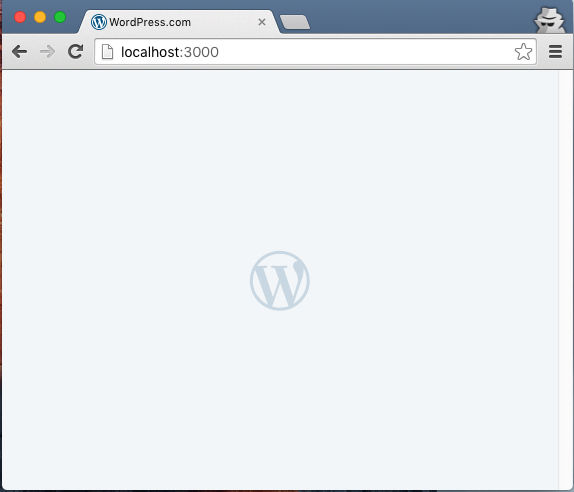
I can see only big W logo!
It runs, but I'm not seeing any of my changes
Webpack may be having issues with watching - see their documentation on troubleshooting watching.
Domain other than calypso.localhost
Please remember to access Calypso via http://calypso.localhost:3000
Any other URL will not work.
JavaScript off
Calypso requires JavaScript to function. Please enable it in your browser.
I still have problems!
We suggest you open your browser dev tools and look to see if there is a JavaScript error preventing code execution.
An active access token must be used to query information about the current user

Please remember you need to log in to https://wordpress.com/login first to save a proper cookie in your browser.