Instructions to use doohickey/doodad-v1-2 with libraries, inference providers, notebooks, and local apps. Follow these links to get started.
- Libraries
- Diffusers
How to use doohickey/doodad-v1-2 with Diffusers:
pip install -U diffusers transformers accelerate
import torch from diffusers import DiffusionPipeline # switch to "mps" for apple devices pipe = DiffusionPipeline.from_pretrained("doohickey/doodad-v1-2", dtype=torch.bfloat16, device_map="cuda") prompt = "Astronaut in a jungle, cold color palette, muted colors, detailed, 8k" image = pipe(prompt).images[0] - Notebooks
- Google Colab
- Kaggle
- Local Apps
- Draw Things
- DiffusionBee
Doodad
This is the 1st part of a 2 (3?) part project meant to be used with Doohickey
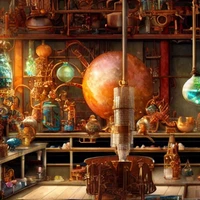
The style was trained with Dreambooth-Stable and is used with "". Tt mixes especially well with the style included in Doohickey. It's a finetuned version of the Trinart-Waifu-diffusion-50-50 included in this organization's models and was trained on 48 images from the author's (crumb's) Pinterest feed.
| Parameter | Value |
|---|---|
| resolution | 512 |
| train_batch_size | 1 |
| gradient_accumulation_steps | 2 |
| learning_rate | 5e-6 |
| num_class_images | 120 |
| max_train_steps | 1200 |
Example outputs:
- Downloads last month
- 4