
import torch
from diffusers import DiffusionPipeline

# switch to "mps" for apple devices
pipe = DiffusionPipeline.from_pretrained("drbaph/HiDream-O1-Image-Dev-2604-FP8", dtype=torch.bfloat16, device_map="cuda")

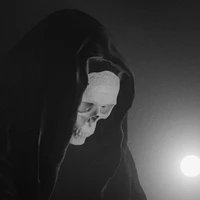
prompt = "Astronaut in a jungle, cold color palette, muted colors, detailed, 8k"
image = pipe(prompt).images[0]HiDream-O1-Image-Dev-2604 — FP8 Mixed (ComfyUI)
This is the FP8 mixed-precision quantization of HiDream-ai/HiDream-O1-Image-Dev-2604 — the updated distilled Dev variant of HiDream-O1-Image released May 13, 2026 — for use with ComfyUI. At only ~10 GB VRAM and 28 steps, this is the most accessible way to run the latest HiDream O1 Dev update locally. 9B parameters.
⚠️ PyTorch 2.9.x is not recommended — known compatibility issues exist. Use 2.8.x or earlier.
⚠️ Editing note: For instruction-based image editing tasks, the upstream team recommends using the full model instead of Dev.
Custom ComfyUI Node: Saganaki22/HiDream_O1-ComfyUI
What's New in Dev-2604
- Accelerated IP inference — faster subject-driven personalization
- Layout conditioning — place subjects at specific bounding box regions
- Skeleton conditioning — OpenPose-based pose control for try-on and character workflows
- Updated editing scheduler — improved Dev editing behaviour
Dev vs Full — Key Differences
| Full Model | Dev-2604 (this repo) | |
|---|---|---|
| Parameters | 9B | 9B |
| Inference Steps | 50 | 28 |
| Guidance Scale (CFG) | 5.0 | 0.0 (disabled) |
| Shift | 3.0 | 1.0 |
| Scheduler | FlowUniPCMultistepScheduler | FlashFlowMatchEulerDiscreteScheduler |
| Speed | Slower, more detail | ~2× faster |
CFG is disabled in Dev mode — negative prompts have no effect.
VRAM Requirements
| Precision | Approximate VRAM |
|---|---|
| BF16 | 17 – 20 GB |
| FP16 | 17 – 20 GB |
| FP8 Mixed (this repo) | ~10 GB |
This is the recommended variant for GPUs with less than 16 GB VRAM. Combined with the Dev model's 28-step schedule, it is the lowest-cost way to run HiDream O1 Dev-2604 — roughly 2× faster and half the VRAM of the full BF16 model.
What is FP8 Mixed? Weights are stored in
float8_e4m3fn. Sensitive layers (norms, embeddings, output heads) retain higher precision for stability. On RTX 40xx / H100 (Hopper/Ada), FP8 compute is hardware-accelerated. On older GPUs, weights dequantize on-the-fly — still saving VRAM, with a small speed penalty. Do not setconfig.jsondtype tofloat8_e4m3fn; keep it asbfloat16— the node detects FP8 from the safetensors tensors directly.
Quick Start — ComfyUI
1. Install the Custom Node
cd ComfyUI/custom_nodes
git clone https://github.com/Saganaki22/HiDream_O1-ComfyUI.git
cd HiDream_O1-ComfyUI
python -m pip install -r requirements.txt
Or search for HiDream O1 in ComfyUI Manager.
Suggested transformers version: 4.57.1 – 5.3 (newer versions may break compatibility).
2. Download the Weights
Download the entire model folder (all files, not just the safetensors) and place it in ComfyUI/models/diffusion_models/:
huggingface-cli download drbaph/HiDream-O1-Image-Dev-2604-FP8 \
    --local-dir ComfyUI/models/diffusion_models/HiDream-O1-Image-Dev-2604-fp8
The folder must contain the full Hugging Face support files alongside the weights:
config.json, chat_template.json, generation_config.json, preprocessor_config.json, tokenizer.json, tokenizer_config.json, vocab.json, merges.txt, model.safetensors
3. Load in ComfyUI
Use the workflow provided in the custom node repository. The loader will detect dev in the folder name and automatically apply Dev settings (28 steps, no CFG, Euler scheduler). Point the model loader to HiDream-O1-Image-Dev-2604-fp8.
For the fastest inference on supported hardware, set precision to fp8_e4m3fn_fast in the model loader node.
About HiDream-O1-Image
HiDream-O1-Image is a natively unified image generative foundation model built on a Pixel-level Unified Transformer (UiT) — no external VAEs, no disjoint text encoders. It encodes raw pixels, text, and task-specific conditions in a single shared token space, supporting:
- Text-to-image generation up to 2,048 × 2,048
- Instruction-based image editing (full model recommended)
- Subject-driven personalization with layout and skeleton conditioning
- Long-text and multilingual text rendering
It debuted at #8 in the Artificial Analysis Text to Image Arena (2026-05-05).
Key Features
- 🧬 Pixel-Level Unified Transformer — end-to-end on raw pixels, no VAE, no disjoint text encoder
- 🎨 One Model, Many Tasks — T2I, editing, personalization, layout, skeleton, storyboard
- ⚡ 28-Step Distilled Dev — ~2× faster than the full model
- 💾 FP8 Quantized — ~half the VRAM of full-precision variants
- 🖼️ Native High Resolution — direct synthesis up to 2,048 × 2,048
- 🧍 Skeleton & Layout Conditioning — OpenPose control and bounding-box subject placement
All Model Variants
Full Model
| Repo | Precision | VRAM | Steps |
|---|---|---|---|
| drbaph/HiDream-O1-Image-BF16 | BF16 | 17–20 GB | 50 |
| drbaph/HiDream-O1-Image-FP16 | FP16 | 17–20 GB | 50 |
| drbaph/HiDream-O1-Image-FP8 | FP8 Mixed | ~10 GB | 50 |
Dev Model (original)
| Repo | Precision | VRAM | Steps |
|---|---|---|---|
| drbaph/HiDream-O1-Image-Dev-BF16 | BF16 | 17–20 GB | 28 |
| drbaph/HiDream-O1-Image-Dev-FP16 | FP16 | 17–20 GB | 28 |
| drbaph/HiDream-O1-Image-Dev-FP8 | FP8 Mixed | ~10 GB | 28 |
Dev-2604 Model (updated, this series)
| Repo | Precision | VRAM | Steps |
|---|---|---|---|
| drbaph/HiDream-O1-Image-Dev-2604-BF16 | BF16 | 17–20 GB | 28 |
| drbaph/HiDream-O1-Image-Dev-2604-FP16 | FP16 | 17–20 GB | 28 |
| drbaph/HiDream-O1-Image-Dev-2604-FP8 (this repo) | FP8 Mixed | ~10 GB | 28 |
License
The original HiDream-O1-Image model and code are released under the MIT License. This FP8 quantization inherits the same license.
Links
- 🔗 Original Dev-2604 model: HiDream-ai/HiDream-O1-Image-Dev-2604
- 🔗 Original Full model: HiDream-ai/HiDream-O1-Image
- 🔧 ComfyUI node: Saganaki22/HiDream_O1-ComfyUI
- 📑 Technical report: HiDream-O1-Image.pdf
- 🤗 Online demo: HiDream-O1-Image-Dev Space
- Downloads last month
- 391