Instructions to use duyntnet/OpenOrcaxOpenChat-Preview2-13B-imatrix-GGUF with libraries, inference providers, notebooks, and local apps. Follow these links to get started.
- Libraries
- Transformers
How to use duyntnet/OpenOrcaxOpenChat-Preview2-13B-imatrix-GGUF with Transformers:
# Use a pipeline as a high-level helper from transformers import pipeline pipe = pipeline("text-generation", model="duyntnet/OpenOrcaxOpenChat-Preview2-13B-imatrix-GGUF")# Load model directly from transformers import AutoModel model = AutoModel.from_pretrained("duyntnet/OpenOrcaxOpenChat-Preview2-13B-imatrix-GGUF", device_map="auto") - Notebooks
- Google Colab
- Kaggle
- Local Apps Settings
- llama.cpp
How to use duyntnet/OpenOrcaxOpenChat-Preview2-13B-imatrix-GGUF with llama.cpp:
Install (macOS, Linux)
curl -LsSf https://llama.app/install.sh | sh # Start a local OpenAI-compatible server with a web UI: llama serve -hf duyntnet/OpenOrcaxOpenChat-Preview2-13B-imatrix-GGUF:Q4_K_M # Run inference directly in the terminal: llama cli -hf duyntnet/OpenOrcaxOpenChat-Preview2-13B-imatrix-GGUF:Q4_K_M
Install from WinGet (Windows)
winget install llama.cpp # Start a local OpenAI-compatible server with a web UI: llama serve -hf duyntnet/OpenOrcaxOpenChat-Preview2-13B-imatrix-GGUF:Q4_K_M # Run inference directly in the terminal: llama cli -hf duyntnet/OpenOrcaxOpenChat-Preview2-13B-imatrix-GGUF:Q4_K_M
Use pre-built binary
# Download pre-built binary from: # https://github.com/ggerganov/llama.cpp/releases # Start a local OpenAI-compatible server with a web UI: ./llama-server -hf duyntnet/OpenOrcaxOpenChat-Preview2-13B-imatrix-GGUF:Q4_K_M # Run inference directly in the terminal: ./llama-cli -hf duyntnet/OpenOrcaxOpenChat-Preview2-13B-imatrix-GGUF:Q4_K_M
Build from source code
git clone https://github.com/ggerganov/llama.cpp.git cd llama.cpp cmake -B build cmake --build build -j --target llama-server llama-cli # Start a local OpenAI-compatible server with a web UI: ./build/bin/llama-server -hf duyntnet/OpenOrcaxOpenChat-Preview2-13B-imatrix-GGUF:Q4_K_M # Run inference directly in the terminal: ./build/bin/llama-cli -hf duyntnet/OpenOrcaxOpenChat-Preview2-13B-imatrix-GGUF:Q4_K_M
Use Docker
docker model run hf.co/duyntnet/OpenOrcaxOpenChat-Preview2-13B-imatrix-GGUF:Q4_K_M
- LM Studio
- Jan
- vLLM
How to use duyntnet/OpenOrcaxOpenChat-Preview2-13B-imatrix-GGUF with vLLM:
Install from pip and serve model
# Install vLLM from pip: pip install vllm # Start the vLLM server: vllm serve "duyntnet/OpenOrcaxOpenChat-Preview2-13B-imatrix-GGUF" # Call the server using curl (OpenAI-compatible API): curl -X POST "http://localhost:8000/v1/completions" \ -H "Content-Type: application/json" \ --data '{ "model": "duyntnet/OpenOrcaxOpenChat-Preview2-13B-imatrix-GGUF", "prompt": "Once upon a time,", "max_tokens": 512, "temperature": 0.5 }'Use Docker
docker model run hf.co/duyntnet/OpenOrcaxOpenChat-Preview2-13B-imatrix-GGUF:Q4_K_M
- SGLang
How to use duyntnet/OpenOrcaxOpenChat-Preview2-13B-imatrix-GGUF with SGLang:
Install from pip and serve model
# Install SGLang from pip: pip install sglang # Start the SGLang server: python3 -m sglang.launch_server \ --model-path "duyntnet/OpenOrcaxOpenChat-Preview2-13B-imatrix-GGUF" \ --host 0.0.0.0 \ --port 30000 # Call the server using curl (OpenAI-compatible API): curl -X POST "http://localhost:30000/v1/completions" \ -H "Content-Type: application/json" \ --data '{ "model": "duyntnet/OpenOrcaxOpenChat-Preview2-13B-imatrix-GGUF", "prompt": "Once upon a time,", "max_tokens": 512, "temperature": 0.5 }'Use Docker images
docker run --gpus all \ --shm-size 32g \ -p 30000:30000 \ -v ~/.cache/huggingface:/root/.cache/huggingface \ --env "HF_TOKEN=<secret>" \ --ipc=host \ lmsysorg/sglang:latest \ python3 -m sglang.launch_server \ --model-path "duyntnet/OpenOrcaxOpenChat-Preview2-13B-imatrix-GGUF" \ --host 0.0.0.0 \ --port 30000 # Call the server using curl (OpenAI-compatible API): curl -X POST "http://localhost:30000/v1/completions" \ -H "Content-Type: application/json" \ --data '{ "model": "duyntnet/OpenOrcaxOpenChat-Preview2-13B-imatrix-GGUF", "prompt": "Once upon a time,", "max_tokens": 512, "temperature": 0.5 }' - Ollama
How to use duyntnet/OpenOrcaxOpenChat-Preview2-13B-imatrix-GGUF with Ollama:
ollama run hf.co/duyntnet/OpenOrcaxOpenChat-Preview2-13B-imatrix-GGUF:Q4_K_M
- Unsloth Studio
How to use duyntnet/OpenOrcaxOpenChat-Preview2-13B-imatrix-GGUF with Unsloth Studio:
Install Unsloth Studio (macOS, Linux, WSL)
curl -fsSL https://unsloth.ai/install.sh | sh # Run unsloth studio unsloth studio -H 0.0.0.0 -p 8888 # Then open http://localhost:8888 in your browser # Search for duyntnet/OpenOrcaxOpenChat-Preview2-13B-imatrix-GGUF to start chatting
Install Unsloth Studio (Windows)
irm https://unsloth.ai/install.ps1 | iex # Run unsloth studio unsloth studio -H 0.0.0.0 -p 8888 # Then open http://localhost:8888 in your browser # Search for duyntnet/OpenOrcaxOpenChat-Preview2-13B-imatrix-GGUF to start chatting
Using HuggingFace Spaces for Unsloth
# No setup required # Open https://huggingface.co/spaces/unsloth/studio in your browser # Search for duyntnet/OpenOrcaxOpenChat-Preview2-13B-imatrix-GGUF to start chatting
- Docker Model Runner
How to use duyntnet/OpenOrcaxOpenChat-Preview2-13B-imatrix-GGUF with Docker Model Runner:
docker model run hf.co/duyntnet/OpenOrcaxOpenChat-Preview2-13B-imatrix-GGUF:Q4_K_M
- Lemonade
How to use duyntnet/OpenOrcaxOpenChat-Preview2-13B-imatrix-GGUF with Lemonade:
Pull the model
# Download Lemonade from https://lemonade-server.ai/ lemonade pull duyntnet/OpenOrcaxOpenChat-Preview2-13B-imatrix-GGUF:Q4_K_M
Run and chat with the model
lemonade run user.OpenOrcaxOpenChat-Preview2-13B-imatrix-GGUF-Q4_K_M
List all available models
lemonade list
- Atomic Chat
Quantizations of https://huggingface.co/Open-Orca/OpenOrcaxOpenChat-Preview2-13B
Inference Clients/UIs
From original readme
We have used our own OpenOrca dataset to fine-tune Llama2-13B using OpenChat packing. This dataset is our attempt to reproduce the dataset generated for Microsoft Research's Orca Paper.
This second preview release is trained on a curated filtered subset of most of our GPT-4 augmented data.
This release highlights that our dataset and training methods have surpassed performance parity with the Orca paper. We measured this with BigBench-Hard and AGIEval results with the same methods as used in the Orca paper, finding ~103% of original Orca's performance on average. As well, this is done with <1/10th the compute requirement and using <20% of the dataset size from the original Orca paper.
We have run extensive evaluations internally and expect this model to place number 1 on both the HuggingFaceH4 Open LLM Leaderboard and the GPT4ALL Leaderboard for 13B models.
"One" of OpenChat has joined our team, and we'd like to provide special thanks for their training of this model! We have utilized OpenChat MultiPack algorithm which achieves 99.85% bin-packing efficiency on our dataset. This has significantly reduced training time, with efficiency improvement of 3-10X over traditional methods.

Want to visualize our full (pre-filtering) dataset? Check out our Nomic Atlas Map.
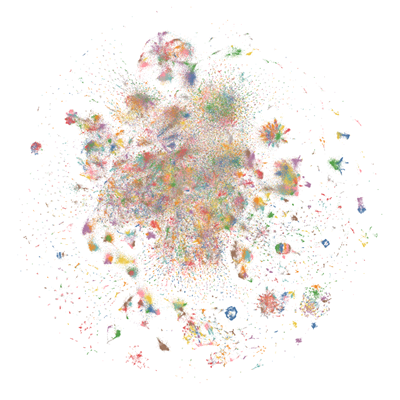
We are in-process with training more models, so keep a look out on our org for releases coming soon with exciting partners.
We will also give sneak-peak announcements on our Discord, which you can find here:
Prompt Template
We use our own prompt template which we call "OpenChat Llama2 V1".
The model is heavily conditioned to work using this format only and will likely encounter issues such as run-on output which emulates a chat between a user and assistant if this format is not properly followed.
Examples:
# Single-turn `OpenChat Llama2 V1`
tokenize("You are OpenOrcaChat.<|end_of_turn|>User: Hello<|end_of_turn|>Assistant:")
# [1, 887, 526, 4673, 2816, 1113, 1451, 271, 29889, 32000, 4911, 29901, 15043, 32000, 4007, 22137, 29901]
# Multi-turn `OpenChat Llama2 V1`
tokenize("You are OpenOrcaChat.<|end_of_turn|>User: Hello<|end_of_turn|>Assistant: Hi<|end_of_turn|>User: How are you today?<|end_of_turn|>Assistant:")
# [1, 887, 526, 4673, 2816, 1113, 1451, 271, 29889, 32000, 4911, 29901, 15043, 32000, 4007, 22137, 29901, 6324, 32000, 4911, 29901, 1128, 526, 366, 9826, 29973, 32000, 4007, 22137, 29901]
For UIs with Prefix and Suffix fields, these will likely work:
Prefix (include a space after colon):
User:
Suffix (space after colon):
<|end_of_turn|>\nAssistant:
Oobabooga's text-generation-webui instructions can be found further down the page.
- Downloads last month
- 41
1-bit
2-bit
3-bit
4-bit
5-bit
6-bit
8-bit
