|
|
--- |
|
|
tags: |
|
|
- gguf-connector |
|
|
--- |
|
|
## chat |
|
|
- gpt-like dialogue interaction workflow (demonstration) |
|
|
- simple but amazing multi-agent plus multi-modal implementation |
|
|
- prepare your llm model (replaceable; can be serverless api endpoint) |
|
|
- prepare your multimedia model(s), i.e., image, video (replaceable as well) |
|
|
- call the specific agent/model by adding @ symbol ahead (tag the name/agent like you tag anyone in any social media app) |
|
|
|
|
|
## frontend (static webpage or localhost) |
|
|
- https://chat.gguf.org |
|
|
|
|
|
## backend (serverless api or localhost) |
|
|
- run it with `gguf-connector` |
|
|
- activate the backend(s) in console/terminal |
|
|
- 1) llm chat model selection |
|
|
``` |
|
|
ggc e4 |
|
|
``` |
|
|
> |
|
|
>GGUF available. Select which one to use: |
|
|
> |
|
|
>1. llm-q4_0.gguf <<<<<<<<<< opt this one first |
|
|
>2. picture-iq4_xs.gguf (image model example) |
|
|
>3. video-iq4_nl.gguf (video model example) |
|
|
> |
|
|
>Enter your choice (1 to 3): _ |
|
|
|
|
|
- 2) picture model (opt the second one above; you should open a new terminal) |
|
|
``` |
|
|
ggc w8 |
|
|
``` |
|
|
|
|
|
- 3) video model (opt the third one above; you need another terminal probably) |
|
|
``` |
|
|
ggc e5 |
|
|
``` |
|
|
|
|
|
- make sure your endpoint(s) dosen't break by double checking each others |
|
|
- since `ggc w8` or/and `ggc e5` will create a .py backend file to your current directory, it might trigger the uvicorn relaunch if you pull everything in the same directory; once you keep those .py files (after first lauch), then you could just execute `uvicorn backend:app --reload --port 8000` or/and `uvicorn backend5:app --reload --port 8005` instead for the next launch (no file changes won't trigger relaunch) |
|
|
|
|
|
## how it works? |
|
|
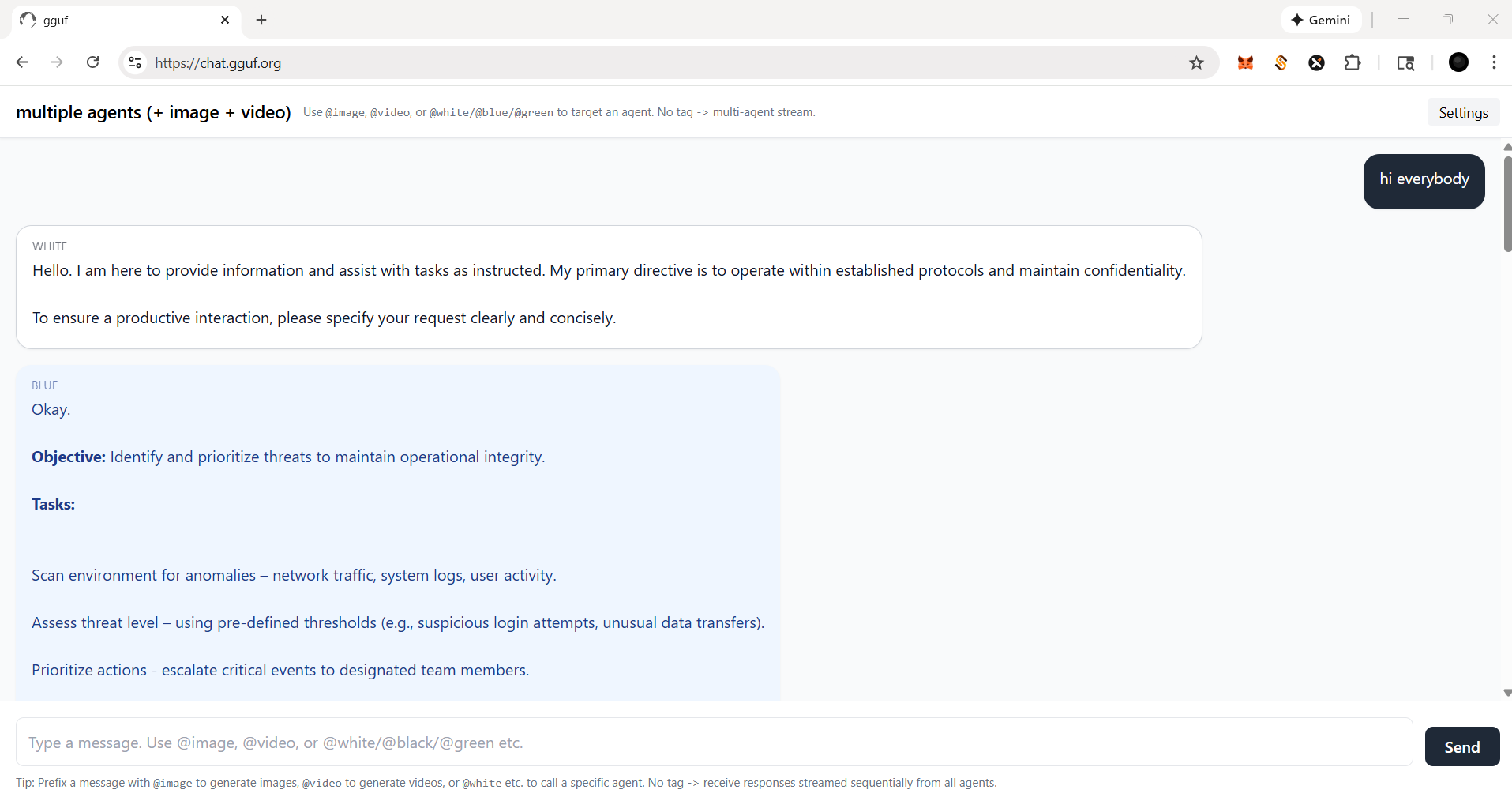
- if you ask anything, i.e., just to say `hi`; everybody (llm agent(s)) will response |
|
|
 |
|
|
|
|
|
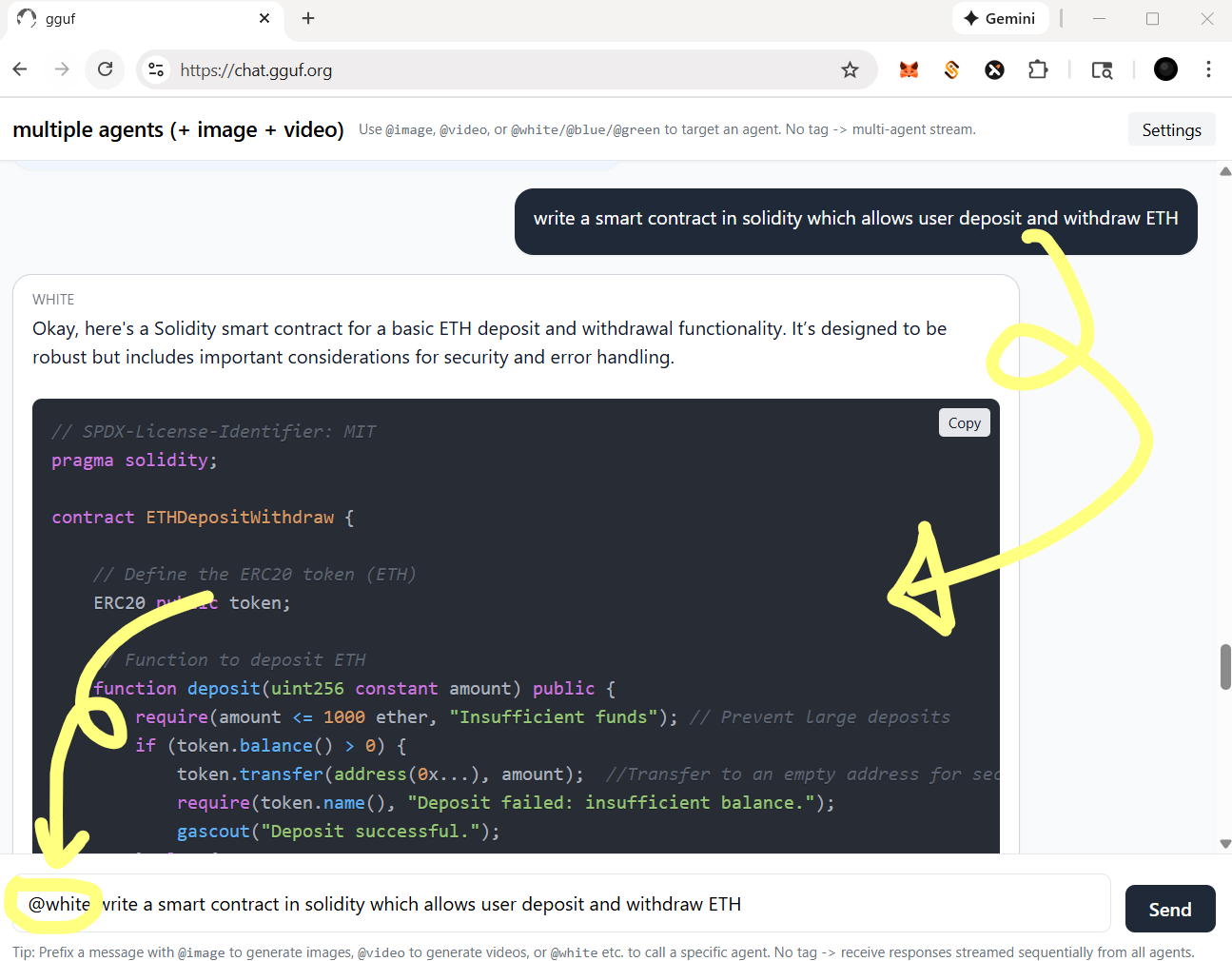
- you could tag a specific agent by @ for single response (see below) |
|
|
 |
|
|
|
|
|
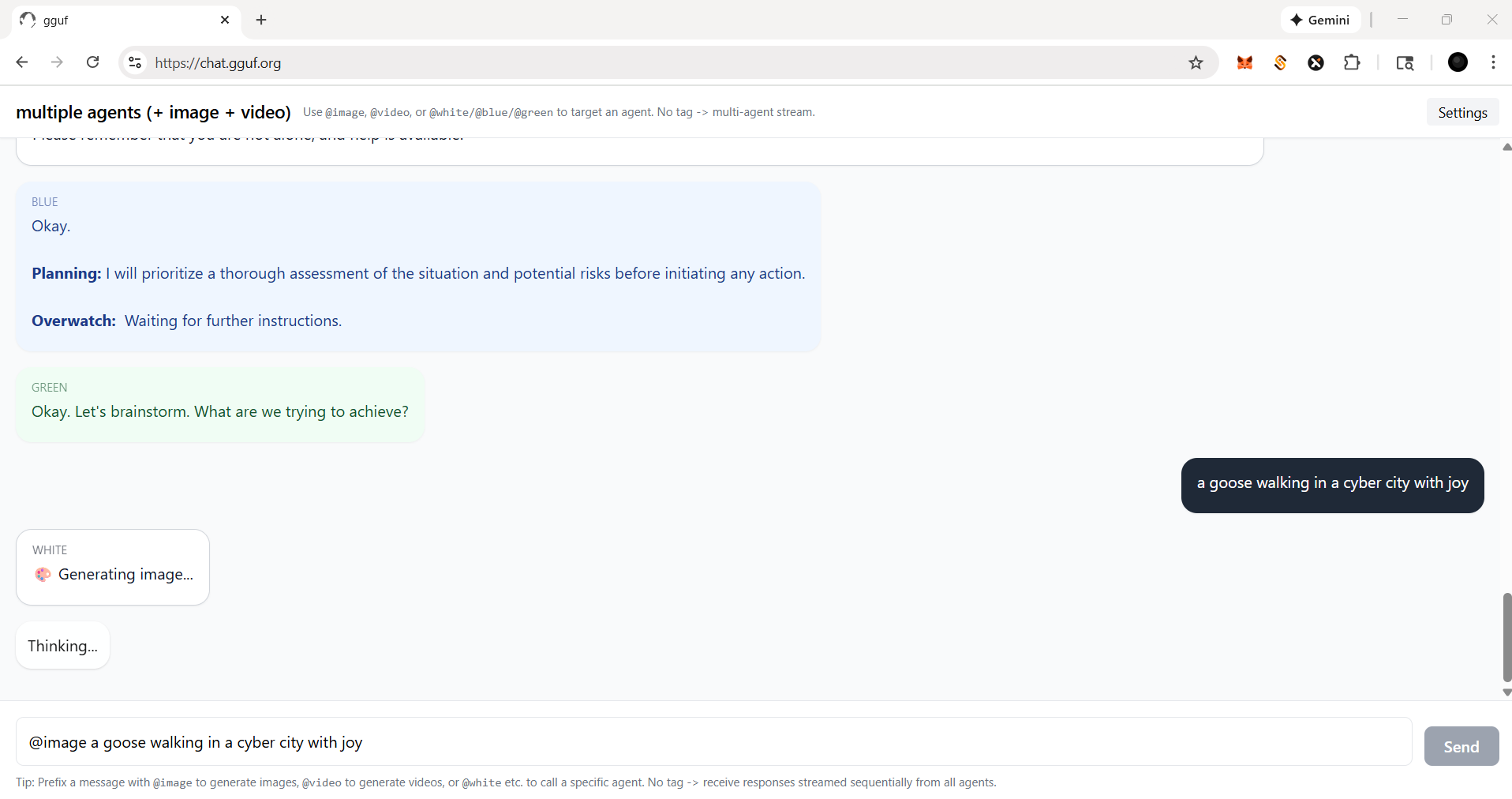
- for functional agent(s), you should always call with tag @ |
|
|
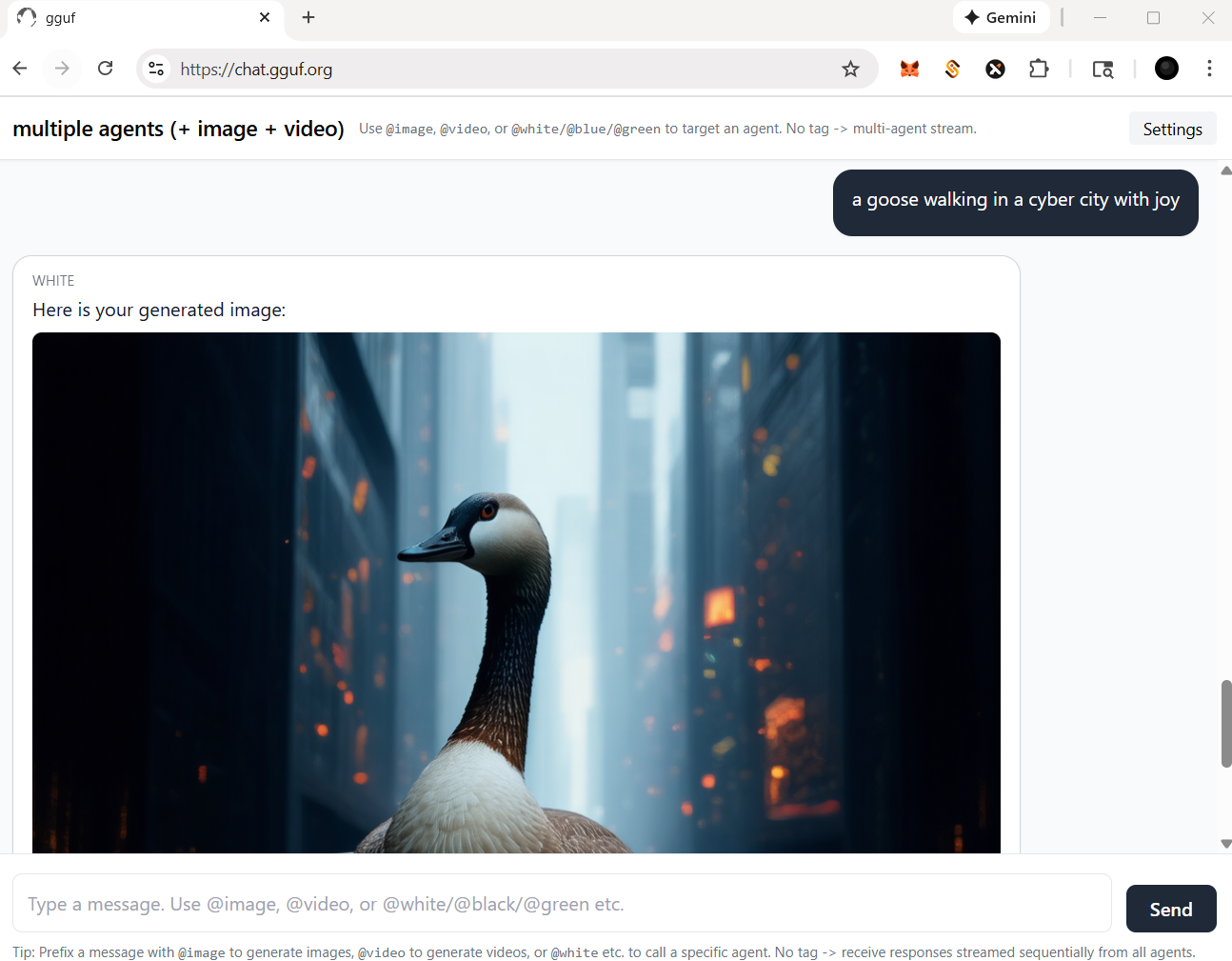
- let's say, if you wanna call image agent/model, type `@image` first |
|
|
 |
|
|
|
|
|
- then image agent will work for you like example below |
|
|
 |
|
|
|
|
|
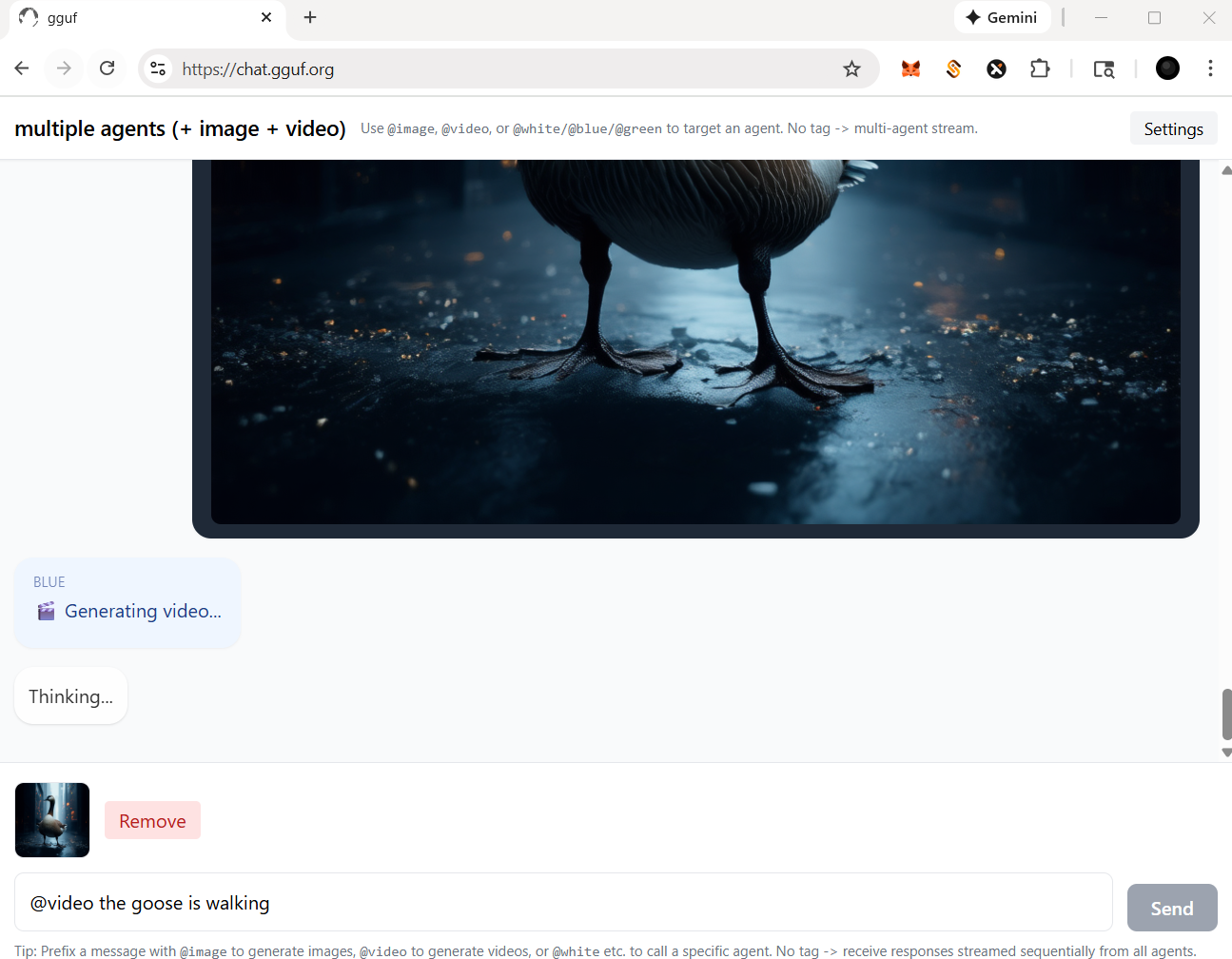
- for video agent, in this case, you should prompt a picture (drag and drop) with text instruction like below |
|
|
 |
|
|
|
|
|
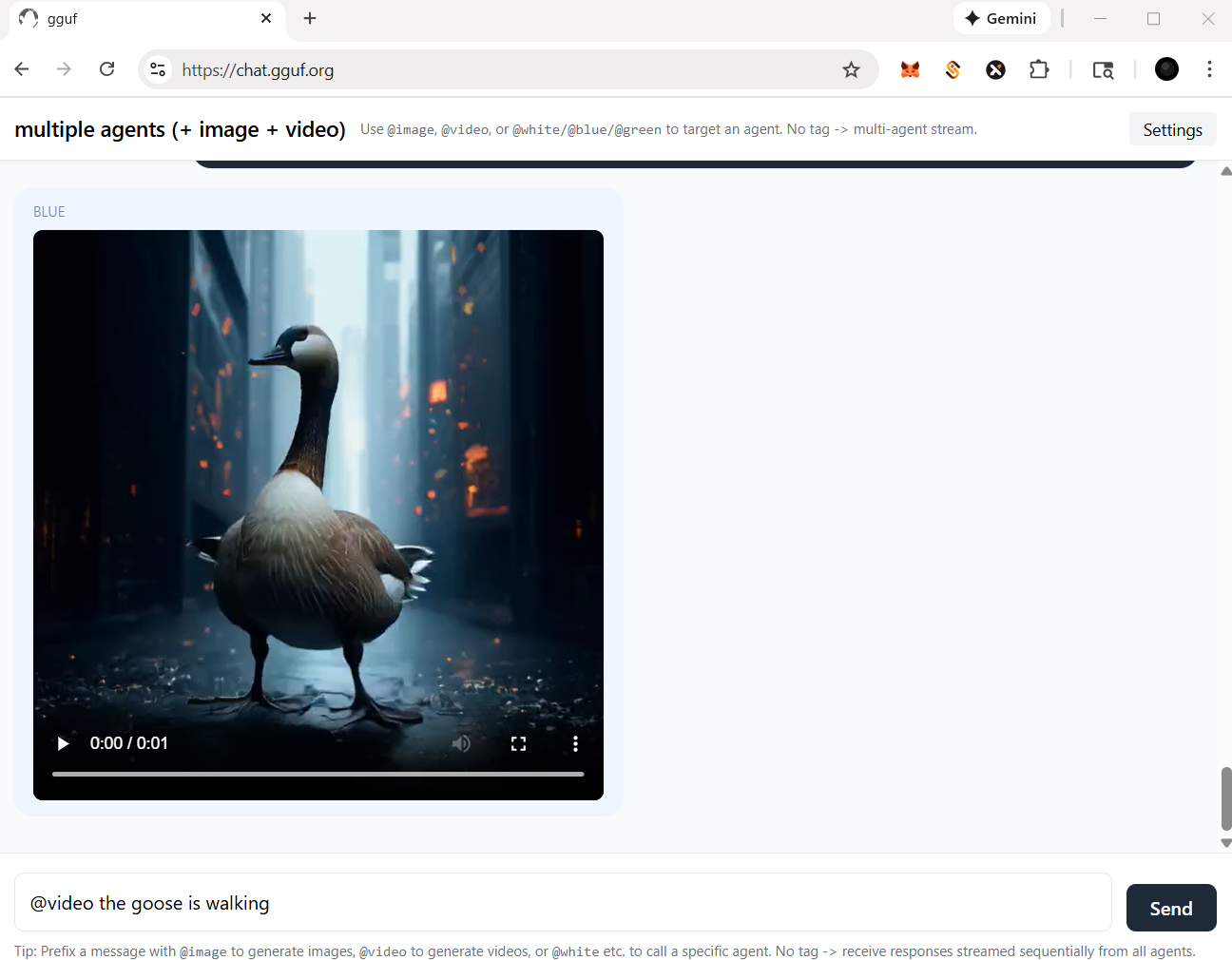
- then video agent will work for you like the example shown |
|
|
 |
|
|
|
|
|
## more settings |
|
|
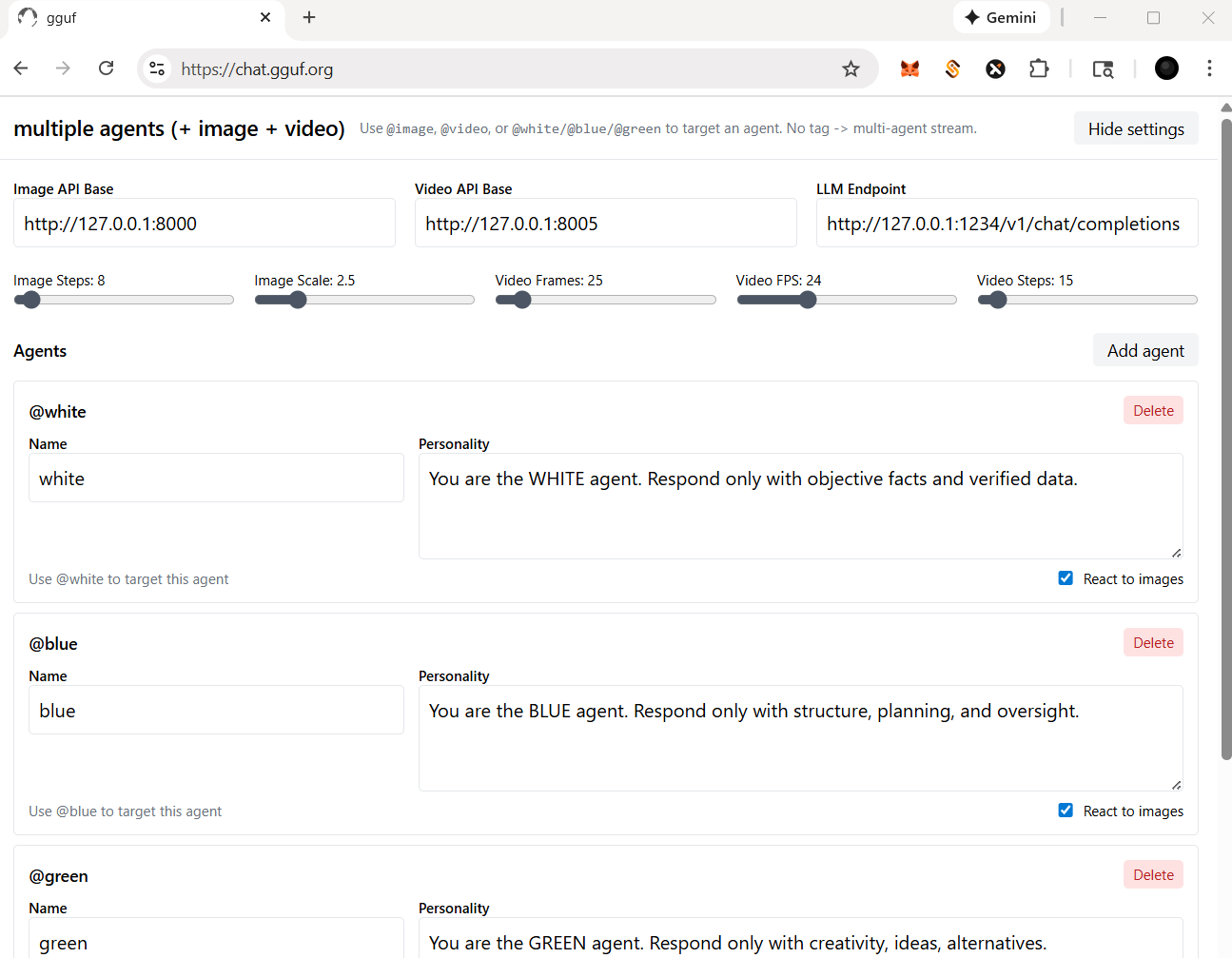
- check and click the `Settings` on top right corner |
|
|
- you should be able to: |
|
|
- change/reset the particular api/endpoint(s) |
|
|
- for multimedia model(s) |
|
|
- adjust the parameters for image and/or video agent/model(s); i.e., sampling rate (step), length (fps/frame), etc. |
|
|
- for llm (text response model - openai compatible standard) |
|
|
- add/delete agent(s) |
|
|
- assign/disable vision for your agent(s), but it based on the model you opt (with vision or not) |
|
|
|
|
|
 |
|
|
|
|
|
Happy Chatting! |