

metadata
tags:
  - diffusers
  - text-to-image
  - template:sd-lora
  - base_model:black-forest-labs/FLUX.1-dev
  - base_model:finetune:black-forest-labs/FLUX.1-dev
  - license:other
  - region:us
  - flux
  - lora
widget:
  - output:
      url: samples/1753476503220__000000750_0.jpg
    text: wounded centaur, mythical creature de-pixelate
  - output:
      url: samples/1753476528080__000000750_1.jpg
    text: ruins of athens, snake de-pixelate
  - output:
      url: samples/1753476552924__000000750_2.jpg
    text: silver vampire sword de-pixelate
base_model: black-forest-labs/FLUX.1-dev
trigger: de-pixelate
instance_prompt: de-pixelate
license: other
license_name: flux-1-dev-non-commercial-license
license_link: https://huggingface.co/black-forest-labs/FLUX.1-dev/blob/main/LICENSE.md
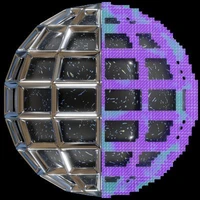
de-pixelate
Model trained with AI Toolkit by Ostris under the Glif Loradex program by Glif user atomdev.

- Prompt
- wounded centaur, mythical creature de-pixelate

- Prompt
- ruins of athens, snake de-pixelate

- Prompt
- silver vampire sword de-pixelate
Trigger words
You should use de-pixelate to trigger the image generation.
Download model
Weights for this model are available in Safetensors format. Download them in the Files & versions tab.
License
This model is licensed under the flux-1-dev-non-commercial-license.