

Van Gogh Diffusion
This is a fine-tuned Stable Diffusion model (based on v1.5) trained on 60 paintings of Van Gogh.
It is a mix of portraits and landscape.
Use the token vangh in your prompts to use the style (e.g., "vangh, beautiful woman at sunset").
--
Character rendered with this model:
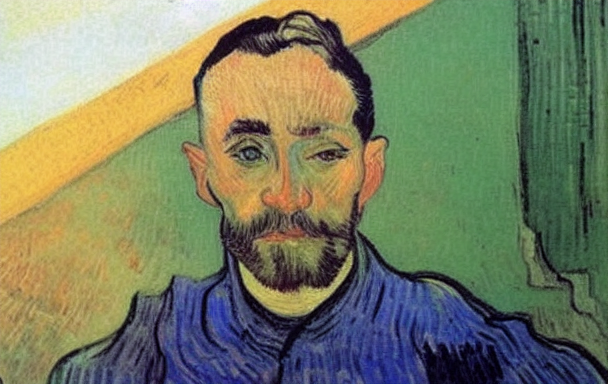 _prompt and settings used: vangh, man
--
Landscapes/miscellaneous rendered with this model:
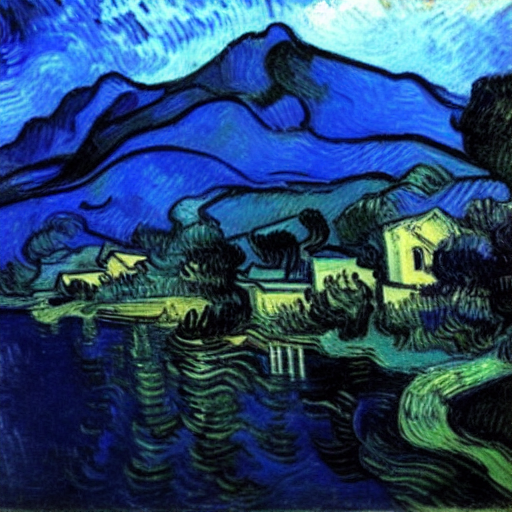 _prompt and settings used: vangh, landscape of lake, houses and mountains
--
This model was trained with Dreambooth, using TheLastBen colab notebook
🧨 Diffusers
This model can be used just like any other Stable Diffusion model. For more information, please have a look at the Stable Diffusion.
You can also export the model to ONNX, MPS and/or FLAX/JAX.
from diffusers import StableDiffusionPipeline
import torch

model_id = "hazwan/vg-session"
pipe = StableDiffusionPipeline.from_pretrained(model_id, torch_dtype=torch.float16)
pipe = pipe.to("cuda")

prompt = "vangh, beautiful woman at sunset"
image = pipe(prompt).images[0]

image.save("./woman.png")
- Downloads last month
- 3