
import torch
from diffusers import DiffusionPipeline

# switch to "mps" for apple devices
pipe = DiffusionPipeline.from_pretrained("jadechip/x-boonsie", dtype=torch.bfloat16, device_map="cuda")

prompt = "Astronaut in a jungle, cold color palette, muted colors, detailed, 8k"
image = pipe(prompt).images[0]Dreambooth for people in a hurry - Colab edition
The Stable-Diffusion-v1-5 checkpoint is used as base model, and trained with custom concept.
Concept info
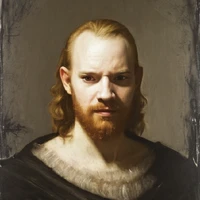
Your full token: x_boonsie woman Example prompt: Professional headshot photo of x_boonsie woman as a magician, Tiffen Digital Diffusion / FX, 100mm
Instance prompt: photo of x_boonsie woman Class prompt: photo of a woman
Model info
Training images: 6 Regularization images: 50 Model type: Diffusers, Checkpoint
training_steps: 1000 lr_scheduler: constant lr_warmup_steps: 0 learning rate: 1e-6 mixed_precision: fp16
- Downloads last month
- -