

llm.create_chat_completion(
	messages = [
		{
			"role": "user",
			"content": "What is the capital of France?"
		}
	]
)Hy3 Chadrock FPX-IFP2 MTP
This model requires the Ciru ROCmFPX runner. Stock llama.cpp does not understand the ROCmFPX tensor types and will not run this GGUF correctly. The required ROCmFP2/IFP2 kernels, native Hy3 MTP loader, Hy3 Jinja support, and SSD-backed prompt cache are merged into
ciru-ai/ROCmFPXmainat commit647fd52. The upstream portability work is also tracked in charlie12345/ROCmFPX PR #29.
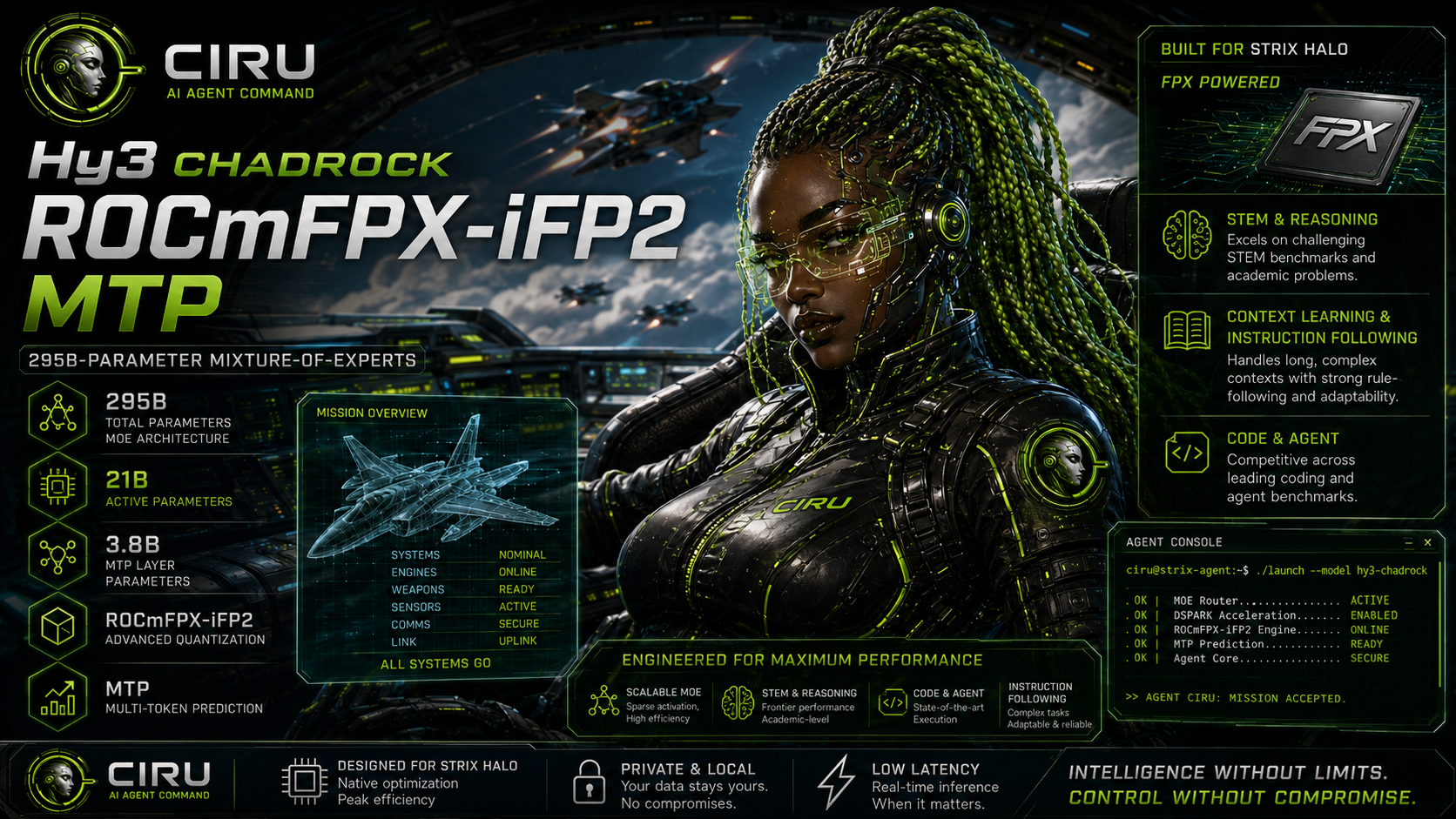
Hy3 Chadrock FPX-IFP2 MTP is a speed-oriented, importance-guided quant of Tencent's Hy3: a 295B-total, 21B-active MoE model with a native 3.8B-parameter MTP layer. It is built for large-memory AMD systems where model traffic, KV capacity, prompt reuse, agent quality, and real end-to-end latency all matter.
The release is 90.761 GiB across five GGUF shards. It fits a tested 64K operational profile with target and MTP-draft KV both at q8_0 on a 128 GiB Strix Halo UMA system. Its disk-only prompt cache keeps reusable state on SSD instead of consuming several additional GiB of scarce system RAM.
The short version: FPX-IFP2 kept the unusually strong HY3 agent/tool behavior, beat its unweighted control on the full Tool-Eval score, improved most paired latency tests, remained smaller than IQ2_M, and avoided the large capacity penalty of FP3-heavy and Q3_K_M alternatives.
- Full Tool-Eval69: 88/100, 122/138 points
- Tool-Eval core15: 100/100
- HermesAgent-08: 100/100
- Targeted Hermes set: 425/425, exact quality preservation versus the control
- Cache-on HermesAgent-20: 80/100 versus 81/100 for the clean control, treated as variance-level parity
- Tested operating point: 64K context, native MTP,
q8_0target/draft KV, SSD prompt cache
For an accessible explanation of the codebook, block layout, scale metadata, int8 reconstruction, AMD dot path, and the research results behind this release, see the ROCmFP2 Codebook Research Report.
What FPX-IFP2 means
FPX-IFP2 is the importance-guided edition of this ROCmFP2 recipe. It is not a claim that every tensor in the model is FP2.
| Model region | Quantization choice | Reason |
|---|---|---|
| 237 trunk routed-expert tensors | ROCmFP2 with importance-guided scale search | Put the compact, fast codebook on the model's large expert body |
| 3 native MTP expert tensors | ROCmFP3 | Preserve draft quality and MTP acceptance |
| Attention and shared experts | Q5_K | Protect high-sensitivity shared computation |
| Embedding and output | Q6_K | Protect token representation and logits |
A ROCmFP2 block holds 32 weights in a 64-bit two-bit payload plus a 16-bit scale: 10 bytes total, or 2.50 bits per weight for those tensors. At runtime, the symbols map to a compact signed-int8 codebook so AMD's integer dot-product path can do the useful accumulation without expanding the whole tensor to floating point first. The complete mixed model projects to about 2.61 BPW, because the sensitive tensors deliberately use more bits.
The importance matrix changes the offline scale choice for each eligible block. It does not enlarge the ten-byte block and it does not add another runtime kernel. Relative to the exact unweighted tensor layout, the stored importance/provenance addition is only 224 bytes.
Why this recipe has a useful place
Footprint and capacity
| Artifact | Size | Result |
|---|---|---|
| Hy3 Chadrock FPX-IFP2 | 97,453,897,696 bytes / 90.761 GiB | Release artifact; five shards |
| IQ2_M comparator | 100,008,834,816 bytes / 93.140 GiB | FPX-IFP2 is 2.55% smaller |
| FP3-heavy quality-v1 experiment | 110,382,692,096 bytes / 102.802 GiB | 13.27% larger than the FP2-dominant control and needed lower target-KV precision at 64K |
| Public Q3_K_M artifact | about 142.74 GB | Capacity-excluded from the 128 GiB UMA target before a fair runtime test |
Q3_K_M may still be attractive on a machine with more memory, but it is not a substitute for this recipe's capacity target. The FP3-heavy experiment also failed to buy a better frontier: it was larger, slower in the paired agent/tool tests, and scored lower on the selected Hermes set.
Direct ROCmFP2 control versus IQ2_M
The following are paired measurements of the unweighted ROCmFP2 speed-v1 twin against IQ2_M. They isolate the underlying codebook/layout comparison; they are not mislabeled as a direct final-IFP2-versus-IQ2_M run.
| Workload | ROCmFP2 control | IQ2_M | ROCmFP2 result |
|---|---|---|---|
| No-MTP short total | 9.390 s | 9.617 s | 2.4% faster |
| No-MTP long total, 19,654 prompt tokens | 159.243 s | 169.738 s | 6.2% faster |
| HermesAgent-08 | 100; 62.446 s at MTP n=2 | 100; 72.902 s at tuned n=3 | Same score, 14.3% faster |
| Tool-Eval core15 | 100; 175.3 s | 100 | Same score, 21.2% less wall time |
Raw token generation was 1.5–2.0% lower in those no-MTP trials. The end-to-end win came from lower model traffic and faster prompt processing, which is exactly why a decode-only number does not describe this quant well.
What the importance-guided release added
Against its exact unweighted twin, the final FPX-IFP2 artifact delivered:
| Paired test | FPX-IFP2 change |
|---|---|
| No-MTP short total latency | 4.32% faster |
| No-MTP long total latency | 4.83% faster |
| Short-prompt MTP total latency | 3.84% faster |
| Targeted Hermes duration | 2.53% faster |
| Long-prompt MTP total latency | 0.75% slower |
On that last long-MTP probe, FPX-IFP2 generation rate fell to 6.521 tok/s from the control's 7.865 tok/s, while MTP acceptance fell to 20/28 (71.43%) from 38/43 (88.37%). Partial-rejection cost dominated this workload. This release is therefore strongest for no-MTP, shorter MTP, and agent/tool traffic; if your workload is dominated by very long continuations, test with MTP disabled as well.
Quality results
All results below were recorded on the same local AMD test system and use the final importance-guided artifact unless a comparator is named.
| Evaluation | FPX-IFP2 | Comparator / interpretation |
|---|---|---|
| HermesAgent-08 | 100/100 | Quality gate passed |
| Targeted 8-scenario Hermes set | 425/425 | Exact tie with unweighted control; successful preservation |
| Tool-Eval core15 | 100/100 | Core tool-use gate passed |
| Full Tool-Eval69 | 88/100 (122/138) | Control: 86/100 (119/138) |
| Cache-on HermesAgent-20 | 80/100 | Clean control: 81/100; variance-level parity, not a failed run |
| Safety & Boundaries slice | 69% | Do not deploy as an unsupervised security-sensitive agent |
Full Tool-Eval wall time was 1,885.7 seconds versus 1,697.3 seconds for the control. Two successful IFP2 cases, TC-42 and TC-45, each continued to the 4,096-token cap, so this result supports the score improvement, not a full-suite runtime win. Cache-on HermesAgent-20 completed in 38m 16.652s with aggregate PP 185.42 tok/s and TG 17.07 tok/s over 260,725 prompt and 12,166 predicted tokens.
The FP3-heavy experiment was a negative result: at 102.802 GiB it could not use the 64K q8_0 target-KV goal, tied HA-08 quality while taking 75.306 seconds versus 62.446, scored 405 versus 425 on the targeted Hermes set, and scored 97 versus 100 on Tool-Eval core15 while taking 205.3 versus 175.3 seconds.
Required runner and build
This GGUF contains ROCmFPX types that are outside stock llama.cpp. Clone and pin the required runner before downloading or serving the model:
git clone https://github.com/ciru-ai/ROCmFPX.git
cd ROCmFPX
git checkout main
git pull --ff-only origin main
git checkout 647fd52965a401d7fa8e035fc76a16c94216a794

CMAKE_HIP_ARCHITECTURES=gfx1151 \
BUILD_DIR=build-hy3 \
JOBS=16 \
scripts/build-strix-rocmfp4-mtp.sh llama-server
The script name retains its historical rocmfp4 label, but this build includes the full ROCmFPX/HY3/FPX-IFP2 runtime. gfx1151 is the tested Strix Halo target; choose the matching HIP architecture when building for another supported AMD GPU.
Recommended 64K operational profile
This is a serving default, not a benchmark profile: it has no fixed seed, no forced short generation cap, prompt caching enabled, native MTP enabled, and a conservative one-slot 64K context. Bind remains local by default; put an authenticated gateway in front of it before exposing it to a network.
The commands below are safe to copy and paste without defining either variable first. By default they download under $HOME/models and cache under $HOME/.cache, so they will not accidentally create a made-up /mnt/nvme0 path. To put the prompt cache on a separate SSD, export CACHE_DIR to an existing directory on that SSD before running the block, for example export CACHE_DIR=/your/ssd/hy3-cache.
MODEL_DIR="${MODEL_DIR:-$HOME/models/hy3-chadrock-fpx-ifp2-mtp}"
CACHE_DIR="${CACHE_DIR:-$HOME/.cache/hy3-chadrock-fpx-ifp2-mtp}"

mkdir -p "$MODEL_DIR" "$CACHE_DIR"
test -w "$CACHE_DIR" || { echo "CACHE_DIR is not writable: $CACHE_DIR" >&2; exit 1; }
df -h "$CACHE_DIR"
hf download jcbtc/Hy3-Chadrock-FPX-IFP2-MTP \
  --include '*.gguf' \
  --local-dir "$MODEL_DIR"
Then start the required runner from the ROCmFPX repository:
MODEL_DIR="${MODEL_DIR:-$HOME/models/hy3-chadrock-fpx-ifp2-mtp}"
CACHE_DIR="${CACHE_DIR:-$HOME/.cache/hy3-chadrock-fpx-ifp2-mtp}"

./build-hy3/bin/llama-server \
  -m "$MODEL_DIR/Hy3-Chadrock-FPX-IFP2-MTP-00001-of-00005.gguf" \
  --alias hy3-chadrock-fpx-ifp2-mtp \
  --host 127.0.0.1 --port 8080 \
  -c 65536 -np 1 \
  --device ROCm0 --split-mode none -ngl 999 \
  -fa on -fit off --no-mmap --no-repack --no-context-shift \
  -b 2048 -ub 512 -t 16 -tb 16 \
  --cache-type-k q8_0 --cache-type-v q8_0 \
  --spec-type draft-mtp \
  --spec-draft-device ROCm0 --spec-draft-ngl 999 \
  --spec-draft-n-max 2 --spec-draft-n-min 0 \
  --spec-draft-p-min 0.75 --spec-draft-p-split 0.10 \
  --cache-type-k-draft q8_0 --cache-type-v-draft q8_0 \
  --spec-draft-threads 16 --spec-draft-threads-batch 16 \
  --cache-ram 0 \
  --cache-disk "$CACHE_DIR" --cache-disk-limit 16384 \
  --temp 0.9 --top-p 1.0 --min-p 0.05 --top-k -1 \
  --repeat-penalty 1.0 --presence-penalty 0.0 \
  --jinja \
  --reasoning on --reasoning-format deepseek --reasoning-budget -1 \
  --metrics
Why these defaults:
n_max=2andp_min=0.75are the tested HY3 MTP operating point. Higher draft lengths can look deceptively good on tiny prompts and lose on longer or rejection-heavy traffic.- Target and draft KV stay at
q8_0for quality. The 64K context is the proven 128 GiB operating point; Hy3's larger native context does not mean every KV/runtime configuration will fit this hardware. --cache-ram 0avoids reserving an additional multi-GiB RAM cache.--cache-disk-limit 16384permits up to 16 GiB of reusable prompt state on SSD.--no-mmapis intentional on the tested UMA path, where the mmap loader stalled synchronously.--no-repackpreserves the validated custom-kernel layout.--no-context-shiftis the safer production default for a fixed 64K agent slot. A forced context-shift stress run passed, but it is not needed for the recommended profile.
SSD prompt-cache behavior
The operational cache is not cosmetic. Exact-prefix time to first token fell to 0.264s from 7.328–9.316s cold; prefix-extension TTFP fell to 0.478s from 7.655–8.814s cold. Restored MTP acceptance remained 13/13 and 18/19, while measured SSD reads were 59.8ms and 88.3ms.
The cache test stored 21 states covering 79,675 tokens in about 14.05 GB on SSD while process RSS peaked near 2.00 GiB. The HA20 suite made 21 independent saves and no loads, so HA20 proves cache-on quality, memory behavior, and OOM safety; the dedicated prefix smoke tests prove cache-hit speed.
Files
| File | Bytes | SHA-256 |
|---|---|---|
Hy3-Chadrock-FPX-IFP2-MTP-00001-of-00005.gguf |
22,300,632,640 | e358ea9e5494960898e84b291f933bd7afbd657ae705a6ce872b3951c2f9b6c9 |
Hy3-Chadrock-FPX-IFP2-MTP-00002-of-00005.gguf |
22,707,214,816 | 68eeeeaaef55f04b4534ac12c53703e0026075de9bd7e885f583bb8c3bc89fd2 |
Hy3-Chadrock-FPX-IFP2-MTP-00003-of-00005.gguf |
22,610,010,624 | fa506f07472b91e85de74b1c69eecbbc26348798286f30c56f65c647f85a4967 |
Hy3-Chadrock-FPX-IFP2-MTP-00004-of-00005.gguf |
22,177,392,768 | 03c66ec1bc34e1589067da1110eefe2dae10db01e627a1bbb4b704f065ad5ba9 |
Hy3-Chadrock-FPX-IFP2-MTP-00005-of-00005.gguf |
7,658,646,848 | 02e77fa1e3cd04e9fa82c48a73a834ab80db152149f5d148fe522d3bf0858c2f |
Load the first shard; the runner discovers the remaining four automatically. Do not merge the shards just to serve the model. Merging is unnecessary and temporarily needs roughly another 91 GiB of free disk space. If you already merged them with llama-gguf-split --merge, runner commit 647fd52 or newer can load the merged Hy3-Chadrock-FPX-IFP2-MTP.gguf; change only the -m path in the command above.
Provenance and limitations
- Base model:
tencent/Hy3, official BF16 revision716aa724 - Required runtime:
ciru-ai/ROCmFPXmainat647fd52 - Tested backend: ROCm on
gfx1151Strix Halo UMA - Tested context/profile: 64K, one slot, target and native-MTP draft KV at
q8_0 - This is a custom mixed quant and needs the linked runner; compatibility with CPU, CUDA, stock llama.cpp, or other third-party loaders is not claimed.
- Tool and agent scores are useful evidence, not a guarantee. The 69% Safety & Boundaries result makes human oversight especially important for privileged tools.
Credits
- Tencent Hunyuan for Hy3
- llama.cpp and the ROCmFPX contributors for the runtime foundation
- Ciru Inference Lab for the ROCmFP2 codebook, FPX-IFP2 recipe, importance-guided build, AMD runtime work, and evaluation
This repository distributes a quantized derivative under the base model's Apache-2.0 license. Review the original Hy3 model card before deployment.
- Downloads last month
- 3,645
We're not able to determine the quantization variants.
Model tree for jcbtc/Hy3-Chadrock-FPX-IFP2-MTP
Base model
tencent/Hy3
# !pip install llama-cpp-python from llama_cpp import Llama llm = Llama.from_pretrained( repo_id="jcbtc/Hy3-Chadrock-FPX-IFP2-MTP", filename="", )